
Weekly Update: What Got Built on the Threat Intelligence Platform This Week
February 22, 2026

February 22, 2026
Yesterday, I published the first proper write-up about this project. If you haven’t read it, the short version is: I built an open-source threat intelligence platform specifically for the Philippine and Southeast Asian security landscape, because the commercial tools are too expensive, too western-focused, and too generic for what we actually need here.
I will try to post a weekly update starting today, every Sunday, on the progress, if there was any, this update follows just the day after the original post since I alreayd had much of this built but only today got a chance to test the new stuff and add it to git.
First, Some Honest Context
Before I get into features, let me say this: I shipped a working platform, but working and polished are two different things. I tested deployment again and again, ironed out a few kinks, should be good now with just following the quick deploy steps and then the documentation.
A few things fixed and pushed today. The start/stop crawl buttons weren’t working properly. The Tor circuit rotation had a cookie authentication bug that was silently failing. The crawler was bottlenecking on a single shared session instead of running parallel requests. And when I tried to stop a running crawl, it would acknowledge the request and just… keep crawling.
None of these are fancy problems to fix. But they’re the difference between a demo and a tool you can actually rely on.
The Boring But Important Fixes
Crawl Start/Stop now kinda works. Kinda? Yeah, for me, during the latest 3 rounds of deployment and testing, it worked, but then stopped working, and then startged working again, withut change. I assume it is working, let me know if you still run into this. The stop signal writes a flag file, and the crawler checks it both between batches and at the start of each individual URL fetch. Stop is now responsive — it doesn’t wait for an entire batch of slow .onion requests to complete before checking whether you’ve asked it to halt. On Tor, where a single request can take 30–60 seconds, that difference can be quite a differnce.
Tor Circuit Rotation had a very sneaky bug where cookie authentication was failing silently and falling back to nothing — meaning circuits weren’t actually rotating. Fixed that with a proper fallback chain: try cookie auth first, then password auth. Circuits now rotate as intended, which matters for avoiding fingerprinting across long crawl sessions.
Parallel Sessions — the crawler was routing all concurrent requests through a single aiohttp session, which was defeating the purpose of running them in parallel. Each request now gets its own Tor session. Real concurrency, not the illusion of it.
These three fixes aren’t exciting to write about. But if you’re running the platform, they’re the difference between it working and not working.
Projects — The Biggest New Feature
The most significant thing I added is what I’m calling Projects. And just like its name, this is very much a project in progress, and it may or may not fully work for you when you pull and deploy this, hence I am hoping for feedback and suggestions.
Previously, the platform ran more or less as a single global monitor. Every keyword hit, every crawl session, every alert went into one big pool. That works fine if you’re monitoring for your own purposes. It doesn’t work at all if you’re running intelligence for multiple clients, departments, or if you want to track a specific threat campaign separately from your general monitoring.
Projects is aimed at fixing that.
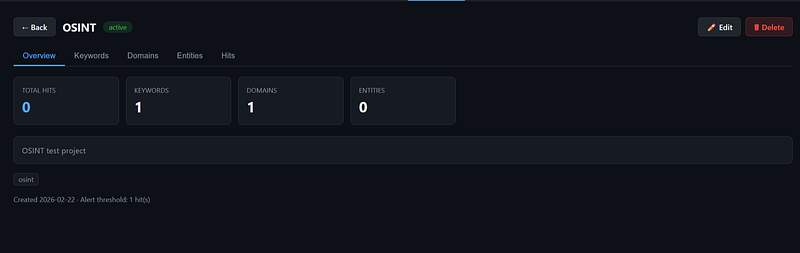
A project is an individual monitoring scope. Give it a name, a description, a color for visual distinction in the dashboard, and tags for organization. Within each project you configure:
- Keywords — project-specific keywords on top of your global config, supporting plain text or full regex patterns, labeled by category
- Target Domains — specific .onion or clearnet domains to track within this project, with priority scoring from 1–5; priority 5 gets front-of-queue treatment in the crawl scheduler
- Entities — the things you’re actually protecting or investigating: a person’s name, an organization, a brand, an IP address, an email, a Bitcoin address
When the crawler finds a hit, it automatically cross-references every active project. If a hit matches a project’s keywords, appears on a target domain, or contains a tracked entity, it gets tagged to that project. You view hits for a specific project in complete isolation — no noise from unrelated monitoring.
Access control is built in here from the start. Admins see all projects. Regular users see only their own. If you’re running this as a multi-user platform, each analyst manages their own investigation scope without visibility into everything else.
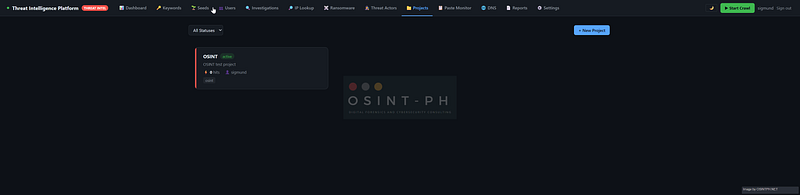
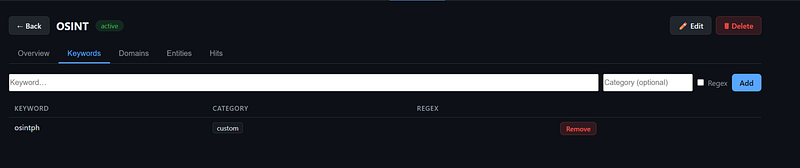
I’ll be honest — this was ready for a while but somehow never worked until i found some small bug yesterday. For this part, the database schema required five new tables, there are seventeen API endpoints, and the UI needed a full sub-tab structure within the Projects tab. But the result is clean and it works. At least during all my testing.
Paste Site Monitor — The New One
This one I’m particularly happy with, and this was farily easy to build, but has yet to show if it actually fires something, just took this one live about 1 hour ago, so, will observe it. It came directly from thinking about where real intelligence actually surfaces first.
Dark web forums are valuable but slow. Ransomware blogs post victims on their schedule. But paste sites — Pastebin, Rentry, Pastes.io, ControlC — are where data dumps often appear first, often within hours of a breach, and then disappear just as fast. If you’re not watching them in near-real-time, you miss them entirely.
So I built a Paste Monitor that polls these sites every 3–10 minutes, extracts new paste URLs, and scans content for Philippine-specific patterns:
- PH mobile numbers —
+63and09xxformat detection - .ph and .gov.ph domains — any mention of Philippine web infrastructure
- Philippine bank names — BDO, BPI, Metrobank, UnionBank, RCBC, Landbank, PNB, Security Bank, EastWest, PSBank, Chinabank
- SSS, TIN, PhilHealth numbers — ID number format regex matching
- PH-issued card BINs — first 6 digits matching known Philippine-issued Visa and Mastercard ranges
The monitor deduplicates against a seen_pastes database table — it never re-scans a paste it's already processed. Hits appear in a dedicated Paste Monitor tab, separate from the dark web crawler hits, with filters by source and pattern type.
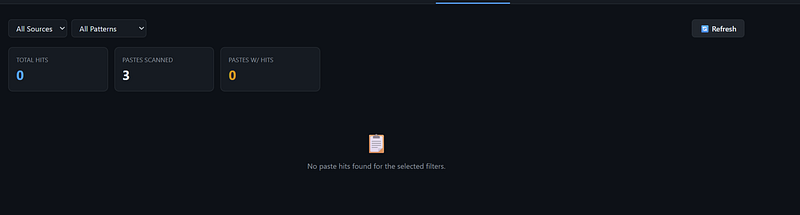
Admins can trigger a manual scan from the dashboard. Automated scanning runs via cron every 5 minutes. No Tor required — this runs over clearnet directly.
RSS Feed Expansion
The daily digest was pulling from six RSS sources. I’ve added:
- Security Online
- Cyber Security News
- The Cyber Express
- Ransomware.live
- Mandiant Blog
- Google Project Zero
- Schneier on Security
The digest now has more signal to work with, and the mix is better balanced between breaking news (Bleeping Computer, The Hacker News) and deeper research (Mandiant, Project Zero, Krebs).
What I Learned From Using It in Production
A few things became obvious once I was actually running this against real infrastructure rather than a test environment.
The seed list matters enormously. The quality of what you find is directly proportional to where you start. A handful of generic seeds gives you generic hits. When I added ransomware group blog addresses and breach forum seeds, hits started surfacing that were genuinely relevant — credentials from Philippine organizations, mentions of local companies in ransomware victim lists. The kind of thing this tool was built to find.
The stop button situation was worse than I thought. I had a production crawl running that I needed to halt quickly, clicked stop, it acknowledged the request, and the crawl ran for another twelve minutes. That’s not acceptable. The fix above resolves it, but it was a good reminder that “works in testing” and “works when you actually need it” are not the same thing.
Telegram is underrated as an intelligence source. The first scan after expanding the channel list surfaced more actionable hits in an hour than the dark web crawl produced in a full session. Stealer log channels, breach announcements, and credential dump feeds move fast and they’re public. If you’re not monitoring them, you’re missing a lot.
Paste sites are faster than everything else. Credentials that eventually show up in breach forums often appear on paste sites days earlier. The Paste Monitor is already surfacing Philippine-pattern content I wouldn’t have caught otherwise.
What’s Coming Next
The Projects feature and Paste Monitor together open up something I want to build next: a proper Breach Tracker. The idea is to automatically categorize hits that look like data dumps — identifying the affected organization, estimating record counts from context, flagging data types exposed. A structured breach discovery layer on top of the raw crawler and paste monitor output.
Beyond that, the roadmap from the first post still stands. Certificate monitoring, mobile interface, and expanded SEA regional coverage are all still in the queue.
A Note on Collaboration
A few people reached out after the first post, which was genuinely encouraging sicne it happened so fast. If you’re a Philippine or Southeast Asian security researcher and want to contribute — keyword lists, threat actor data, regional intelligence, or code review — please reach out. The repository is open, pull requests are welcome, and I respond to everyone.
The platform is AGPL v3. Take it, deploy it, modify it, build on it. The more people running their own instances and contributing back, the better the whole thing gets.
Reach out if you want access to the pilot deployment, have questions, feedback, or want to collaborate.