The Phishing Scanner Was Blind to Half the URLs You Handed It

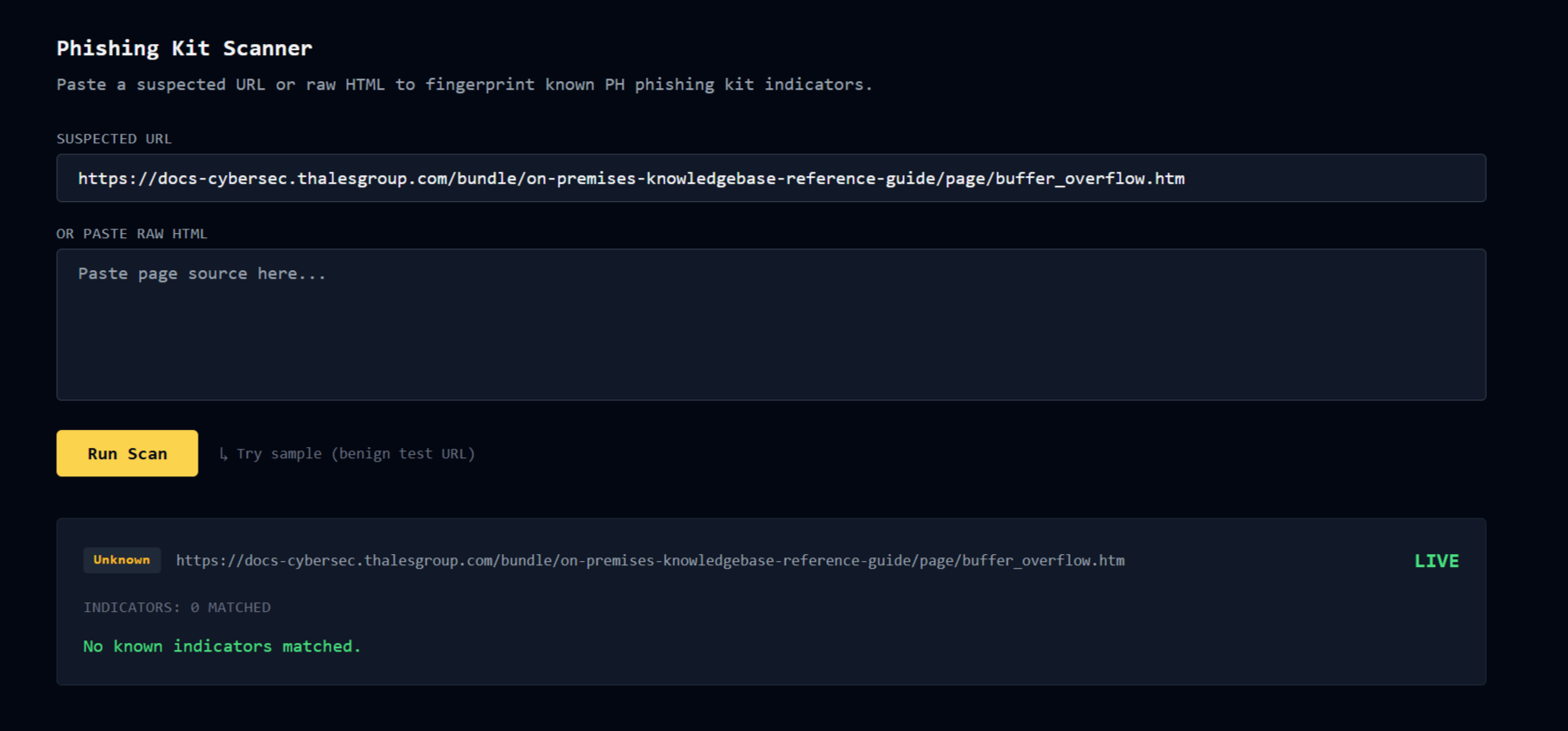
FalconEye's Phishing Scanner has been in the tab bar since v3.0. It does domain age, certificate transparency, PH banking indicators, Cloudflare fingerprinting, and urlscan enrichment on any URL you drop in. Real scam links go in, verdicts come out. It works.
Until you paste a bit.ly or tinyurl.com
bit.ly is not the scam. It is a link shortening service run by a legitimate company. The scanner looks at bit.ly, sees a decade-old domain with an EV certificate and no phishing indicators, and returns clean. Meanwhile the actual scam is three hops behind that redirect, hosted on a domain registered eleven days ago in .top, wearing a punycode disguise. The scanner never saw it.
That has been the shape of the gap since I built the tab. The scanner is good at analyzing a destination. It could not see through a shortener to find the destination in the first place.
FalconEye v3.6.0 closes the gap. Two new tabs, both feeding the scanner that already existed.
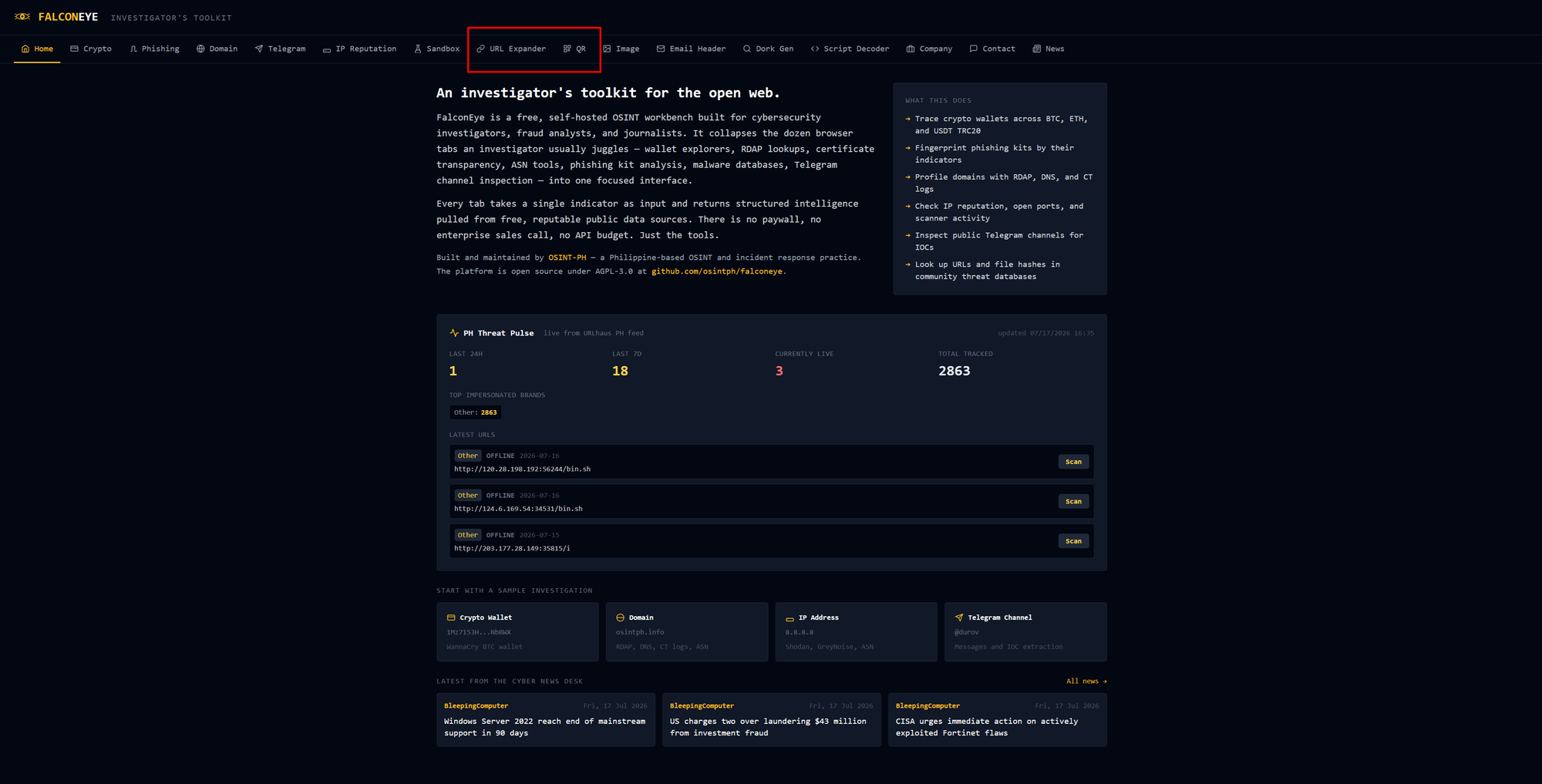
URL Expander
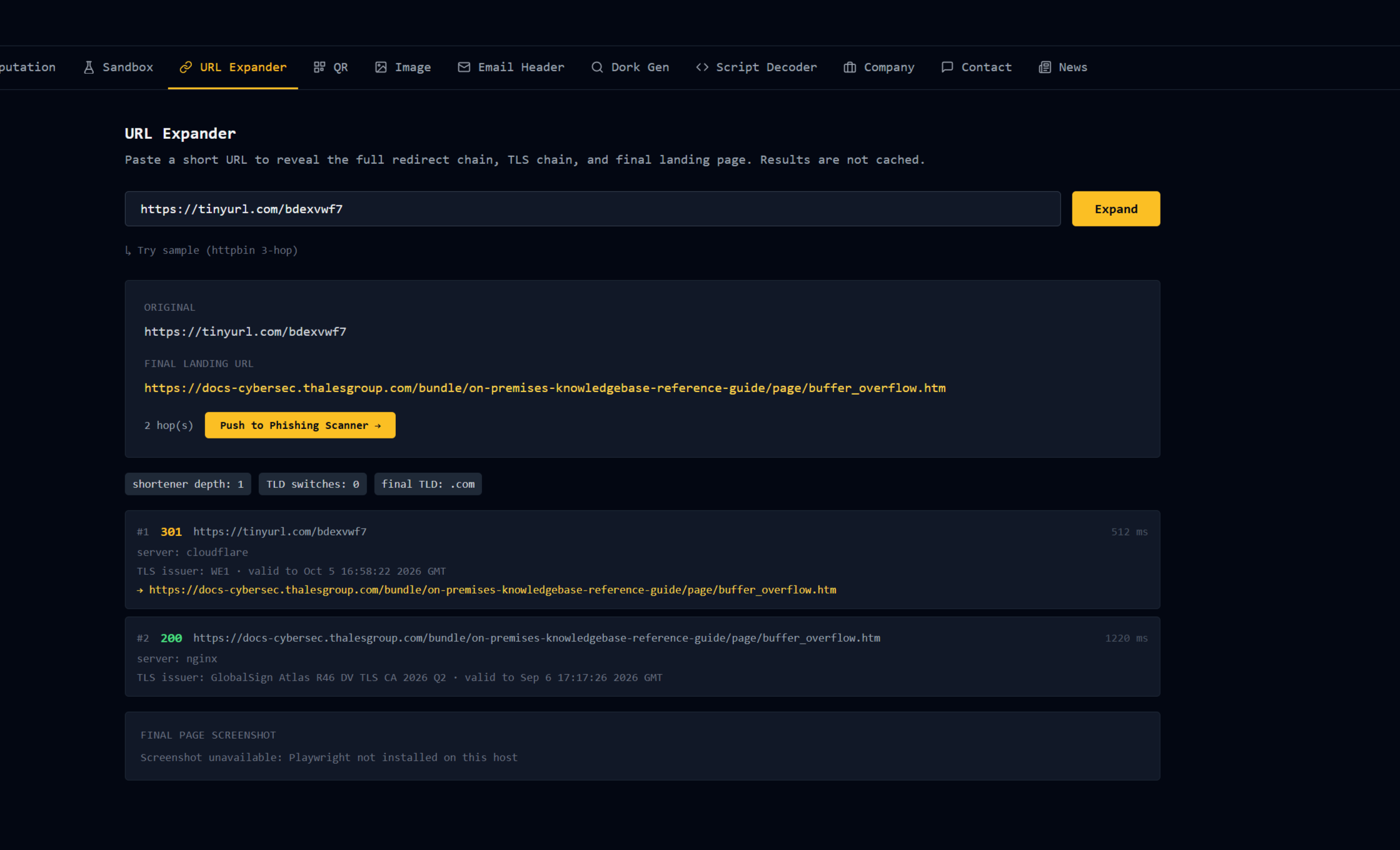
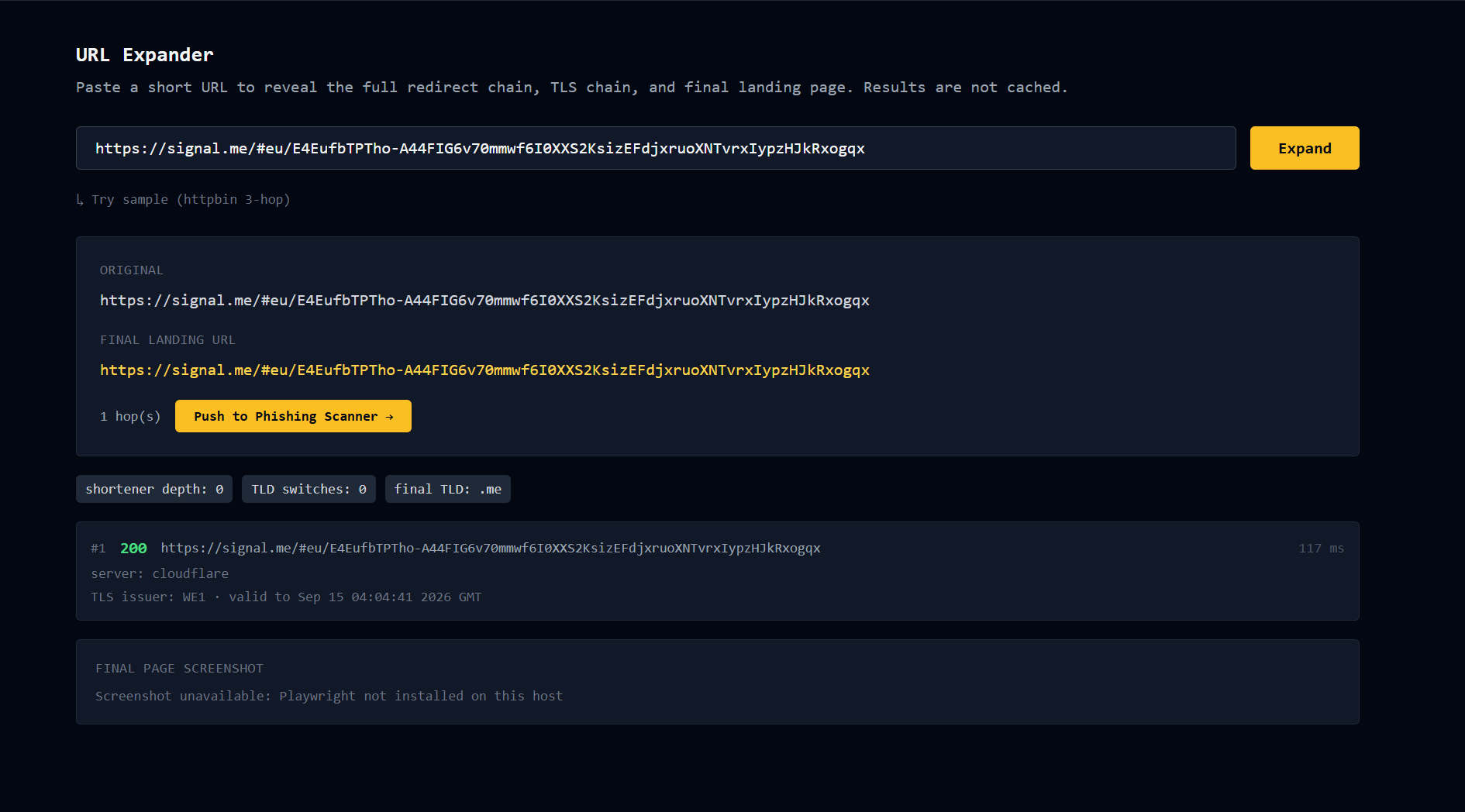
Paste a URL. Get the full redirect chain back, hop by hop, with the status code, TLS certificate, server header, and elapsed time at each stop. Every HTTPS hop shows the certificate issuer, subject, validity window, and the first ten Subject Alternative Names. When the chain resolves to its actual destination, one button pushes that destination into the Phishing Scanner.
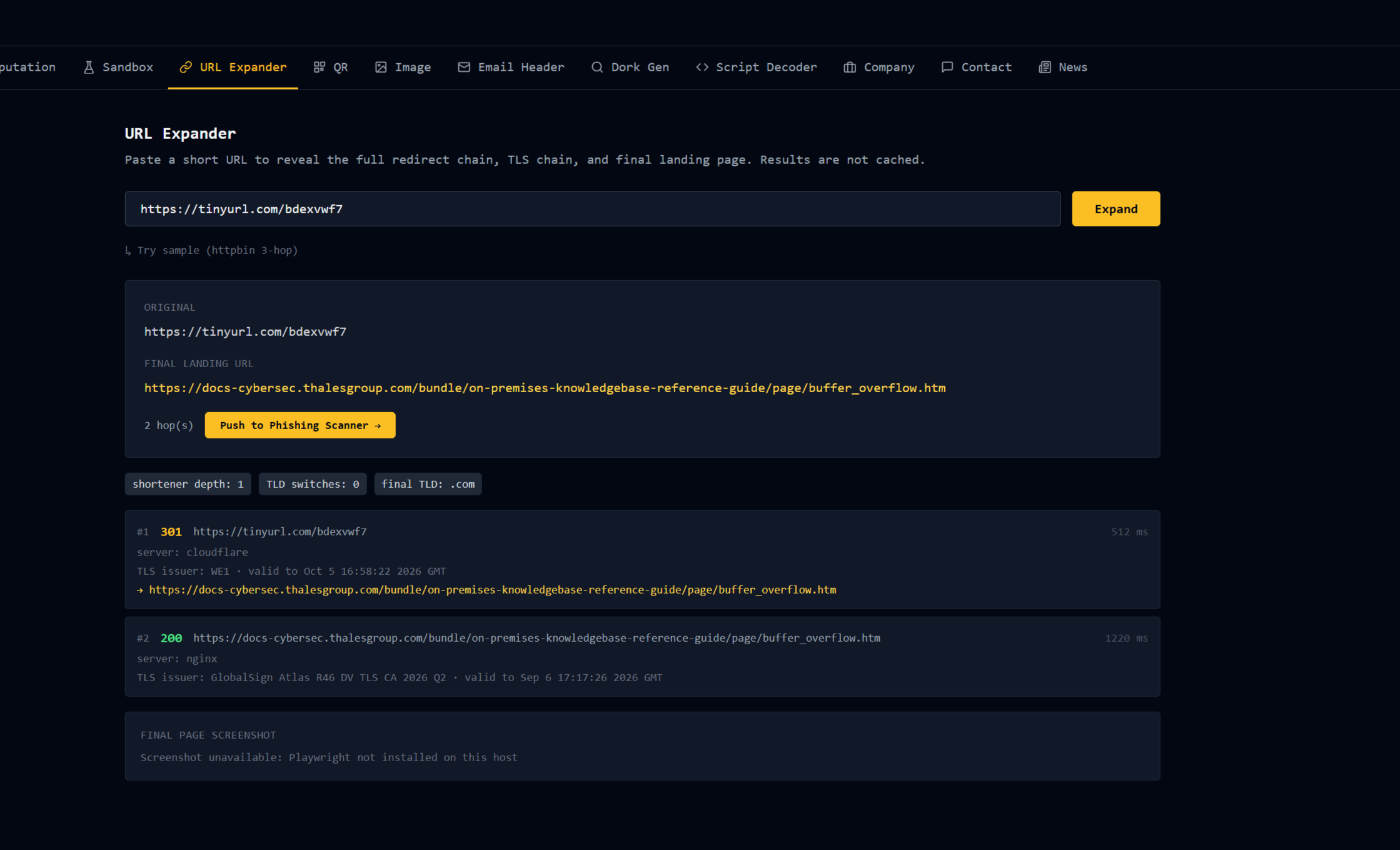
The signals row above the chain does the pattern-matching the eye is bad at:
- Shortener chain depth. How many hops passed through a known URL shortener. One is normal. Three is a smoke signal.
- TLD switches. Does the chain jump between country codes? A
bit.lyto a.phto a.topis not a shape legitimate traffic makes. - Punycode warning. Any hop whose hostname contains
xn--gets flagged. This is where homoglyph domains hide, the ones that look likegcash.comin a browser but resolve to something entirely different. - Suspicious port warning. Anything on a non-standard port.
The pivot is the point. "Push to Phishing Scanner" takes the final URL from the chain and drops it into the Phishing tab. Domain age check runs. CT logs get queried. PH banking indicators get pattern-matched against the page source. The Cloudflare fingerprint gets pulled. urlscan enrichment runs. The scanner does what it always did, on the URL it should have been looking at the whole time.
QR Code Analyzer
The Philippines is not having a good time with QR codes.
GCash spoofs at sari-sari stores. Fake parking meter stickers over the real DOTr QR. Menu QRs swapped in restaurants (the sticker on top peels off after the scam is done). Delivery box stickers pointing at credential-harvest pages disguised as tracking sites. Every fraud vector that used to arrive as an SMS now also arrives as a square of pixels on paper.
Same gap as the shortener problem. The Phishing Scanner has always been ready to analyze the destination. The destination was locked inside a QR nobody could decode in a browser.
Upload an image. Decoded content comes back with the scheme categorized.
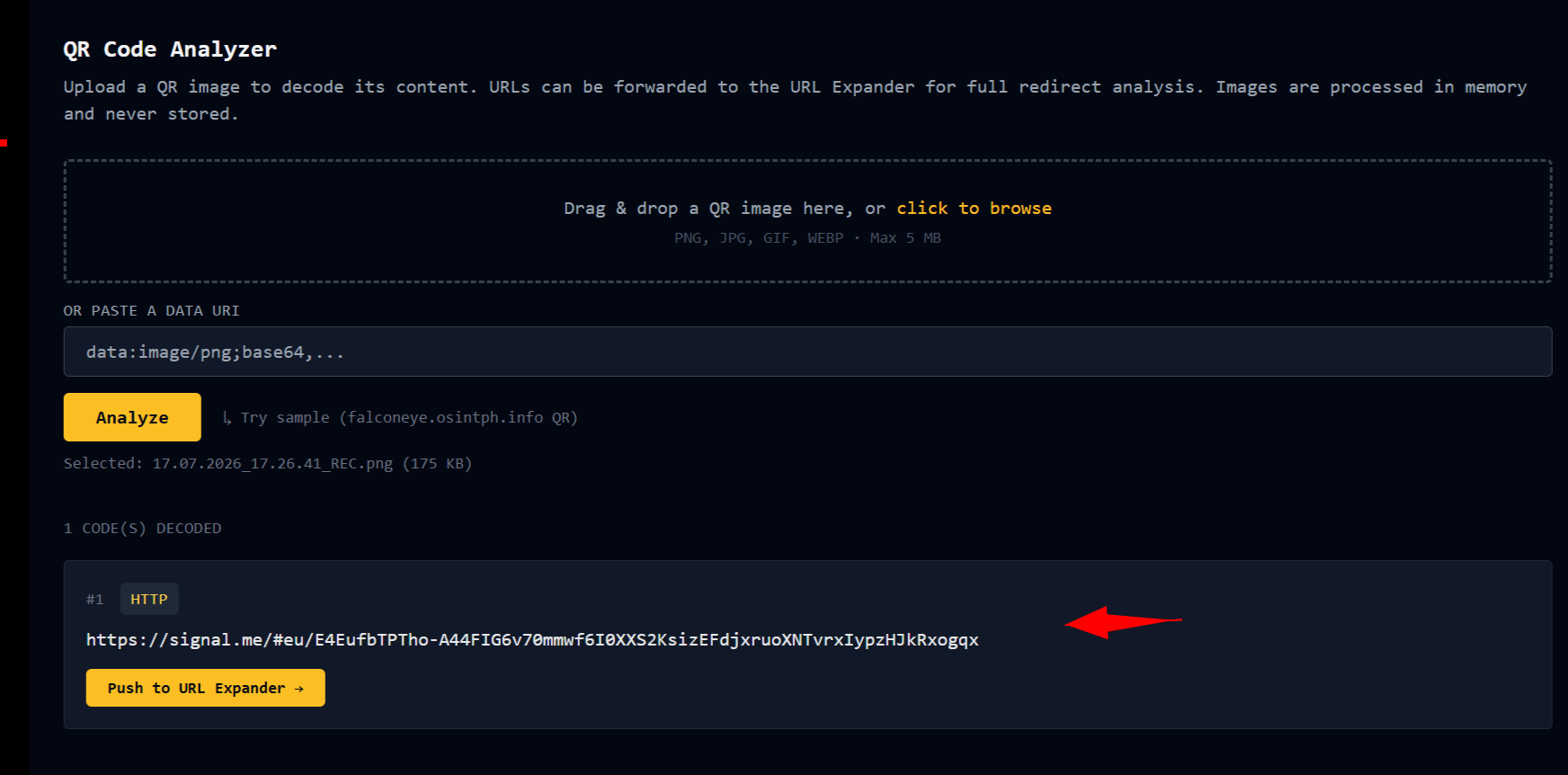
Scheme matters here. A QR that decodes to a URL is one class of problem. A QR that decodes to a bitcoin: payment URI or an Ethereum address is a different one. UPI, WiFi credentials, sms:, tel:, geo:, and plain text all get their own kind badge so you know at a glance what you are looking at before you decide what to do with it.
Multiple QRs in one image work. If someone stacks two QRs in a phishing PDF, both come out with their own cards.
The pivot mirrors URL Expander. QR decodes to a URL, click "Push to URL Expander," expand the chain, then push the final destination to the Phishing Scanner. Three tabs, chained. Full flow: photograph the suspicious QR sticker with your phone, drop the image into FalconEye, decode, expand, scan.
The architecture, made explicit
FalconEye tabs have always been designed to compose. This release makes the composition visible.
- QR Analyzer turns a physical square of pixels into a URL.
- URL Expander turns a shortener into a destination.
- Phishing Scanner turns a destination into a verdict.
Every tab hands off to the next with one click and no re-typing. The scanner at the end of the chain has not changed. What changed is that it now sees the URLs it should have been looking at.
Every tab in FalconEye either handed off to Phishing or should have. Making that handoff first-class is the reason v3.6.0 exists.
The interesting engineering problem was SSRF
URL Expander fetches user-supplied URLs. If the guard is wrong, FalconEye becomes a scanner for whatever internal network the VPS sits inside, weaponized by anyone who wants to poke around my hosting neighborhood. That is not a bug you want in a security tool.
Every hop revalidates. The DNS lookup happens per hop, so a redirect that starts pointing at a public IP and gets its answer changed to a private IP before the second hop is still caught. Literal-IP hostnames get resolved and range-checked. IPv4-mapped IPv6 addresses get unwrapped before the check. CGNAT and NAT64 ranges are in the blocklist. Cloud metadata endpoints are named explicitly. URLs with embedded userinfo like http://admin:password@internal-host/ are rejected outright.
v3.6.0 reuses the SSRF guard already living in the codebase from earlier hardening work rather than writing a second one for this feature. Two guards diverging over time is a security debt I did not want to take on. Claude Code caught this when it audited the codebase against the build spec I wrote and pointed out that my "new" helper was a weaker version of what was already there. Good catch.
The one thing v3.6.0 does not do is take a screenshot of the final landing page. A real browser navigating to arbitrary final URLs is a fresh SSRF surface that the per-hop guard cannot constrain. Subresource loads, WebSocket connections, JS-driven fetches, all bypass the guard once a browser is in the loop. Hardening that properly is a bigger job than this release should carry. The panel shows a clean "not in this release" note where the screenshot would go. That capability lands next in either a network-namespace-isolated microservice or by delegation to urlscan.
Constraints, honest
Ten requests per IP per 24 hours per endpoint. Enough for casework, not enough to be scraped for automation.
No persistence. URLs and uploaded QR images are handled in memory and discarded. Nothing is written to disk beyond the single sample QR that ships with the tool.
No login. FalconEye stays free and does not ask for a sign-up.
Client IP identified via CF-Connecting-IP so the real IP survives the Cloudflare proxy.
Try it
Live tool: falconeye.osintph.info
 OSINT-PH
Two new tabs: URL and QR, between Sandbox and Image in the nav bar.
Release:
 osintph
Sample URL for URL Expander: https://httpbin.org/absolute-redirect/3. The Try Sample button loads it. Might not work always, just generate one to test it with.
Sample QR is bundled. The Try Sample button loads it and decodes it in one click.
What is next
The next release probably brings screenshot capability back, isolated properly. Also in the queue: a phone number OSINT tab and a username enumeration tab, both of which came up in the internal ranking exercise what the next features should be.
If you use it and a real scam link breaks the tool in an interesting way, open an issue or reach out. Real casework examples that expose gaps are worth more than synthetic tests.
FalconEye is a free, self-hosted OSINT toolkit for practitioners. Sixteen tabs. No login. No API keys required to use it. AGPL-3.0. Blog series on individual tabs and real casework at


Reach out if you have questions or comments or what to collaborate
Session ID: 059db238ab37c3d92615c5cc24b694da29c598cc13e27886053722404118e14271