Which OSINT Search Engine Free Tier Actually Works in 2026: Shodan vs Censys vs ZoomEye vs FOFA

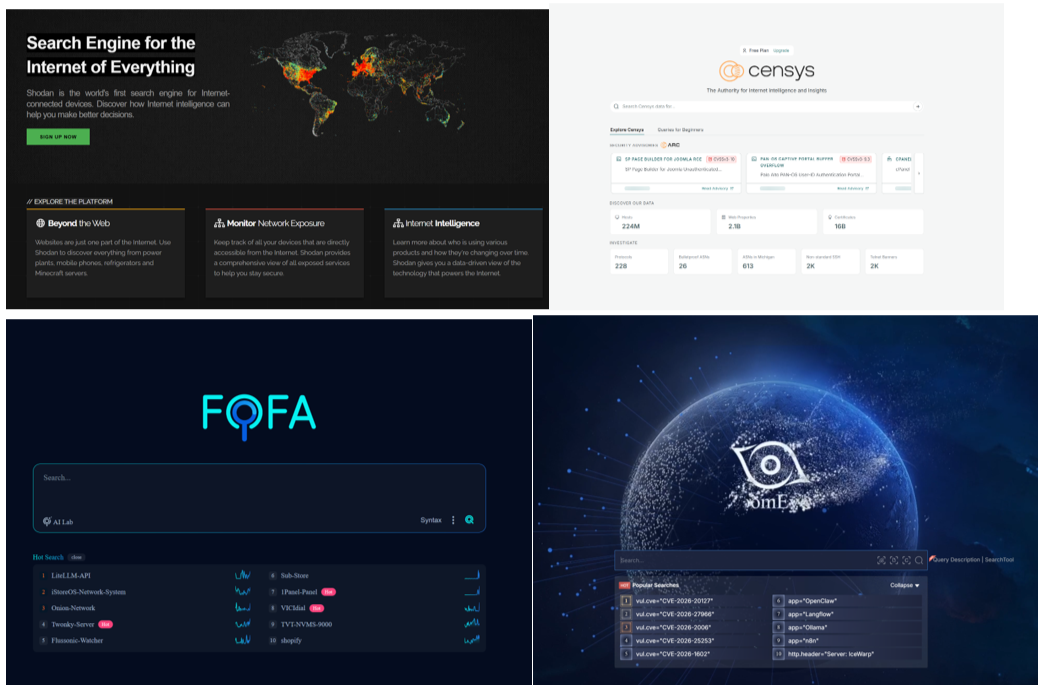
Every recon tutorial tells you to "just use the free tier." Almost none of them tell you that the free tier you read about last year is already gone, or vastly different now than it was. Censys deleted its Legacy Search out from under free users. Shodan quietly meters you the second you type a colon. ZoomEye greets half your results with "this data is protected." FOFA hands you a hundred rows and a bill for the rest.
So here is the reality check, tested against the current documentation rather than a 2022 blog post someone reposted. What each free tier gives you, where the wall is, and the exact queries that still run, written for people who actually pivot on this data for a living.
One note before we start: prices, point allocations, and free quotas on these platforms drift constantly, sometimes month to month. The mechanics below are stable. The exact numbers are worth confirming on your own account page before you plan a workflow around them. I have flagged the ones that move.
Also, do not get me wrong, these tools mentioned here are valuable even in its free tier, but just keep in mind the limitation that are currently in place.
The one change that breaks every old tutorial: Censys
If you learned Censys on search.censys.io with an API ID and secret, throw that muscle memory away.
Censys migrated everything to the new Censys Platform and pulled the plug on the old product for free accounts. Log in to the legacy search page today and you get a redirect notice:
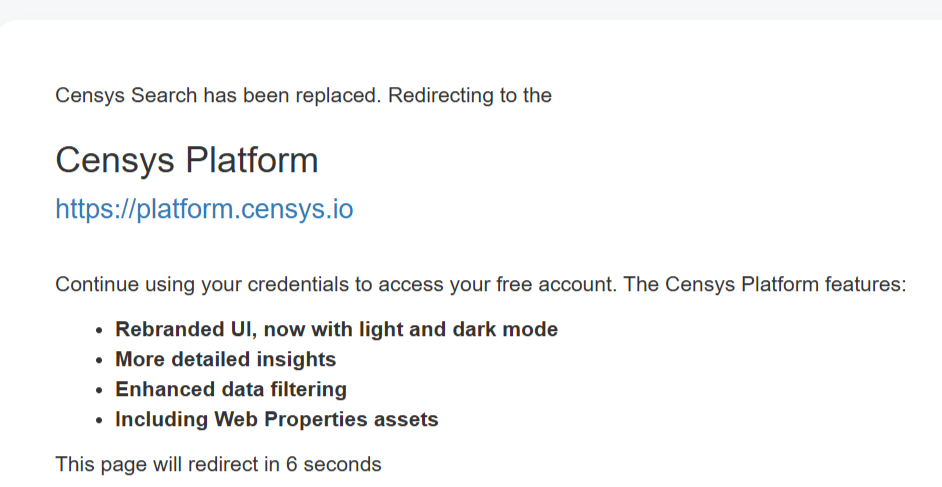
The old censys-python SDK still installs, still imports, and still fails, because it only speaks to Legacy Search and cannot authenticate against Platform credentials. If a recon tool of yours suddenly started throwing auth errors against Censys, this is why.
Here is what the new free tier actually is.
In the web UI, search works, but it is metered by a credit balance. Every free account gets 100 credits per month. They do not roll over. A standard query costs 5 credits. Looking up a single asset (a host by IP, a cert by fingerprint) costs 1 credit. A regex query costs 8, and regex itself is locked to paid tiers anyway. Loading the next page of results costs another 5. Clicking a sidebar filter to narrow your results costs another 5, because under the hood that is a fresh query.
Example:
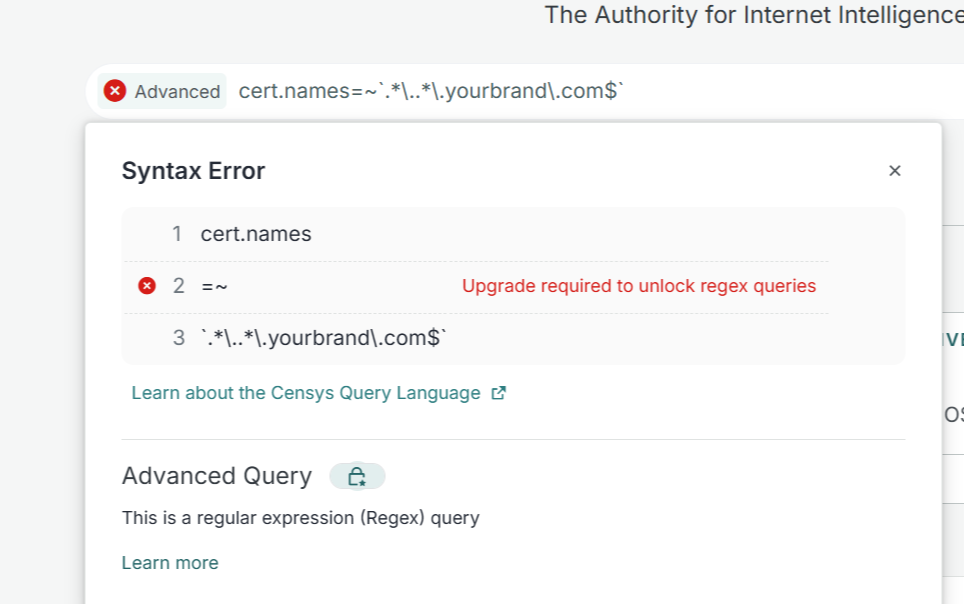
Do the math. One hundred credits is about twenty standard searches a month, and that is before you page through results or refine anything. Refine twice on one investigation and you have spent a quarter of your monthly budget on a single lead. It is fine for the occasional targeted lookup. It is not a workhorse.
In the API, free is lookup-only. Free Platform users can authenticate and hit the lookup endpoints (get a host, get a certificate, get a web property), plus account management. The actual search endpoint is not available to free accounts. So you can script "tell me everything about this IP," but you cannot script "find me every IP that looks like this." That distinction matters when you are building tooling.
Auth model: Personal Access Token as a bearer token, plus an Organization ID for paid accounts (free accounts have the token but no org ID). The new SDK is censys-platform:
from censys_platform import SDK

with SDK(personal_access_token="<YOUR_PAT>") as sdk:
    res = sdk.global_data.search(search_query_input_body={
        "query": "host.services: (protocol=SSH and not port: 22)",
        "page_size": 10,
    })
    print(res)
That search call needs a paid org to return results. On free, stick to the lookup methods.
Censys query language (CenQL), the current syntax
The Platform query language is not the old CSL. Three datasets, and you prepend the one you want: host., web., or cert.. Operators that matter:
:tokenized, case-insensitive match=exact, case-sensitive match=~regex (paid only), value in backticksand,or,not, and parentheses- nested fields with parentheses after the colon, to bind conditions to a single service
Documented examples that run:
host.services.port=8880 and host.services.protocol=HTTP
host.services: (port = "22" and protocol = "SSH")
host.services.software: (product = "httpd" and version = "2.4.62")
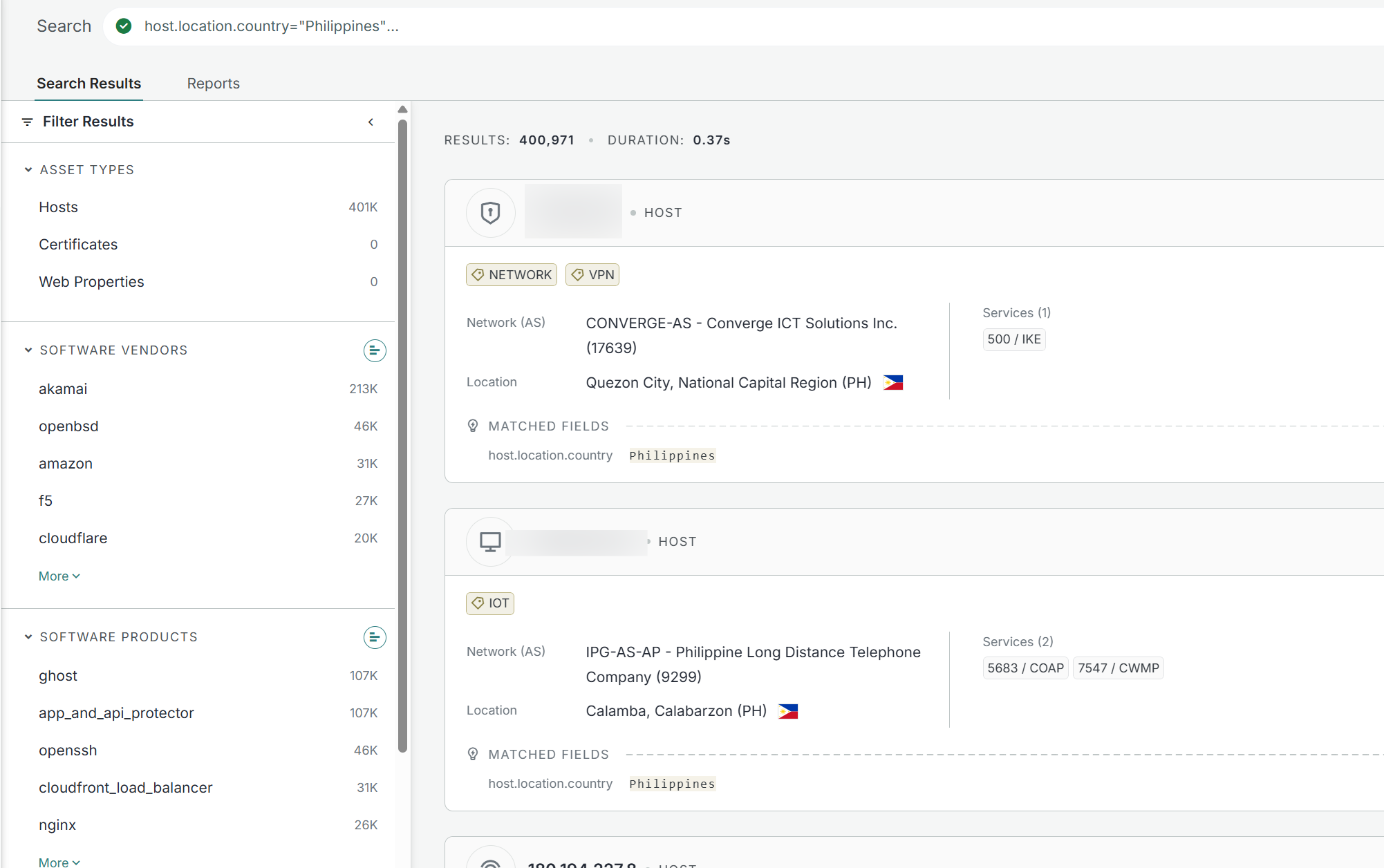
host.location.country="Philippines"
host.ip: "125.8.0.0/13"
cert.added_at>="2024-10-20" and cert.added_at<="2024-10-30"
Example:
One genuinely useful trick that ships free: the twist function, a built-in typosquat finder similar to dnstwist. Available to all users.
twist(web.hostname, `yourbrand.com`) and not web.hostname: `yourbrand.com`
Drop that in a Collection and you have a lookalike-domain monitor without paying for regex.
Verdict on Censys free: usable for occasional UI lookups and cert pivots, dead for scripted search, and the migration silently broke a lot of older tooling. Treat it as a precision instrument you reach for a couple dozen times a month, not a bulk source.
Shodan: the free tier is a demo, the $49 is the real product
Shodan is the most honest of the four about what free gets you, because the credit rule is simple and public.
You can run a plain keyword search and read the first page for free. The instant you add a filter, or ask for page two, you spend a query credit. Straight from the credit docs: a query credit is deducted if a search filter is used, or if page 2 or beyond is requested. One credit buys 100 results. A free account's monthly query-credit allowance is tiny, so in practice, filtered searching is gated. And filtered searching is the entire point of Shodan.
Which is why the answer for anyone doing this seriously is the Membership. It is a one-time payment, not a subscription, and that is the value: 100 query credits and 100 scan credits a month, filters, CLI, and API access, for a single payment that never expires. List price is $49, it periodically goes on sale (Shodan has a long tradition of $1 and $5 holiday promos), and it has occasionally been listed higher. Confirm the number at checkout. Above that sit the subscriptions: Freelancer at $69/month with 10,000 query credits, Small Business at $359, Corporate at $1099. The vuln filter needs at least Small Business, and tag is Corporate-only, so do not plan a CVE-hunting workflow around a cheap plan.
There is also a genuinely free, no-account option worth knowing: the InternetDB API returns light metadata (open ports, hostnames, tags, CVEs) for a single IP with no key at all. Perfect for a "quick exposure check" feature where you do not want to burn a credit or ask the user for a key.
I long ago went for the 49 USD membership and so far it has proven valuable and in most cases sufficient for what i need.
Shodan syntax
Filters are filter:value with no space, and by default a bare keyword only searches the banner data property. Country takes a two-letter code, and the code is not quoted. Documented examples:
apache country:DE
product:mongodb
port:502
port:102 product:Siemens
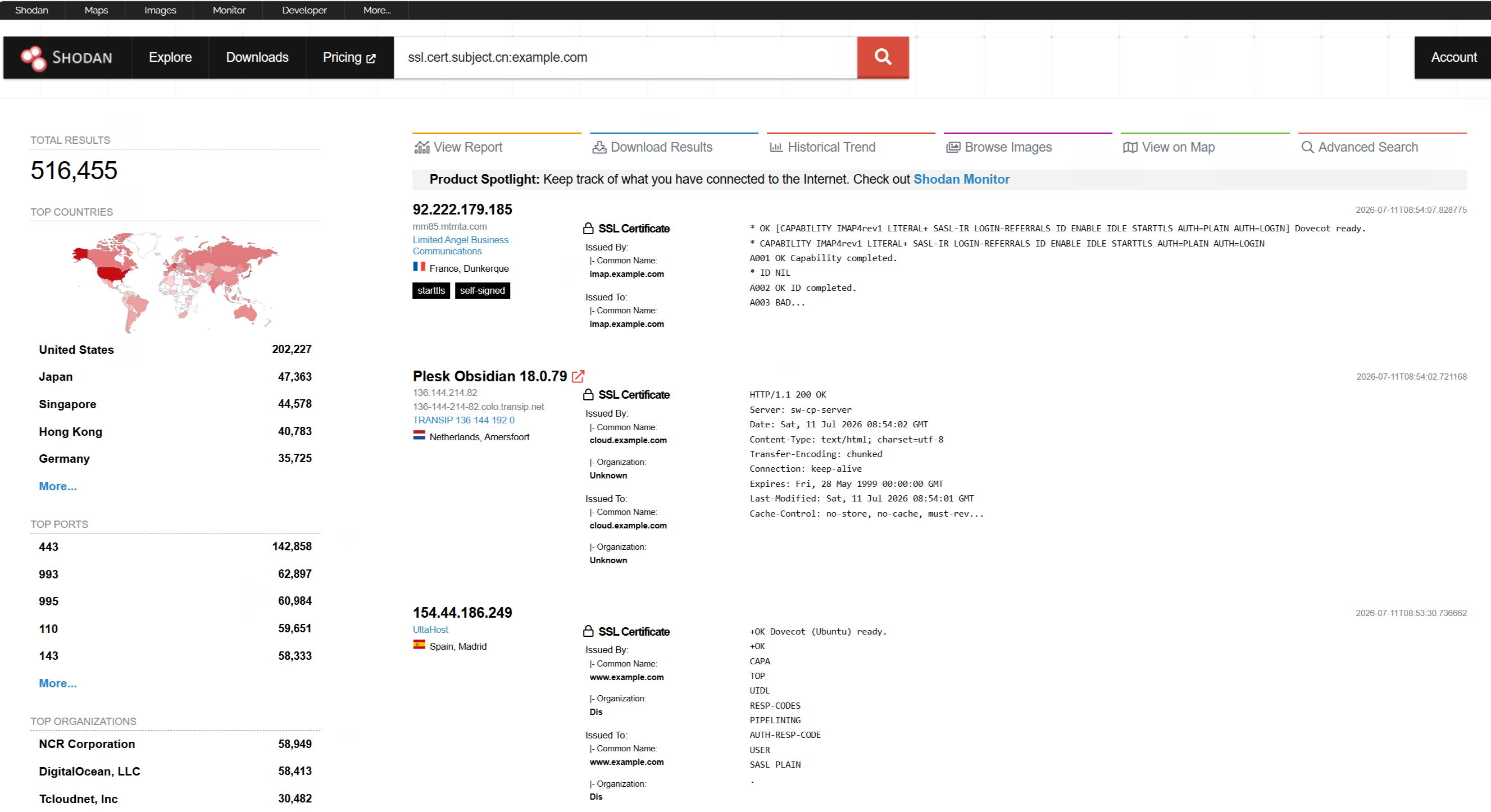
ssl.cert.subject.cn:example.com
org:"Some Company" port:22
http.title:"admin"
net:210.214.0.0/16
has_screenshot:true
Example:
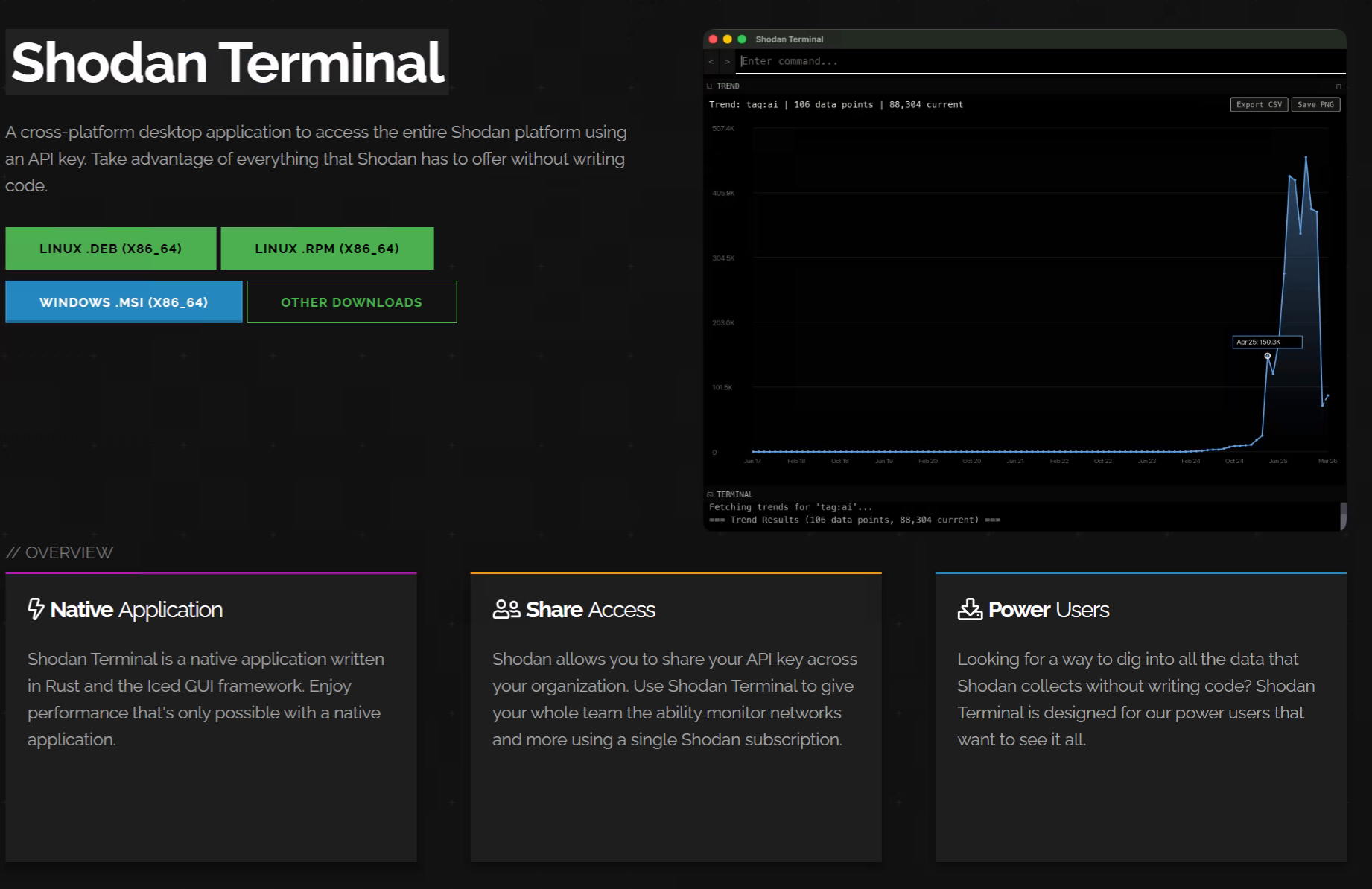
Special Mention: Shodan Terminal
A cross-platform desktop application to access the entire Shodan platform using an API key. Take advantage of everything that Shodan has to offer without writing code.

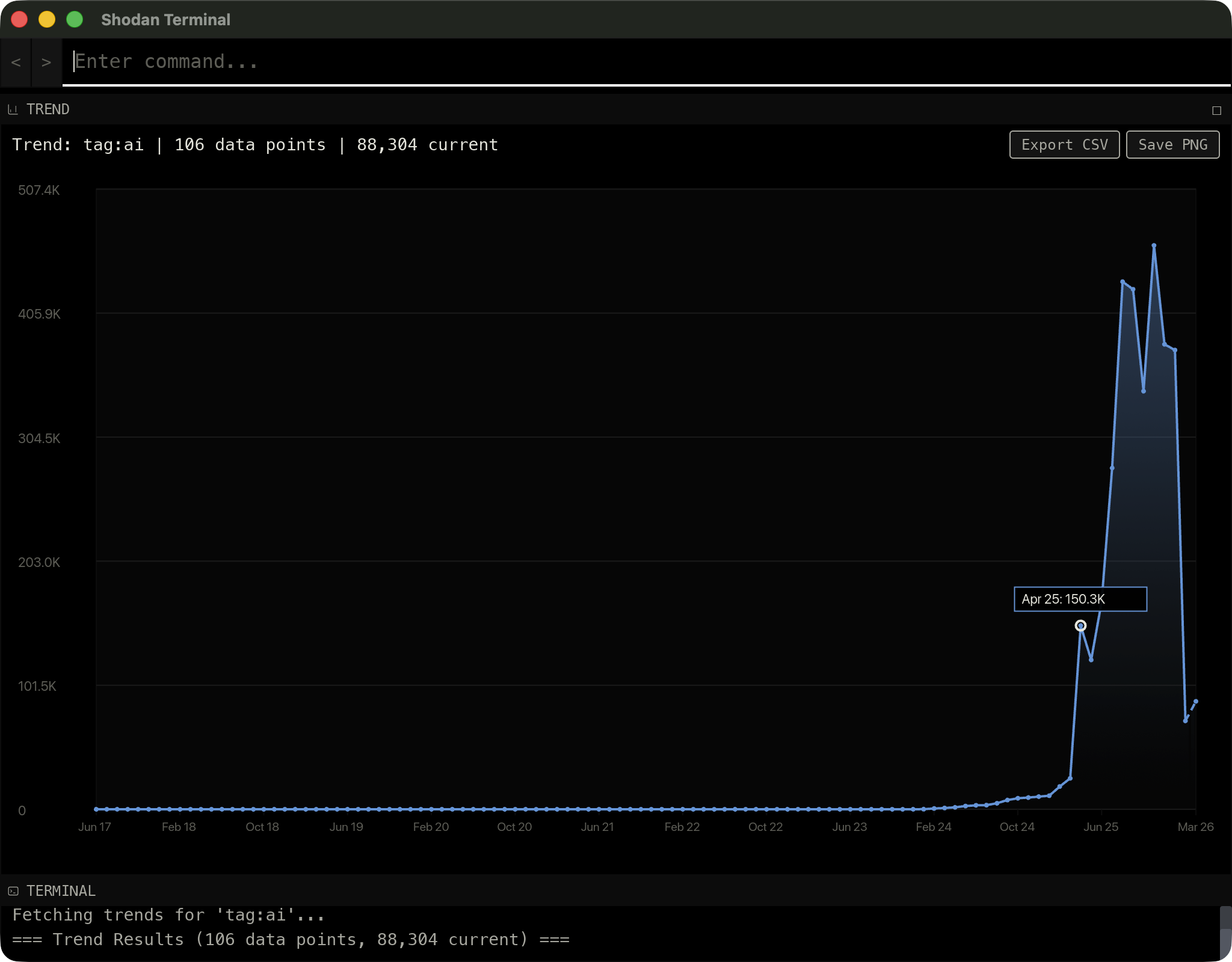
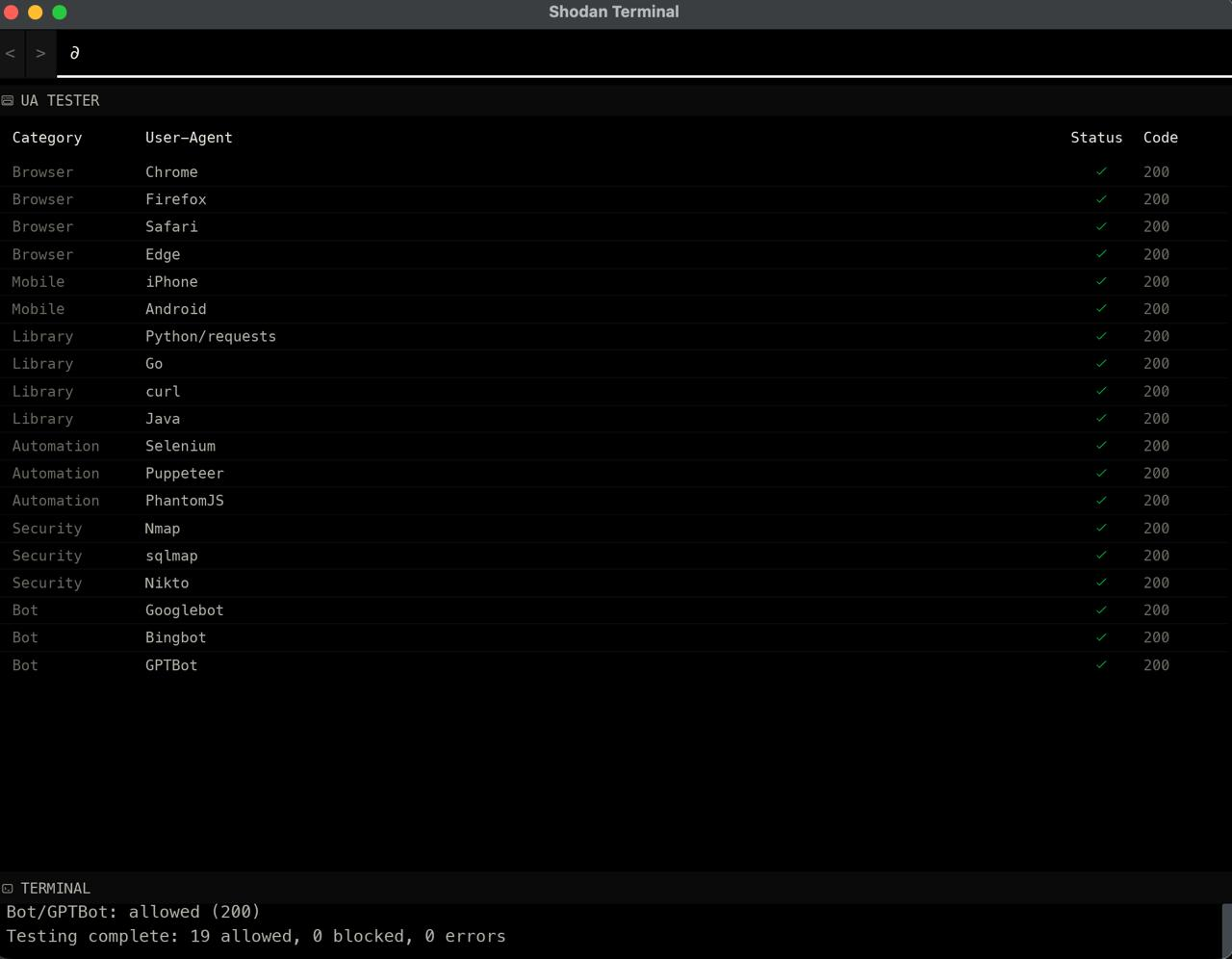
Example: uatester commands tests if a certain websites accepts certain user agents:
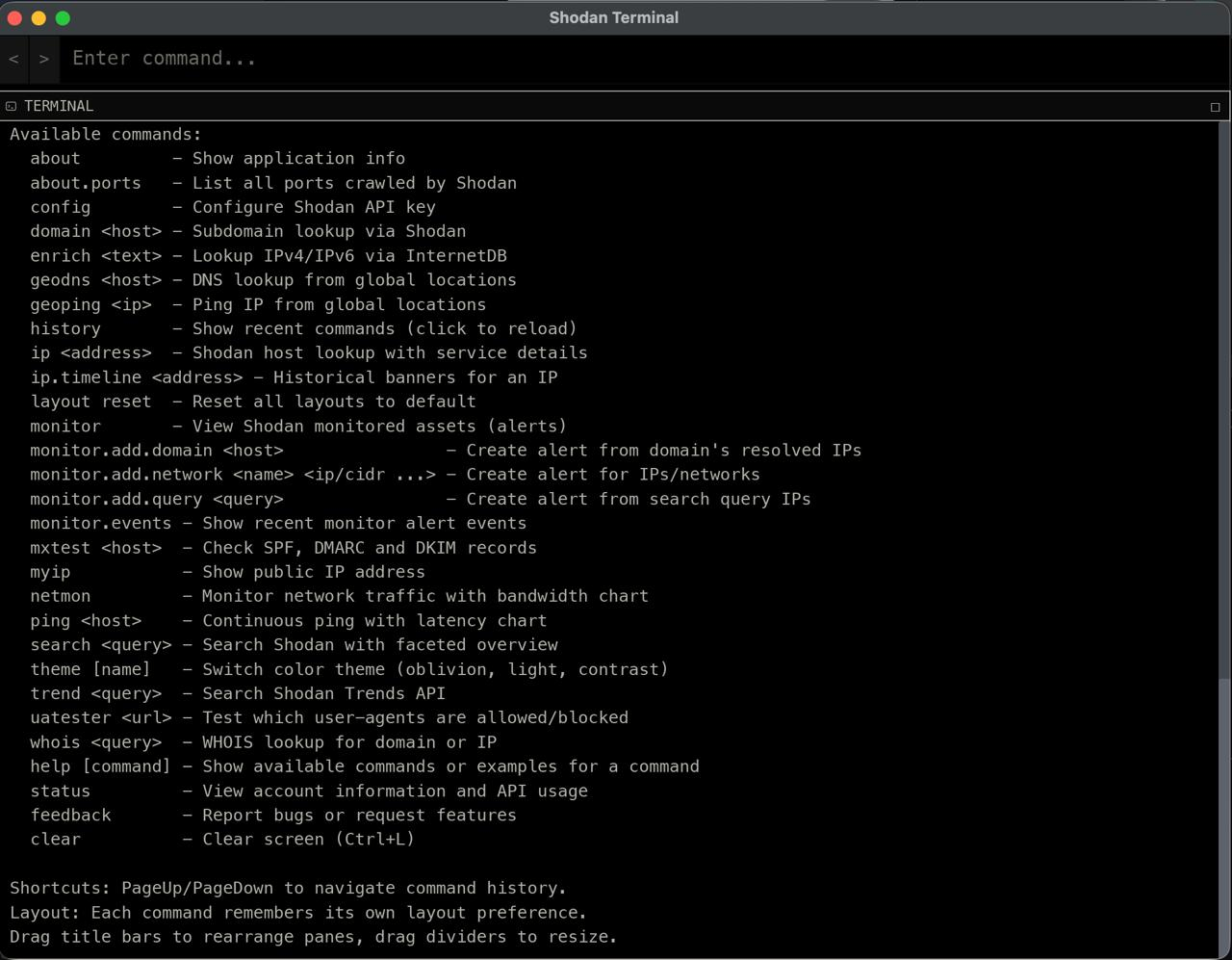
More Commands:
Verdict on Shodan free: enough to demo the engine, not enough to work. The one-time $49 Membership is the best-value paid entry in this entire category precisely because it is one-time. If you buy exactly one thing on this list, buy this.
ZoomEye: points, protected data, and a domain move
First, fix your bookmarks and your code. ZoomEye moved to zoomeye.ai (and zoomeye.hk), the API base is now api.zoomeye.ai/v2, and auth is a simple API-KEY header, not the old JWT-and-org dance. The old api.zoomeye.org SDK is legacy. The current official library is zoomeyeai:
import zoomeyeai.sdk as zoomeye
zm = zoomeye.ZoomEye(api_key="<YOUR_API_KEY>")
data = zm.search('app="Cisco ASA SSL VPN" && country="PH"')
The free model is points-based. Your account carries two balances: points, which is your monthly free allowance, and zoomeye_points, which is paid credit. Searching draws down points. The current free monthly allocation has changed more than once and registration promos have handed out bonus points, so check the figure on your profile page rather than trusting any number you read online, including this one.
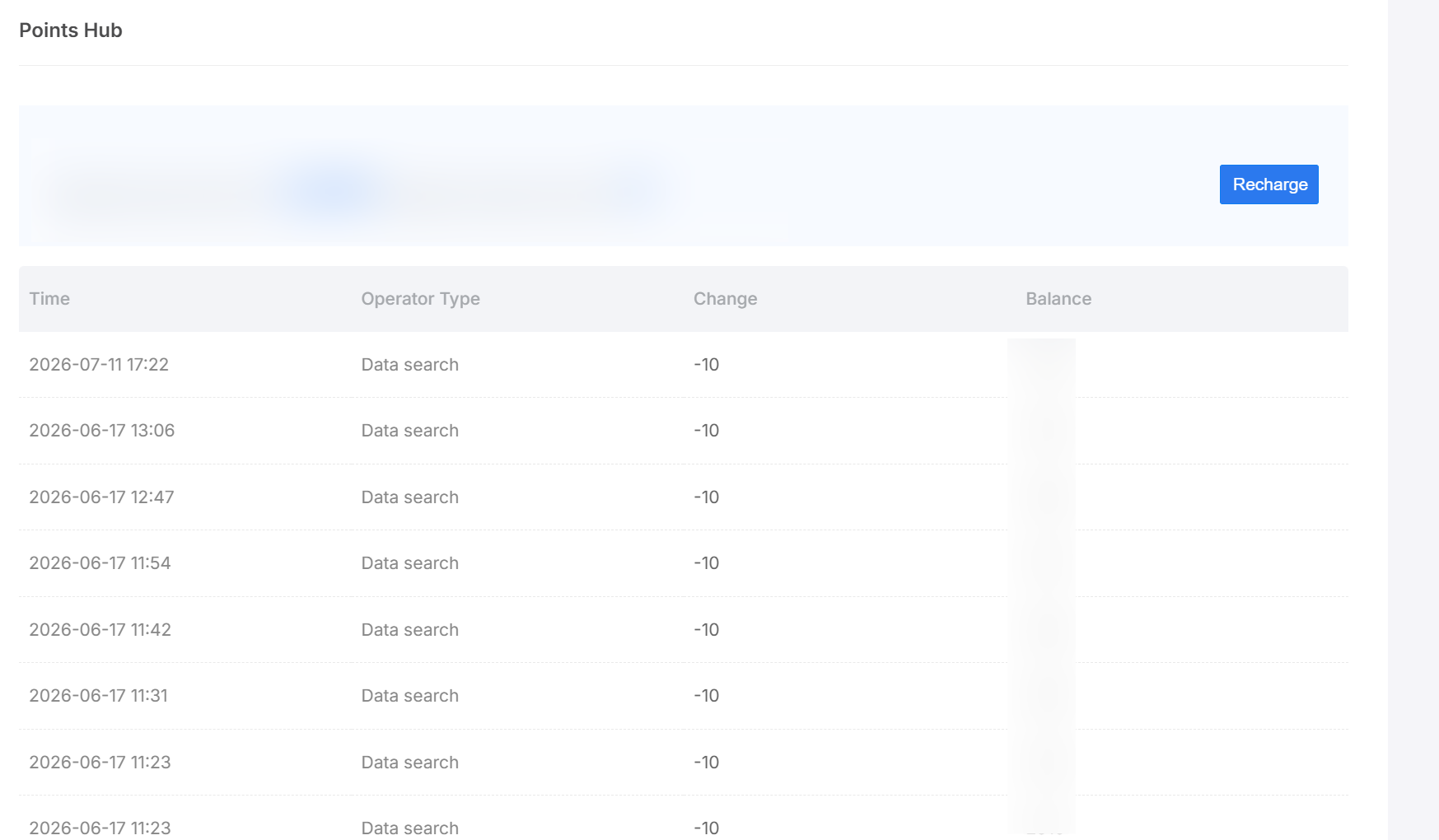
The friction you will actually hit on free is not a hard 402 so much as a curtain: high-value results and fields come back marked as protected until you have paid points or a membership. ZoomEye also runs periodic lifetime membership deals (one promo listed a $149 one-time tier). If your targets skew toward Asian and Chinese infrastructure, ZoomEye's coverage and fingerprint depth there make it worth the free account regardless.
ZoomEye syntax (v2)
Quote your values. Operators: = contains, == exact and case-sensitive, && AND, || OR, != NOT, () for grouping, * for wildcards. Documented filters and examples:
app="Cisco ASA SSL VPN"
service="ssh"
port="502"
country="US" && subdivisions!="new york"
ssl="google"
ssl.cert.subject.cn="example.com"
cidr="52.2.254.36/24"
org="Stanford University"
title="Cisco"
vul.cve="CVE-2021-44228"
after="2020-01-01" && port="50050"
is_honeypot="True"
One gotcha: port does not support multiple ports in a single filter, so combine with || if you need a set.
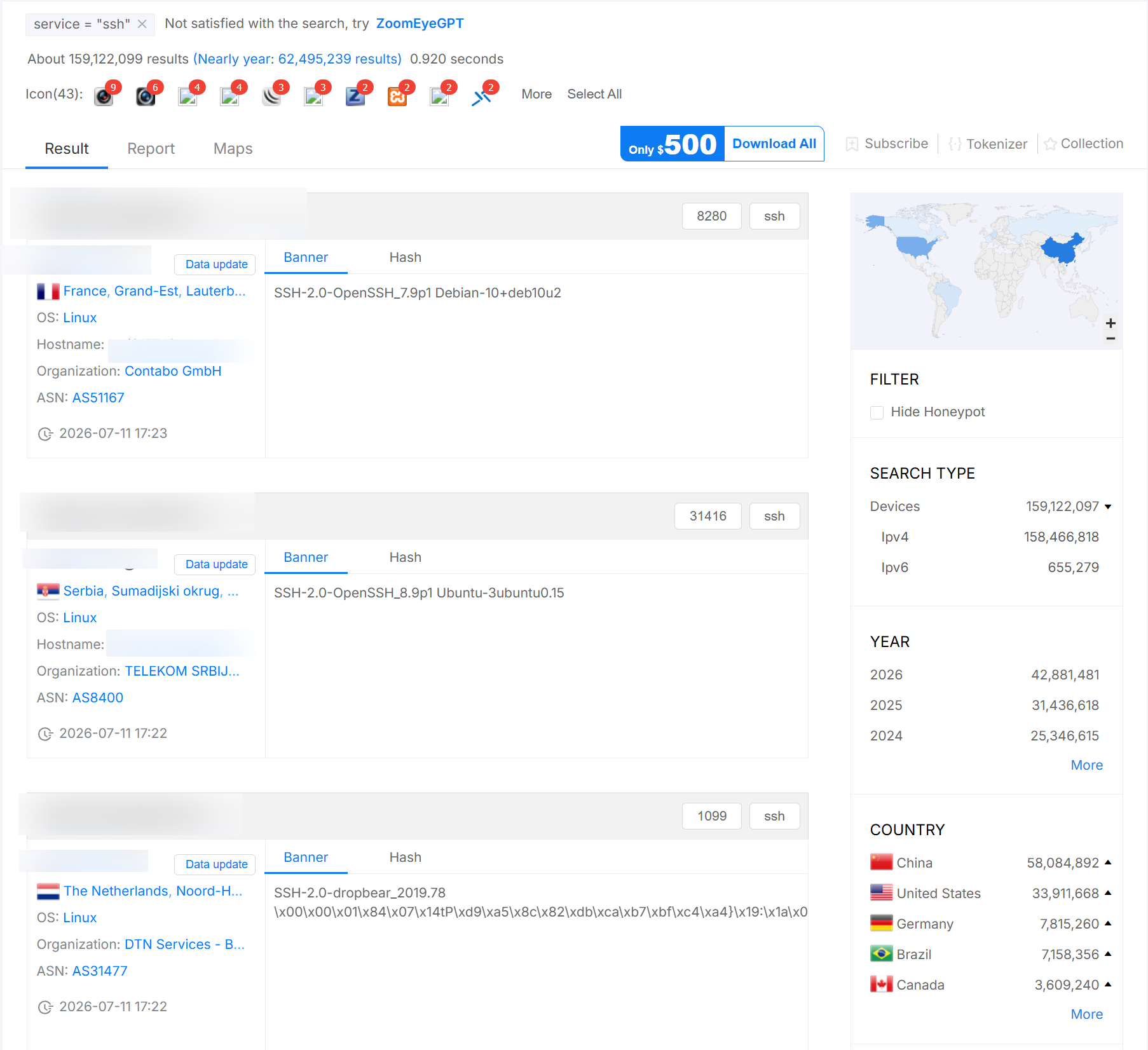
Verdict on ZoomEye free: decent for casual use and strong on regions the US-centric engines cover thinly, but the protected-data curtain and point burn make it a supplement, not a primary.
FOFA: fingerprint depth, capped rows, F-point tolls
FOFA sits at fofa.info (English at en.fofa.info). The API endpoint is /api/v1/search/all, auth is now just the API key (email is still accepted for backward compatibility), and the query has to be base64-encoded before you send it.
echo -n 'app="Jenkins" && country="PH"' | base64 | \
  xargs -I{} curl "https://fofa.info/api/v1/search/all?key=${FOFA_KEY}&qbase64={}"
The free model: a registered account gets a limited free quota and is capped on how many results it can pull per query, with F-points (fcoin) consumed for anything larger. Some capabilities are senior-tier only, including the honeypot filter and fraud exclusion. Result-size ceilings are worth knowing up front: queries touching body cap at 500 per page, queries touching cert or banner cap at 2000 per page, and a single query maxes at 10,000 results. As with the others, confirm your current free F-point balance on your account page, because it moves.
Where FOFA earns its keep is the fingerprint library and body/favicon/cert pivoting. If you are chasing a specific web framework, panel, or favicon across the internet, FOFA's tagging is often the fastest way in.
FOFA syntax
Double-quote values. Operators mirror the others: = contains, == exact, && AND, || OR, != NOT, () grouping, * wildcard. Documented examples:
title="Login"
body="admin panel"
app="Jenkins"
app="WordPress" && country="US"
port="3389"
domain="nosec.org"
cert.subject="example.com"
cert.is_valid=true
is_domain=true && cert.is_valid=true
header="Apache"
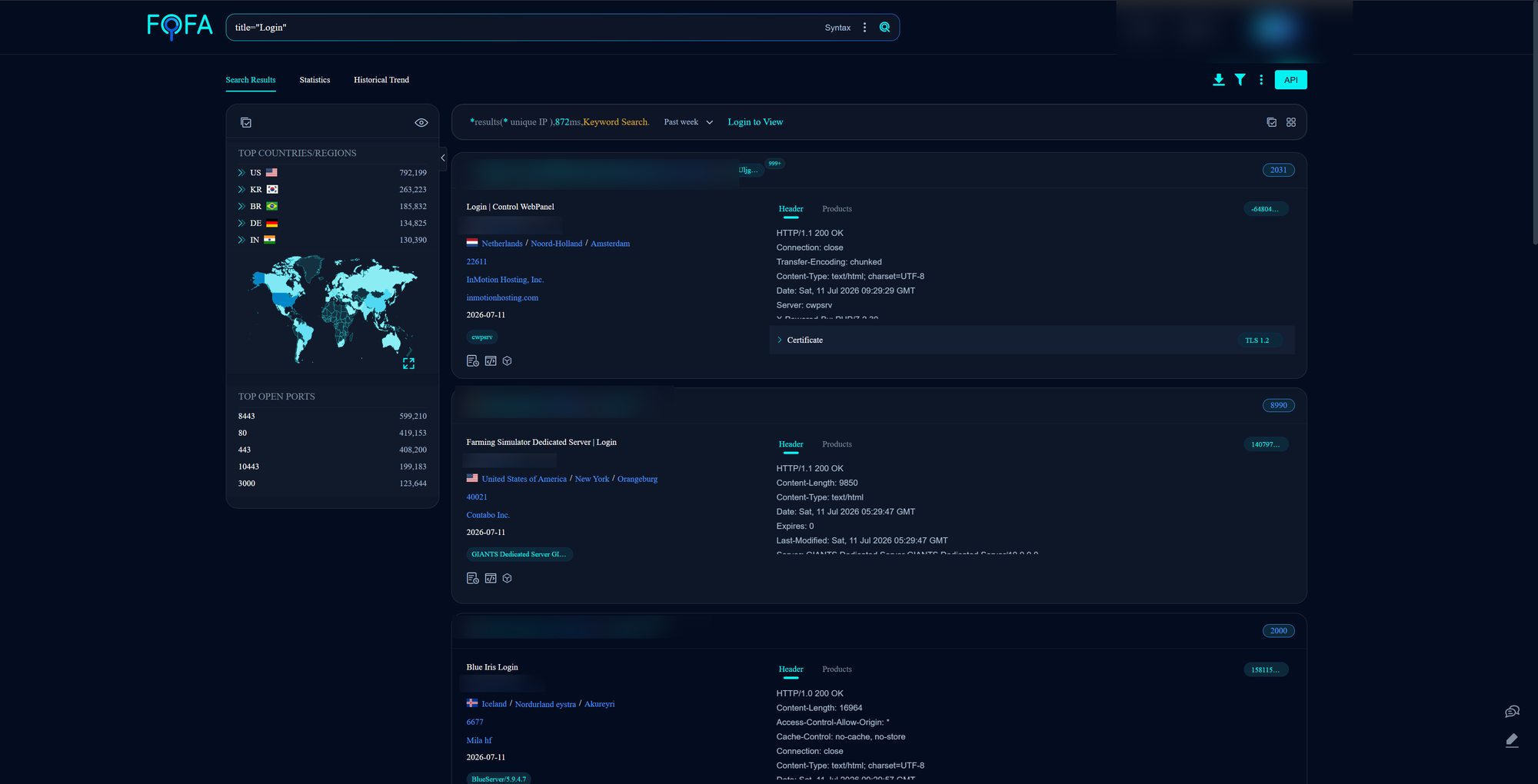
Verdict on FOFA free: excellent for fingerprint and favicon hunting, hampered by row caps and F-point tolls on free. Best used as a targeted pivot engine rather than a bulk exporter.
The same hunt in four dialects
The single most useful thing to internalize is that these engines answer the same question in four slightly different grammars. Here is one concrete hunt, exposed Modbus (port 502) in the Philippines, written for each:
| Engine | Query |
|---|---|
| Shodan | port:502 country:PH |
| Censys | host.services.port=502 and host.location.country="Philippines" |
| ZoomEye | port="502" && country="PH" |
| FOFA | port="502" && country="PH" |
And a cert pivot, hosts presenting a certificate for a brand domain:
| Engine | Query |
|---|---|
| Shodan | ssl.cert.subject.cn:yourbrand.com |
| Censys | cert.names: "yourbrand.com" |
| ZoomEye | ssl.cert.subject.cn="yourbrand.com" |
| FOFA | cert.subject="yourbrand.com" |
The favicon gotcha nobody warns you about
Favicon hashing is a superb pivot, but you cannot reuse the same hash value across engines, because they do not all hash the same way. Shodan's http.favicon.hash and FOFA's icon_hash use MurmurHash3 (mmh3). ZoomEye's iconhash accepts both MD5 and mmh3. Censys keys its favicon field on SHA-256 (web.endpoints.http.favicons.hash_sha256). Copy an mmh3 value into a Censys query and you will get silence and assume the target is clean. Recompute per engine.
So which free tier actually works?
For a working investigator in 2026, ranked by how much real work you can do without paying:
- ZoomEye and FOFA (tie) for casual, key-in-hand search. Both give you a points or quota budget that lets you actually run filtered queries on a free account, which is more than Shodan or Censys free will do. FOFA wins on fingerprint and favicon pivots, ZoomEye wins on Asian infrastructure coverage. Both wall off the good stuff eventually.
- Censys free for surgical UI lookups. Twenty-ish standard searches a month and unlimited-feeling single-asset lookups within your credit budget, plus the free
twisttyposquat function. No scripted search. Precise, not bulk. - Shodan free for a demo and not much else. The keyword-only, filters-cost-credits model means free Shodan is a tasting menu. But its one-time $49 Membership is the best paid value in the category, full stop.
The honest answer for a PH-based practice: run all four free accounts, because each covers gaps the others leave, and if you spend one dollar, spend it on Shodan Membership. For anything you plan to automate, remember that only ZoomEye and FOFA let you script filtered search on their free or points tiers. Censys search-by-API and Shodan filtered search both want money.
Turning this into a FalconEye tab
This maps cleanly onto a host-lookup tab that degrades gracefully based on whatever the user has. The design that respects each engine's free reality:
- No key at all: hit Shodan InternetDB for the IP. Open ports, hostnames, tags, CVEs, zero credits, zero account.
- Censys PAT (free): use the lookup endpoints for a full host or cert record. Never call search on a free token, it will just fail.
- Shodan Membership key: enable the filtered host lookup and one filtered search path, budgeting against 100 monthly query credits.
- ZoomEye or FOFA key: enable filtered search, and surface the remaining points or F-point balance in the UI so the user watches their own burn.
A small capability-detection layer up front, checking which keys are present and what each unlocks, lets the tab present the richest view each user is entitled to without ever throwing an auth error at them. That capability map is the whole feature. The lookups underneath are the easy part.
This is my next update / project for falconeye:
 OSINT-PH
Reach out if you have questions or comments or what to collaborate
Session ID: 059db238ab37c3d92615c5cc24b694da29c598cc13e27886053722404118e14271