Weekly Update: Telegram Channel Monitor Is Now Built Into the Dashboard
March 6, 2026

March 6, 2026
This week’s update is a single feature, one that i also released on Github as a standalone command line pyhton script, one that was born out of the current Iran situation and my interested in scraping some farsi language channels while translating them and copying the media at the same time.
The Channel Monitor is now a first-class tab in the threat intelligence dashboard. You enter a Telegram channel, configure your options, hit start, and get back a translated, media-inclusive report packaged as a ZIP — all without touching a terminal.
It sounds simple. The implementation was not so simple.
Why This Needed to Exist
The background Telegram scraper has been part of the platform for a while. It runs on a schedule, scans a fixed list of channels for keyword hits, and feeds results into the main database alongside the dark web crawler. That works well for ongoing monitoring.
But there’s a different use case that it doesn’t cover: you’re in the middle of an investigation, someone mentions a specific channel, and you need to pull its last 200 messages right now — translated to English, with photos and videos, in a format you can attach to a report. The existing scraper was not built to do that. You’d have to drop to the command line, run channel_monitor.py manually, find the output directory, zip it yourself.
That’s added layers of effort and complication that you don’t want during an active investigation. So I removed it.
What the Channel Monitor Tab Does
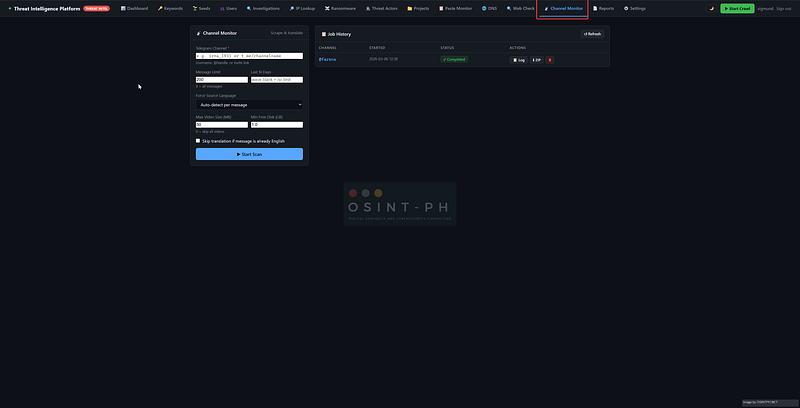
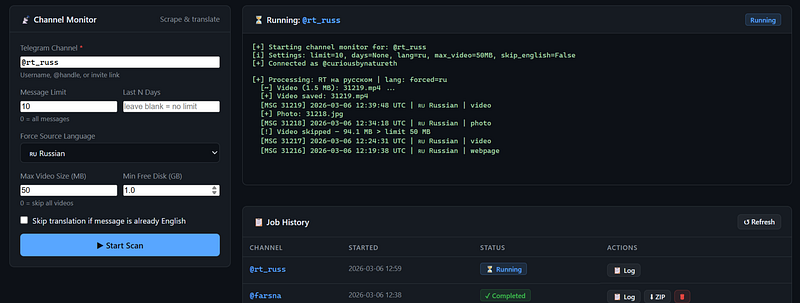
The tab lives at 📡 Channel Monitor in the nav bar. Here’s the full workflow:
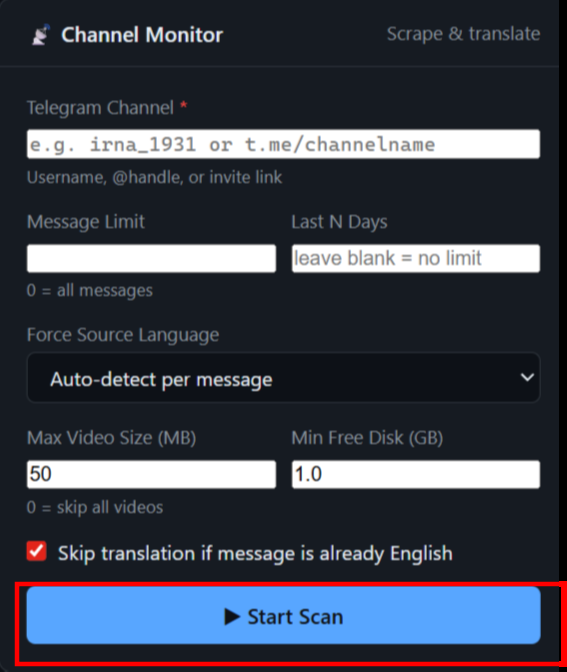
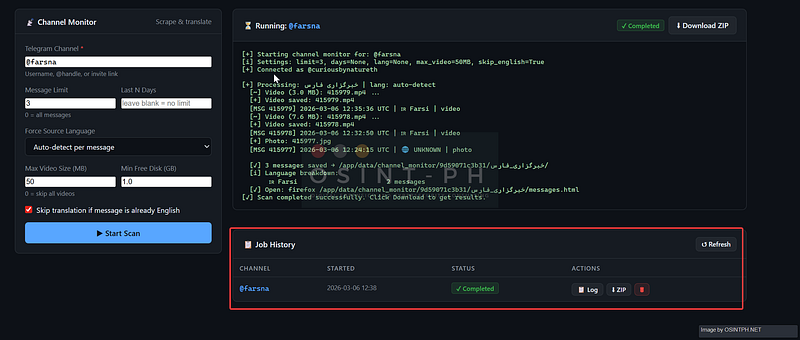
You fill in the channel — username, @handle, or invite link — and configure:
- Message limit — how many messages to fetch. 0 means all of them, which on an active channel can take a while and a lot of disk space, so use that carefully.
- Last N days — restrict to messages newer than N days. Useful when you don’t want the entire archive, just recent activity.
- Force source language — by default the scanner auto-detects the language of each message individually. If you know the channel is Russian, force it to Russian and skip the detection overhead.
- Max video size (MB) — videos are downloaded inline. Set a cap here or set it to 0 to skip video entirely if you’re on limited disk.
- Min free disk (GB) — a safety switch, make use of it. The scanner checks available disk space before downloading each piece of media and aborts cleanly if it drops below the threshold.
- Skip English translation — if the channel is already in English, there’s no point running every message through Google Translate.
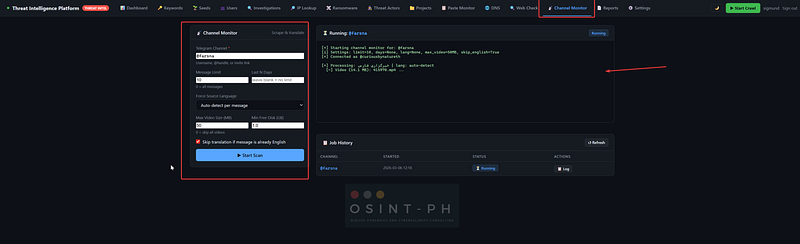
Hit ▶ Start Scan and the console panel comes alive.
The scan runs in a background thread. Output streams to the console in real time — every message processed, every photo or video downloaded, every translation attempted. You can navigate to another tab and come back. When it finishes, the status badge flips to ✓ Completed and the download button appears.
What’s in the ZIP
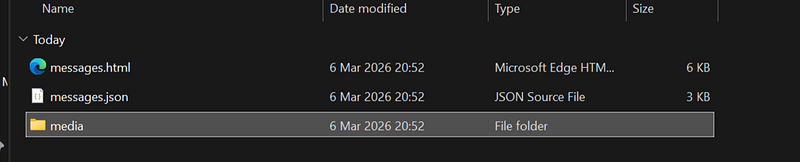
Click ⬇ Download ZIP and you get a file named channel_monitor_channelname_YYYYMMDD_HHMM.zip containing:
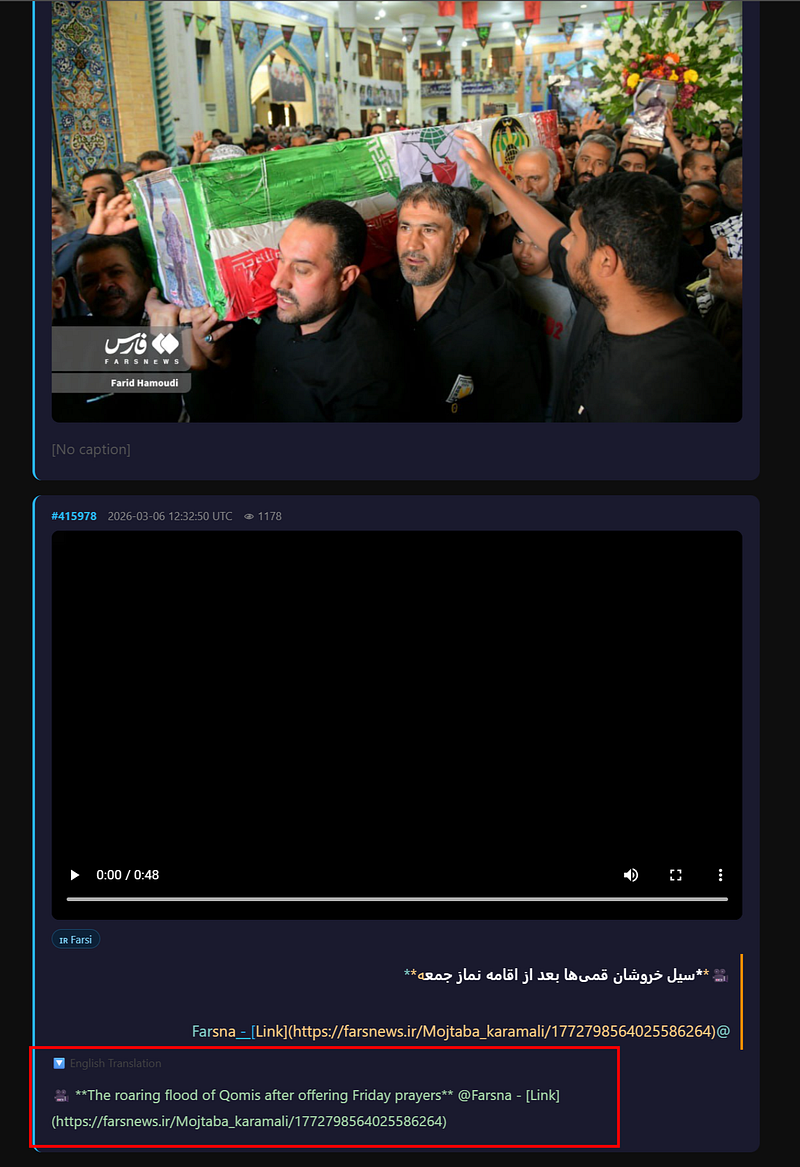
messages.html — a full report. Every message in reverse chronological order, with the original text, detected language flag, and English translation side by side. Photos render inline. Videos have an embedded player. RTL languages (Farsi, Arabic) render right-to-left as intended. This file opens directly in a browser with no server required — you can attach it to an investigation report or share it as-is.
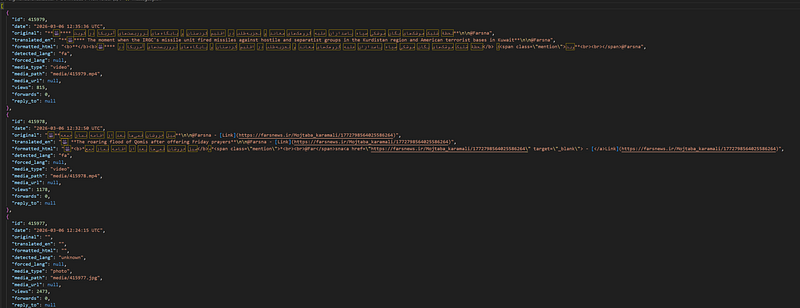
messages.json — the raw structured data. Every message with its ID, timestamp, original text, translated text, detected language, media type, media path, view count, and reply chain. If you want to run your own analysis on top of the content, this is what you use.
media/ — all downloaded photos and videos, named by message ID.
The Translation Layer
Every non-English message gets passed through Google Translate via deep-translator. Language detection runs per message using langdetect. The supported languages with full display names and flags in the report are: Farsi, Russian, Chinese (Simplified and Traditional), Korean, Arabic, Ukrainian, German, French, Spanish, and English.
For anything else — and there are channels in languages that don’t fall into that list — the detected code still gets passed to Google Translate. It usually works. It sometimes doesn’t. The report is honest about this: if a translation fails, it shows [Translation error: ...] rather than silently dropping the message.
The auto-detect is good but not perfect on short messages. If you’re scanning a known Russian channel, force the language. You’ll get faster and more consistent results than relying on per-message detection of two-word posts.
The Job History Table
Every scan you run stays in the history table at the bottom of the tab.
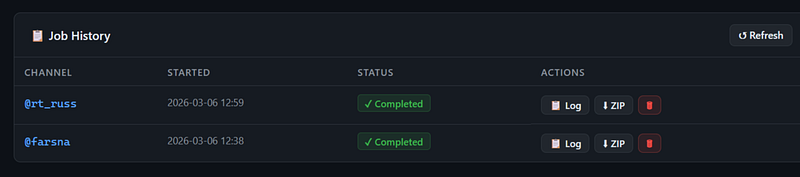
You can re-open the log of any previous job, re-download the ZIP, or delete the job and its output files to reclaim disk space. Job history is held in memory — it resets when the container restarts. I’ll probably persist it to the database at some point, but for now the output files themselves survive restarts even if the table entry doesn’t.
First-Time Setup
This requires three environment variables in .env:
TELEGRAM_API_ID=your_api_id
TELEGRAM_API_HASH=your_api_hash
TELEGRAM_PHONE=+63XXXXXXXXX
The first two you already have if you’re using the background Telegram scraper. TELEGRAM_PHONE is new — it's your Telegram account phone number with country code.
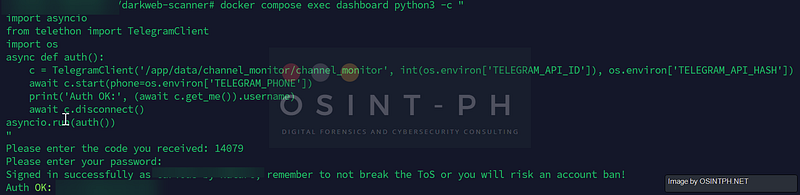
After adding it and restarting the container, you need to authenticate once:
docker compose exec dashboard mkdir -p /app/data/channel_monitordocker compose exec dashboard python3 -c "
import asyncio
from telethon import TelegramClient
import os
async def auth():
c = TelegramClient('/app/data/channel_monitor/channel_monitor',
int(os.environ['TELEGRAM_API_ID']), os.environ['TELEGRAM_API_HASH'])
await c.start(phone=os.environ['TELEGRAM_PHONE'])
print('Auth OK:', (await c.get_me()).username)
await c.disconnect()
asyncio.run(auth())
"
Enter the OTP Telegram sends to your app. The session file is saved to /app/data/channel_monitor/ and persists across restarts. You do this once.
If the dashboard tab shows the red credential warning banner, either the variables aren’t set or the container wasn’t restarted after adding them. The banner goes away as soon as all three are detected.
A Note on the New Dependencies
Two packages were added: deep-translator and langdetect. If you're pulling the updated code, rebuild the container:
cd ~/darkweb-scanner
docker compose build --no-cache dashboard
docker compose up -d
Everything else — PostgreSQL, the crawler, the existing Telegram scraper, all other tabs — is untouched.
What’s Next
The Channel Monitor is v1 and there are obvious things missing. Job history doesn’t survive container restarts. There’s no progress bar, just raw log output. There’s no way to cancel a running scan from the UI yet. These are all on the list. I will eventually get to those, not too soon though I am afraid. Busy times.
Beyond the monitor itself, I want to use the messages.json output as input to the keyword scanner — so you could run a Channel Monitor scan against an unfamiliar channel and immediately see which messages would have triggered your existing keyword rules. That closes the loop between on-demand investigation and your ongoing monitoring configuration.
The broader roadmap hasn’t changed. Breach tracker, certificate transparency monitoring, mobile interface, expanded SEA coverage. The Channel Monitor just moved to the front of the queue because it was the most immediately useful thing missing from the daily workflow.
As always, the platform is open source and AGPL v3. Pull requests welcome, issues welcome, feedback welcome.
GitHub:
OSINT PH:
Reach out if you want access to the pilot deployment or want to collaborate.
You can reach out to me via Session Messenger:
059db238ab37c3d92615c5cc24b694da29c598cc13e27886053722404118e14271
As usual: