Weekly Update: Certificate Transparency, DNS Enrichment, OSINT Toolkit, and a Real Map in Your PDF
March 13, 2026

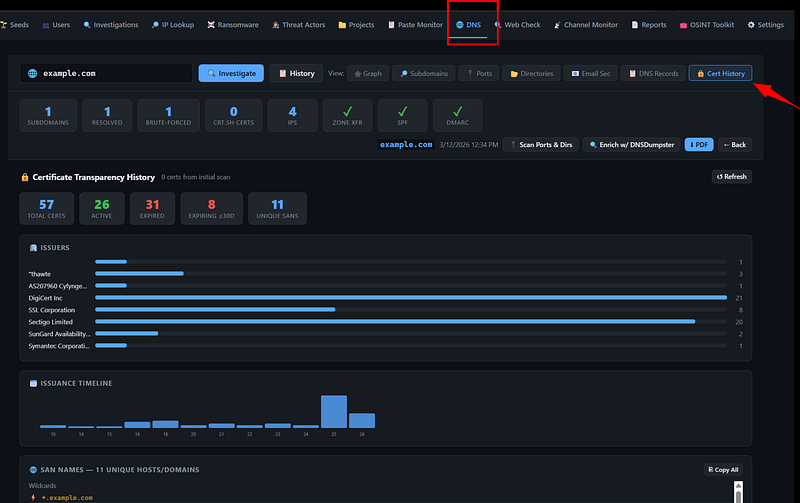
This is the biggest single release since the platform was first put together. v1.0.0 brings four additional or enhanced features: a full Certificate Transparency tab inside the DNS module, additional DNSDumpster enrichment for investigations on top of the already existing DNS recon, an OSINT Toolkit tab that proxies seven external tools directly through the dashboard, and a rendered world map inside the Infrastructure Recon PDF export. This weeks update also includes a few bug fixes in the DNS routes. Let me walk through each of these.
Certificate Transparency Tab
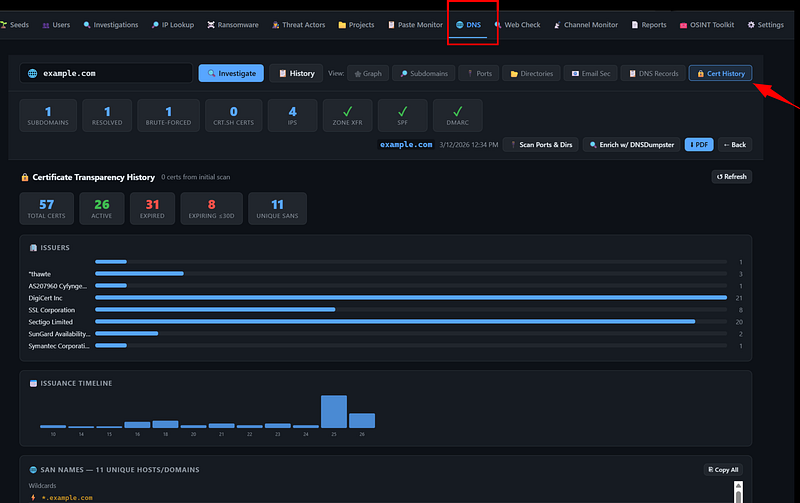
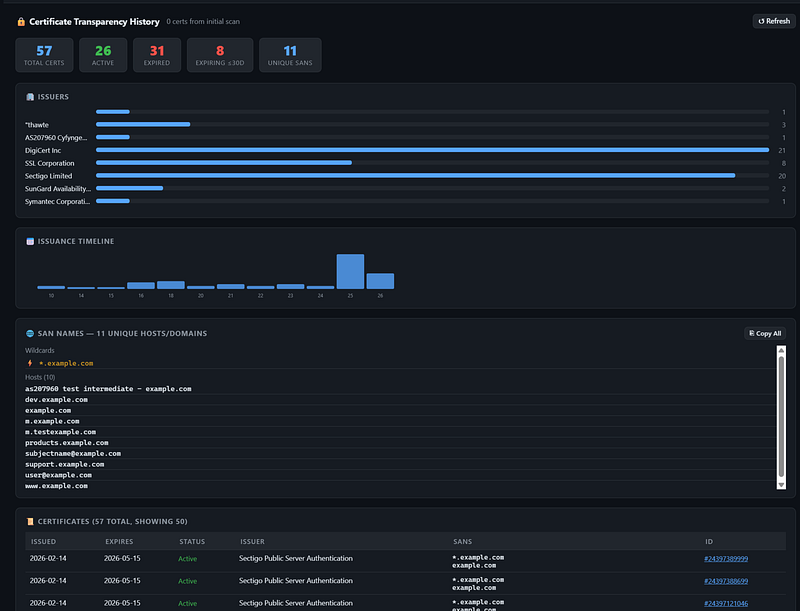
The DNS tab now has a dedicated Cert History view. When you run a DNS investigation on a domain, you can flip to this tab and get the full certificate transparency history pulled live from crt.sh.
At the top sits a stat strip: total certificates issued, how many are currently active, how many have expired, how many are expiring within the next 30 days, and the count of unique Subject Alternative Names across the entire history. Below that, two charts — an issuer bar chart showing which CAs have issued certs for this domain over its lifetime, and an issuance-by-year timeline that makes it immediately obvious when a domain went through any significant certificate activity. Both are rendered with the same charting library already in use on the dashboard, so they fit visually without any jarring transitions.
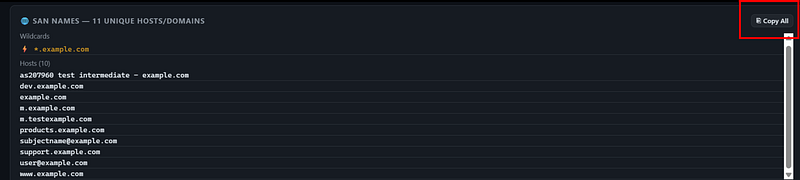
Below the charts is the SAN list with a copy-to-clipboard button — useful when you want to pull all the associated hostnames for further investigation — followed by the full certificate table. The table paginates at 50 rows and colour-codes each cert: green for active, yellow for expiring soon, grey for expired. You can scan a domain with a long history and immediately see whether there are any active certs you weren’t expecting.
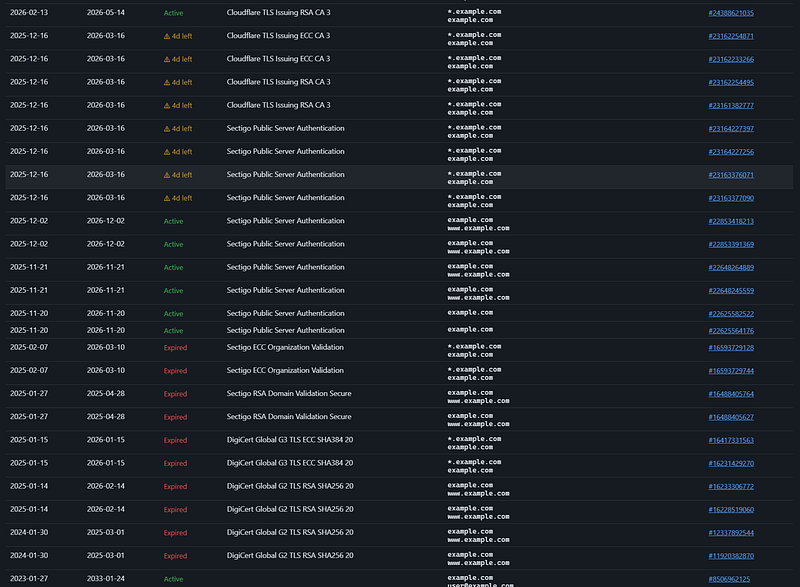
One implementation note: the existing GET /api/dns/certs/<domain> route was missing strict_slashes=False, which caused 404s when the URL was called with a trailing slash. That's fixed. There was also a 502 timeout issue on slow crt.sh responses — resolved by tightening the default request timeout so nginx doesn't give up before the response comes back.
DNSDumpster Enrichment
DNS investigations now support a one-click enrichment step that pulls additional passive DNS records from DNSDumpster and merges them into the existing investigation result. The API call is POST /api/dns/investigations/<id>/enrich and it requires DNSDUMPSTER_API_KEY set in your .env.
What this adds in practice: DNSDumpster often surfaces subdomains that passive CT log enumeration and HackerTarget miss, particularly infrastructure-level hosts (mail relays, load balancers, CDN origins) that don’t appear in certificate SAN lists. When the enrichment runs, any new subdomains get added to your investigation and tagged with source: dnsdumpster so you can tell at a glance where each record came from. Subdomains that already existed get their source updated to reflect the additional data point.
The raw DNSDumpster response is also stored on the investigation object as dnsdumpster_data in case you want to parse it yourself.
OSINT Toolkit Tab
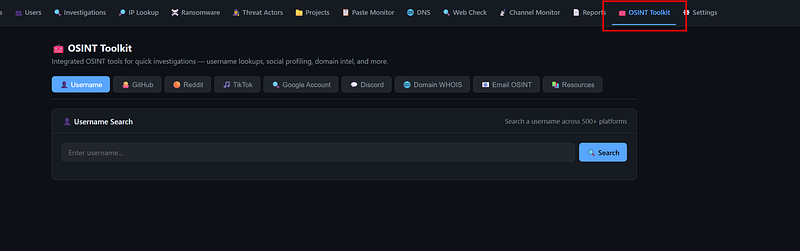
This one is straightforward in concept but saves a lot of tab-switching during an active investigation. There is now a dedicated OSINT Toolkit tab in the nav bar that proxies seven external OSINT tools directly through the dashboard UI: Shodan, Censys, GreyNoise, URLScan, MXToolbox, SecurityTrails, and VirusTotal. You enter your target once, pick your tool, and the results render inside the dashboard without leaving the interface.
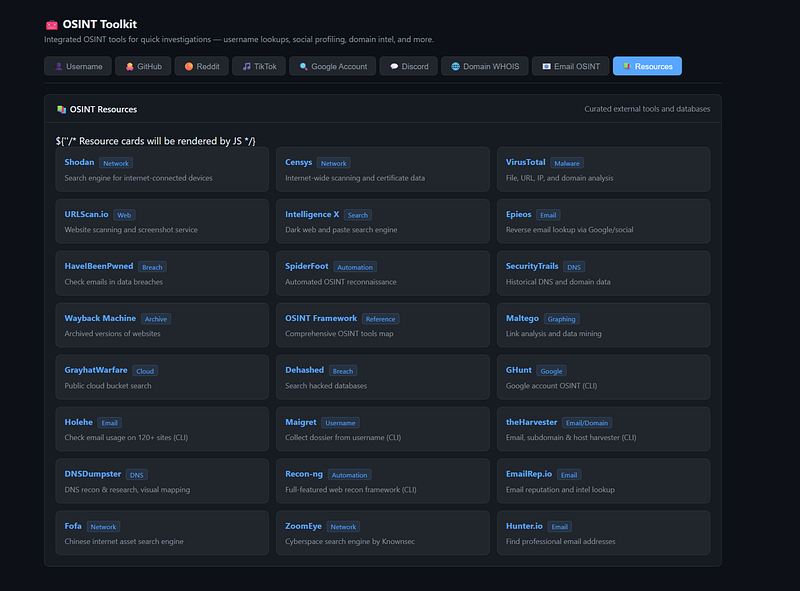
Below the active tools section is a curated set of OSINT resource links — references that don’t have an API integration but are worth keeping accessible during an investigation. The tab doesn’t replace having accounts and direct access to these platforms, but it eliminates the context-switching overhead when you’re moving quickly.
Real World Map in the Infrastructure Recon PDF
This one required the most infrastructure change. The PDF export for Infrastructure Recon now includes a real rendered world map with active country markers — the same jsvectormap that renders in the dashboard, not a static placeholder.
The implementation uses Playwright to launch a headless Chromium instance, render the jsvectormap with the actual investigation data, screenshot the result, and embed the PNG into the PDF. This means the map in the exported report is identical to what you see in the browser dashboard — same projection, same styling, same markers.
The PDF layout was also adjusted: the world map now sits between the overview charts and the ASN detail table on page 1. The subdomain graph has moved to its own page to give it proper breathing room.
The Certificate Transparency data is also now included in the PDF export — the same stat strip, issuer bar chart, issuance timeline, and colour-coded cert table that appear in the dashboard tab are all rendered into the report. If you’re generating PDFs for client deliverables or incident documentation, this means CT history is included without having to manually attach it.
The Playwright dependency is handled at Docker build time — Chromium system dependencies are installed and playwright install chromium runs automatically. There is no manual setup step. If you're pulling this update, rebuild the container:
cd ~/darkweb-scanner
docker compose build --no-cache dashboard
docker compose up -d
What’s Next
The roadmap hasn’t changed: breach tracker, certificate transparency monitoring as a standalone alerting feature (not just lookup), mobile interface, and expanded SEA coverage. The DNSDumpster enrichment was a natural precursor to the breach tracker work — getting all the passive DNS data consolidated in one place before building the next investigation layer on top of it.
As always, the platform is AGPL v3 and open source. Issues and pull requests are welcome.
Also, if you want to see the platform in action, message me and we can arrange a short call for a demo on how it looks like once it is deployed.
Reach out if you want access to the pilot deployment or want to collaborate.
You can reach out to me via Session Messenger:
059db238ab37c3d92615c5cc24b694da29c598cc13e27886053722404118e14271
As usual: