FalconEye Learned to Fight Back, Find People, and Read Telegram

The last two tabs I wrote about closed a gap on the input side. URL Expander and QR Analyzer took a shortened link or a square of pixels and turned it into a destination the Phishing Scanner could finally see.
These three close a gap on the other end. One turns an identification into an action. The second turns a handle into a person. The third takes a Telegram username, channel, bot, or t.me link and pulls everything publicly findable about it, then hands the handle back to the second tab to keep going.
Two of those existed before, but have been rewritten from scratch.
That last part is the interesting one. For a long time FalconEye was seventeen separate tools sharing a nav bar. These three tabs are the first that actually feed each other.
Abuse Reporting: from "this IP is hostile" to "here is the report I filed"
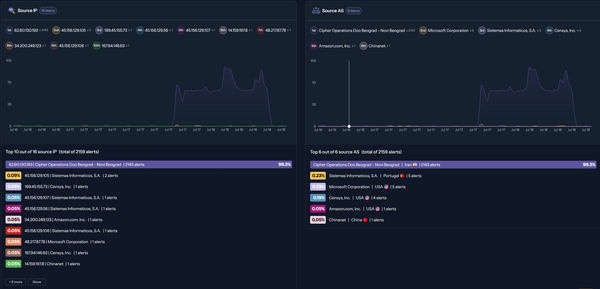
FalconEye's IP Reputation tab has always told you the ASN, the network, the geolocation, and whether the IP is scanning the internet. The Email Header tab has always parsed the Received chain, the authentication results, and the sender domain. Both were good at telling you what you were looking at.
Neither told you what to do about it.
That step is where investigations quietly die. Even with the ASN in front of you, filing an abuse report meant opening a separate RDAP or WHOIS tool, digging through vCard entities for the abuse contact, hand-copying the address, and then writing a report from scratch. Nobody does this consistently. I did not do this consistently.
Now both tabs do it for you. Note that at this stage, direct reporting via the tool is not available to the public (this has to do with the Mailgun API, and the fact that i try to get by with the free tier). But you can copy or download (PDF) the report and all details such as the abuse email contact are shown, just go ahead and send it from your own Email account. Exercise caution of course when reporting, you do not want to report a Scammer to the Scammer's Bulletproof Hosting company 🕶️
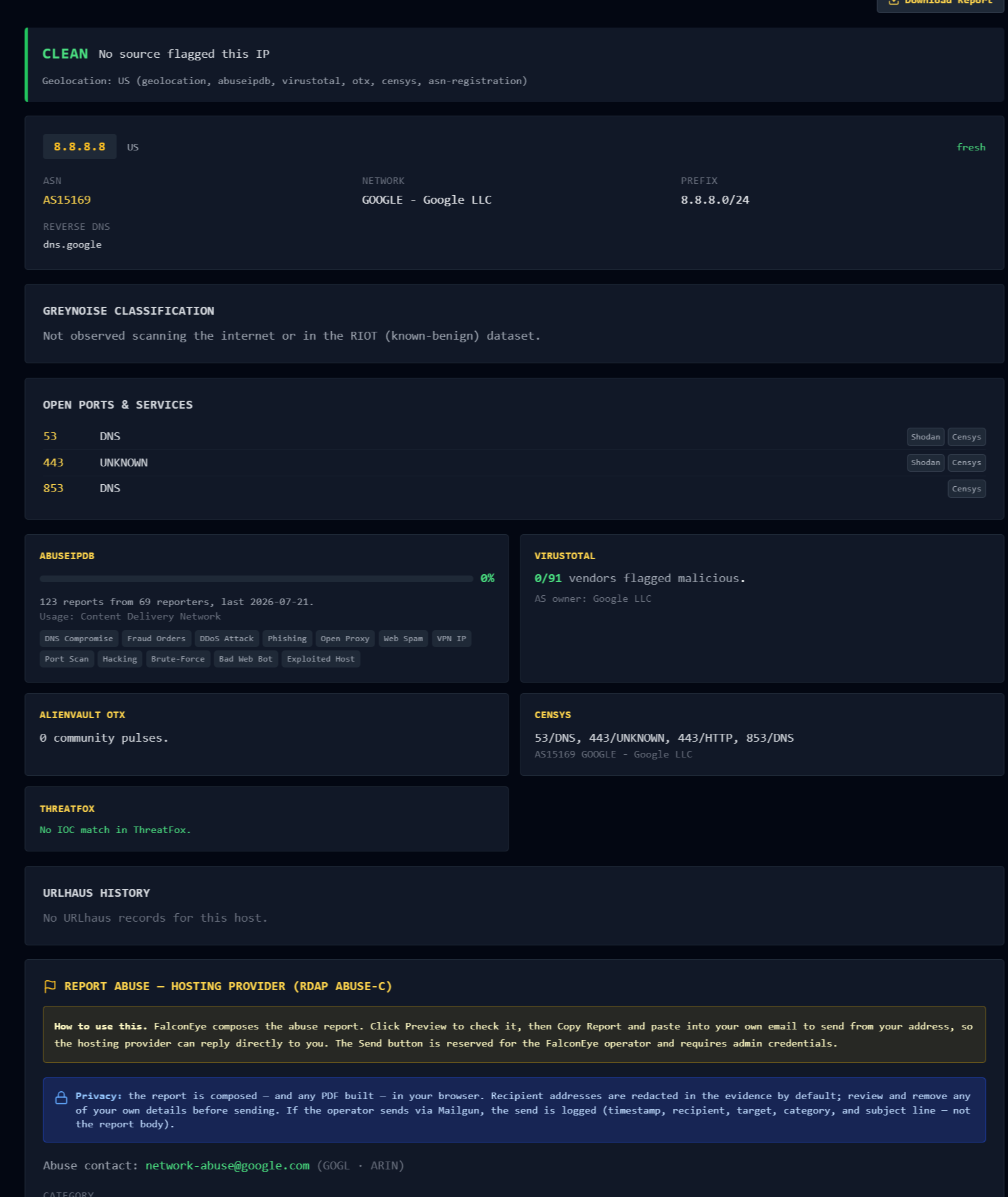
Clean Example:
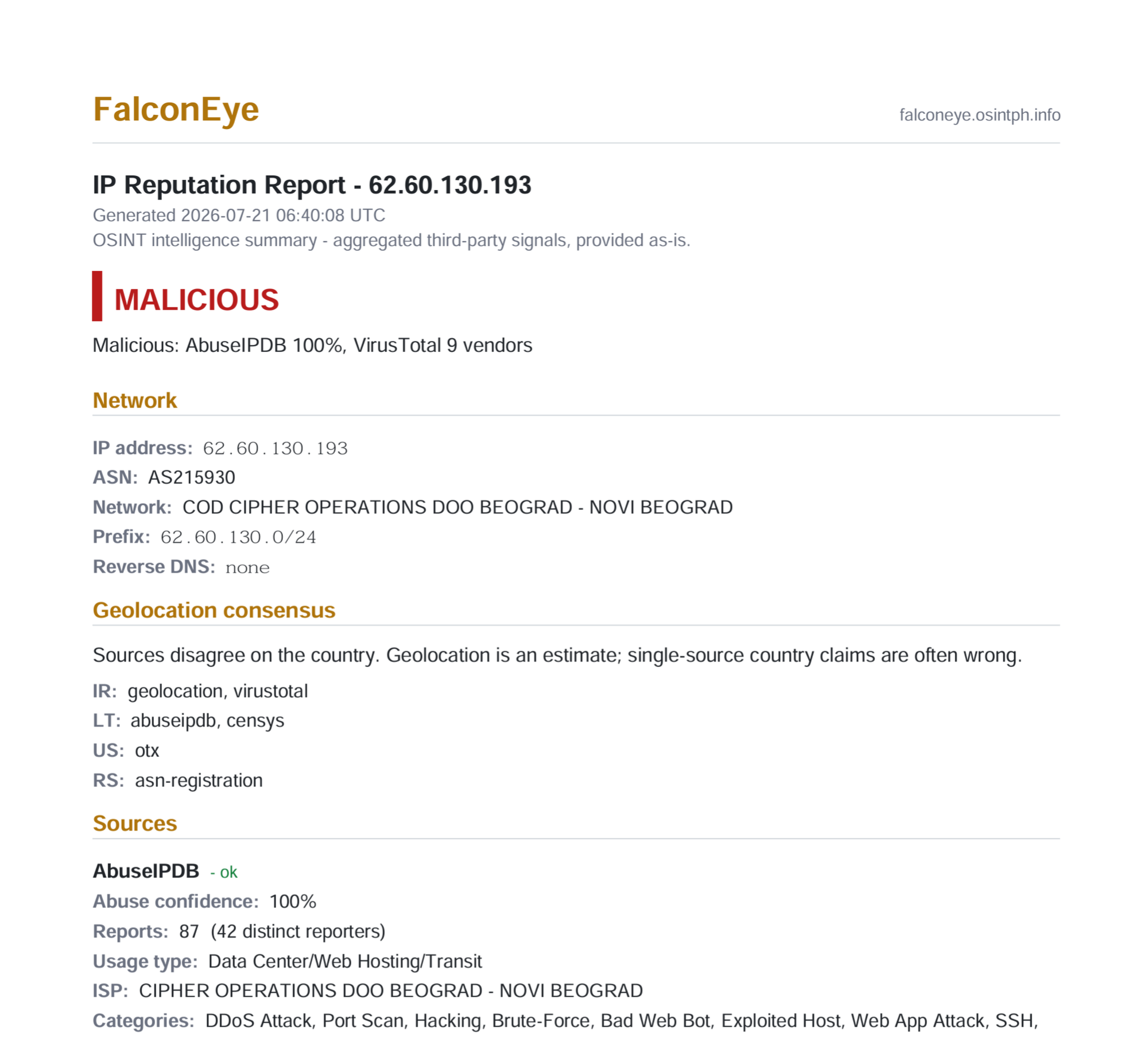
Malicious Example:
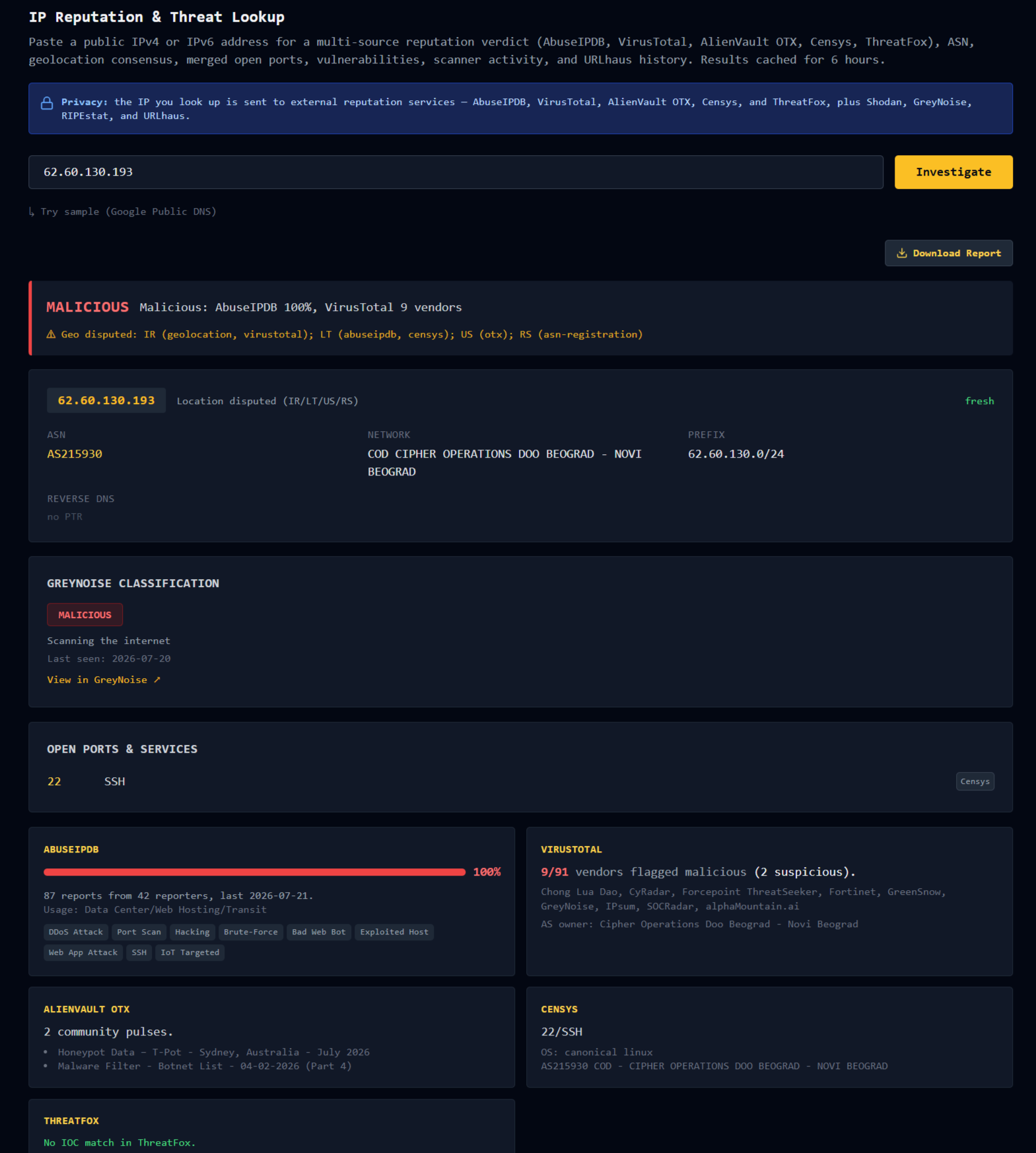
The abuse card sits below the IP details. It resolves the hosting provider's abuse contact via RDAP, shows the network name and the RIR, and gives you a category dropdown. The evidence section prefills from what FalconEye already knows: the ASN, the network, and any GreyNoise or URLhaus flags on the address.
Click Preview and you get a composed report. Nine category templates cover phishing, spam, BEC, malware, brute-force, scanning, DDoS, crypto fraud, and other. Each reads in the vocabulary the relevant abuse desk actually responds to. A brute-force report reads differently from a phishing report because the person reading it on the other end is looking for different things.
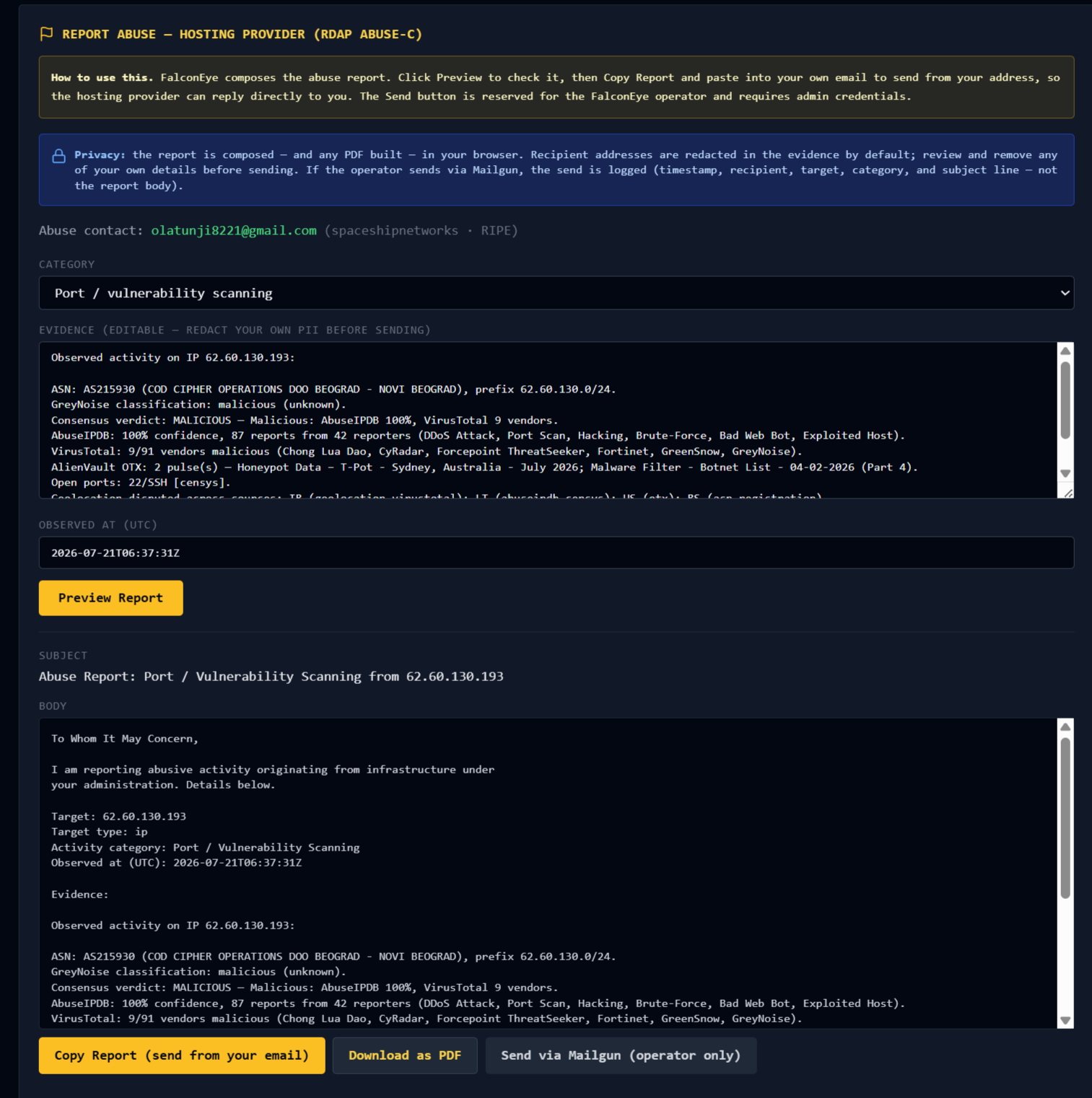
PDF Example:
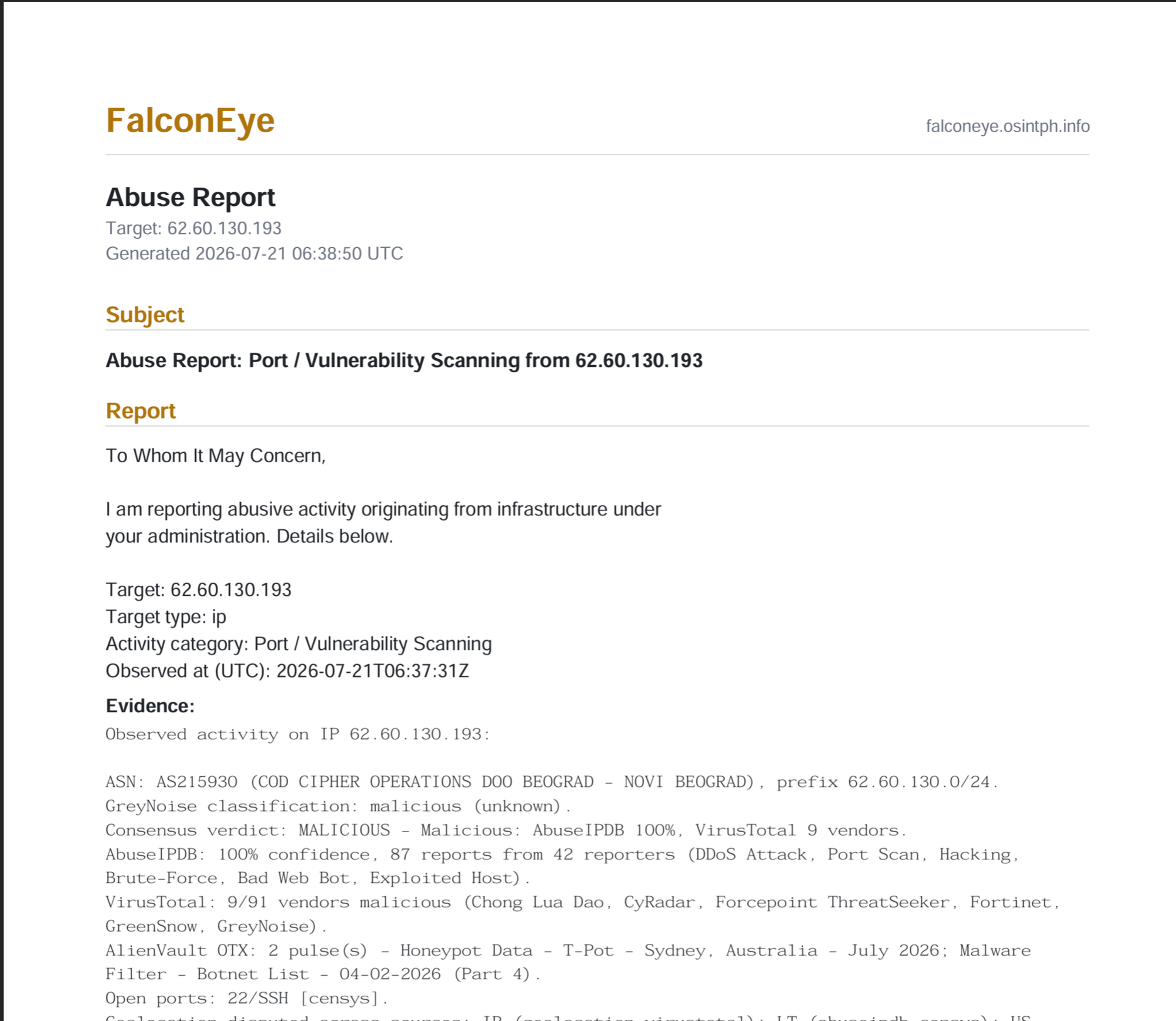
If you just want the IP Reputation report, that is possible too:
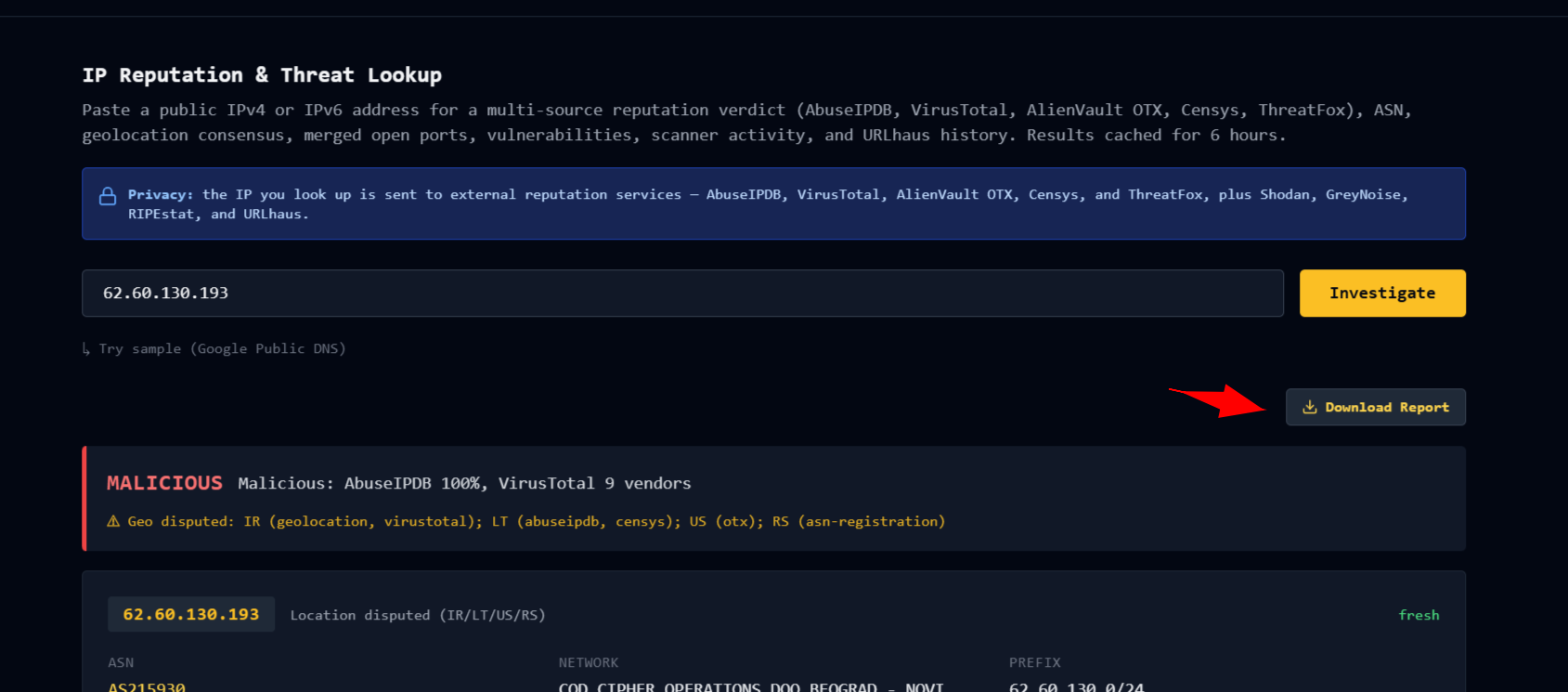
Sample:
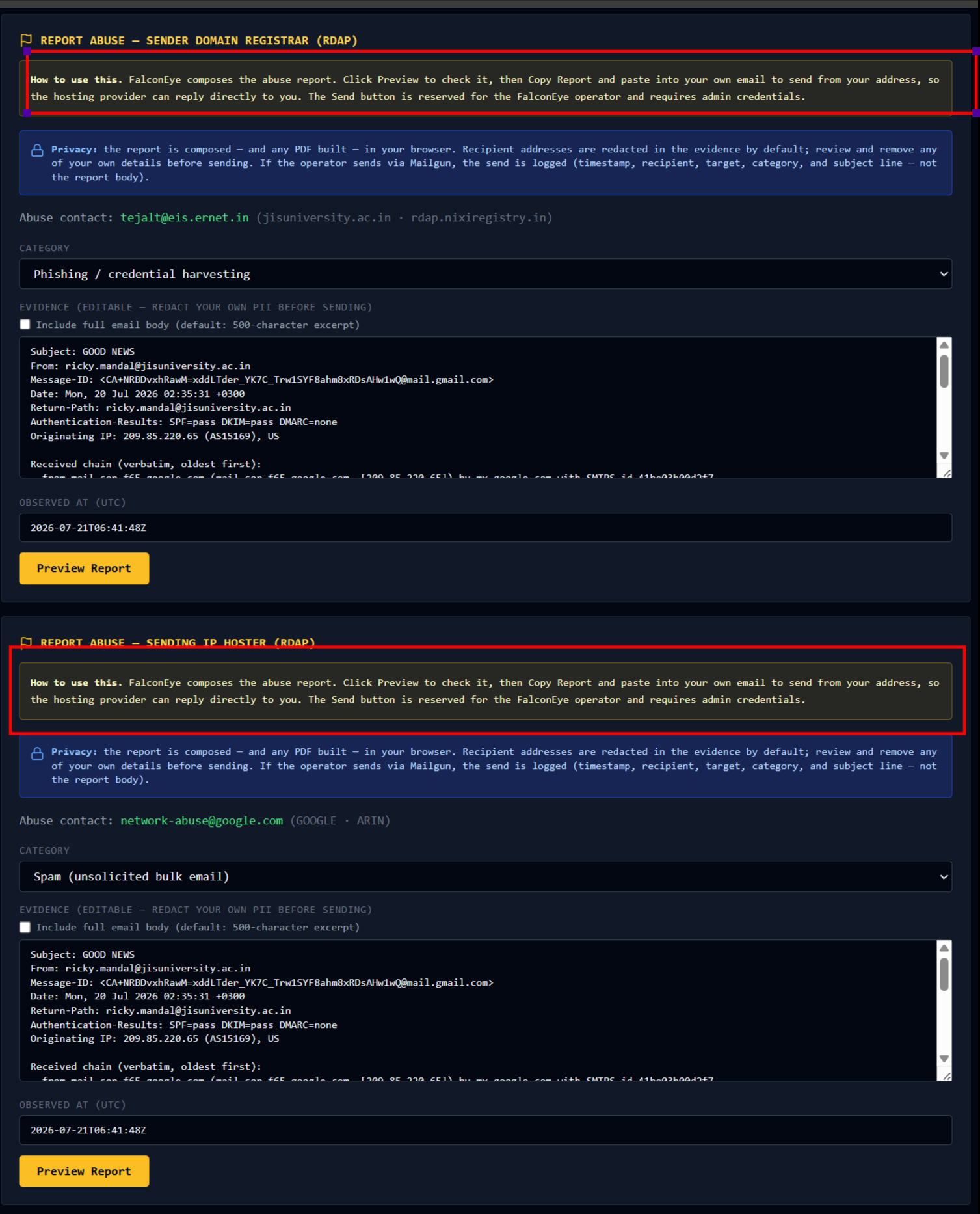
The Email Header tab goes further, because an abusive email gives you two targets. The card surfaces both: the hosting provider of the sending IP, resolved from the earliest untrusted Received hop, and the registrar of the sender domain, resolved from the From header. You report to either or both.
The evidence here is the part I got wrong the first time and had to fix. An abuse report that just says "there was abusive activity" is useless to the desk reading it. They need the actual message to correlate against their platform-side logs. So the Email Header evidence now carries the real thing: subject, From, Message-ID, Return-Path, the raw Received chain in original order, and a body excerpt. An "Include full email body" toggle swaps the excerpt for the complete message. Any URLs in the body are extracted, decoded from defanged and base64-encoded forms first, because the URLs are the single most important piece of evidence a registrar abuse desk uses to decide whether to suspend a domain.
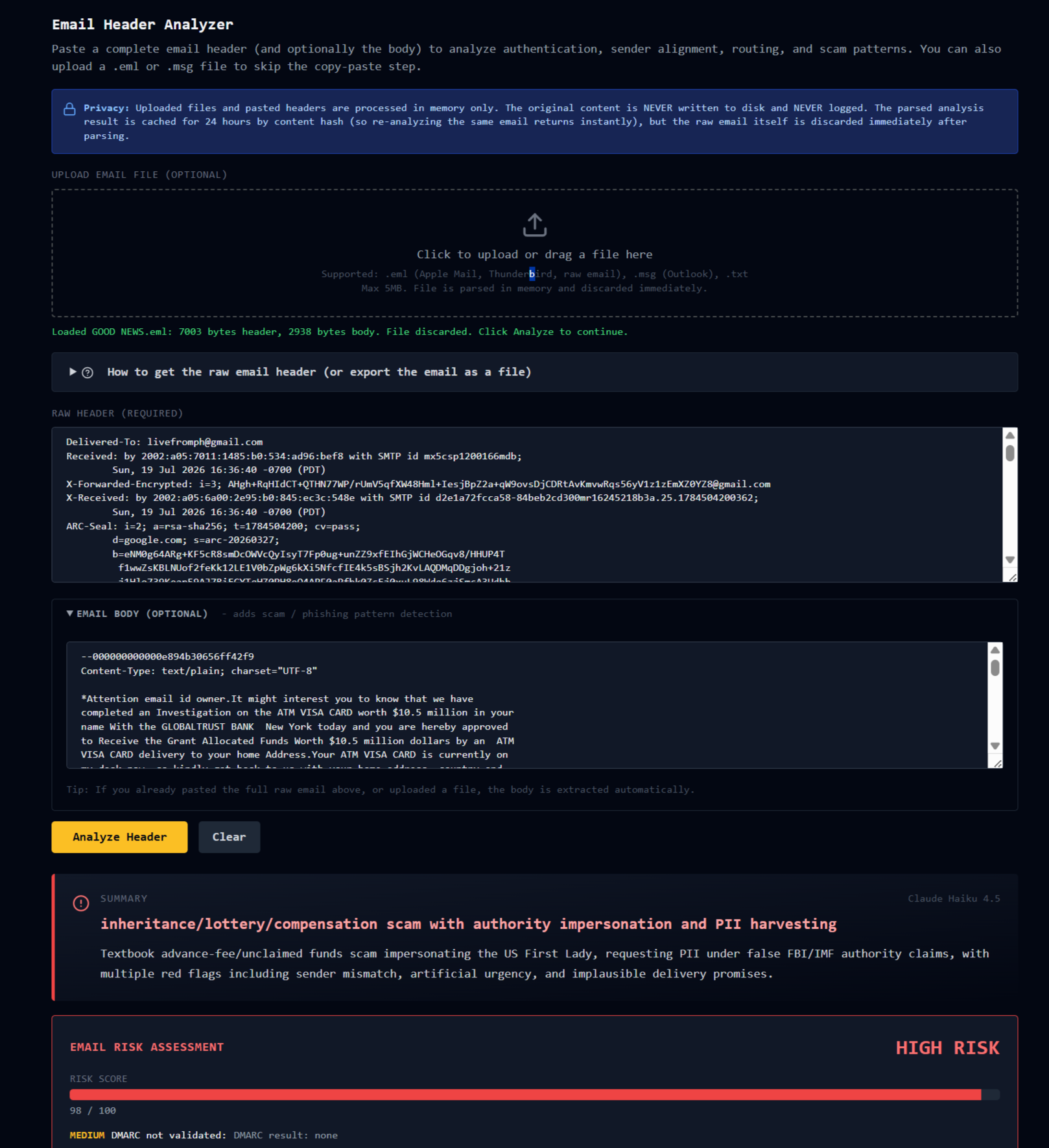
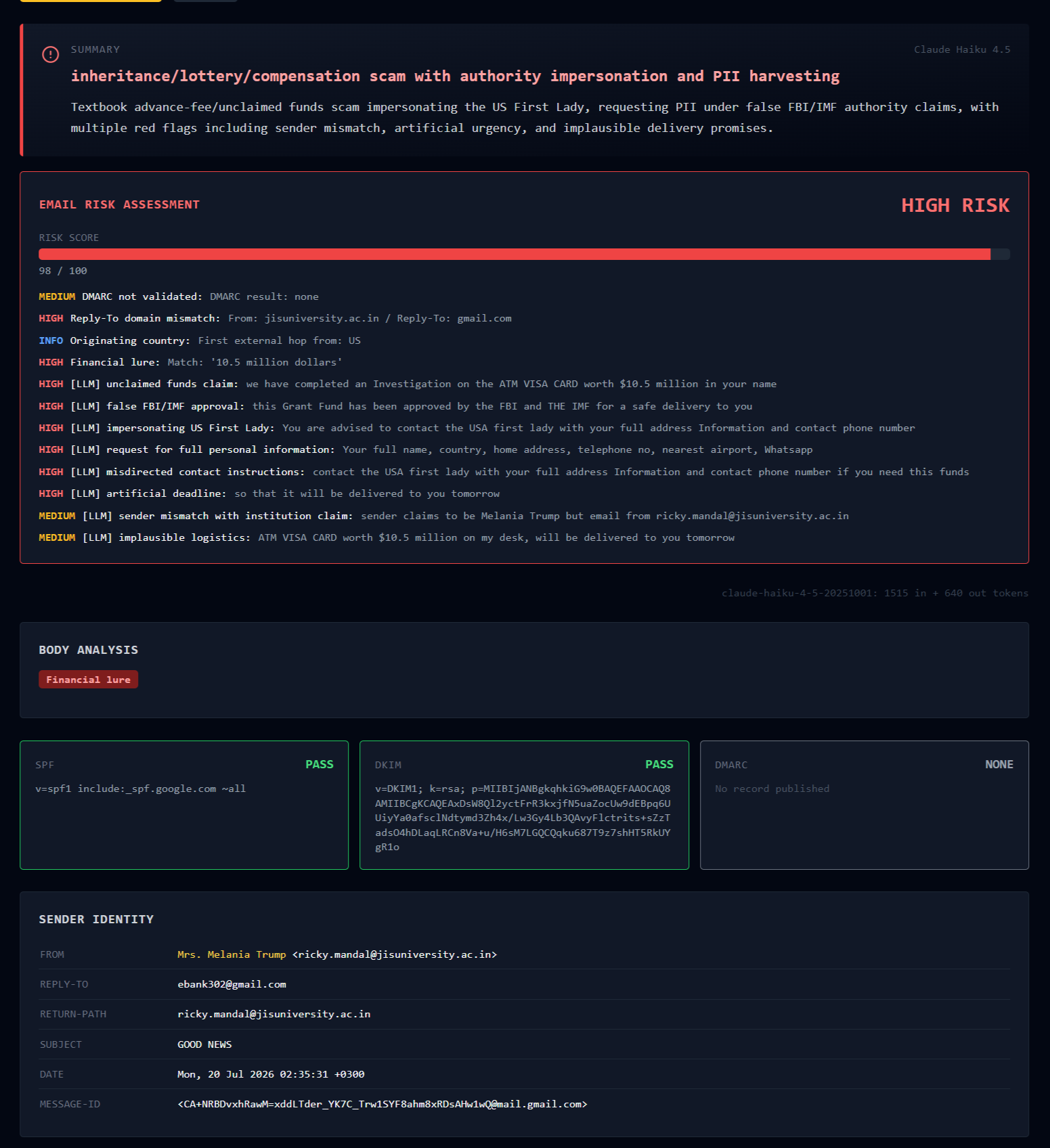
Two buttons sit under every report. Copy Report is the one you use. It copies the composed subject and body to your clipboard, you paste into your own mail client, and you send from your own address. That is the correct way to file an abuse report because hosting providers can reply directly to you.
There is a second Send via Mailgun (operator only) button, and it is reserved for the FalconEye operator behind admin credentials. Letting a public web UI send email from a real domain to arbitrary abuse desks is a legitimate abuse vector no matter how the rate limits are tuned, so the public path is Copy, and the send path is mine alone.
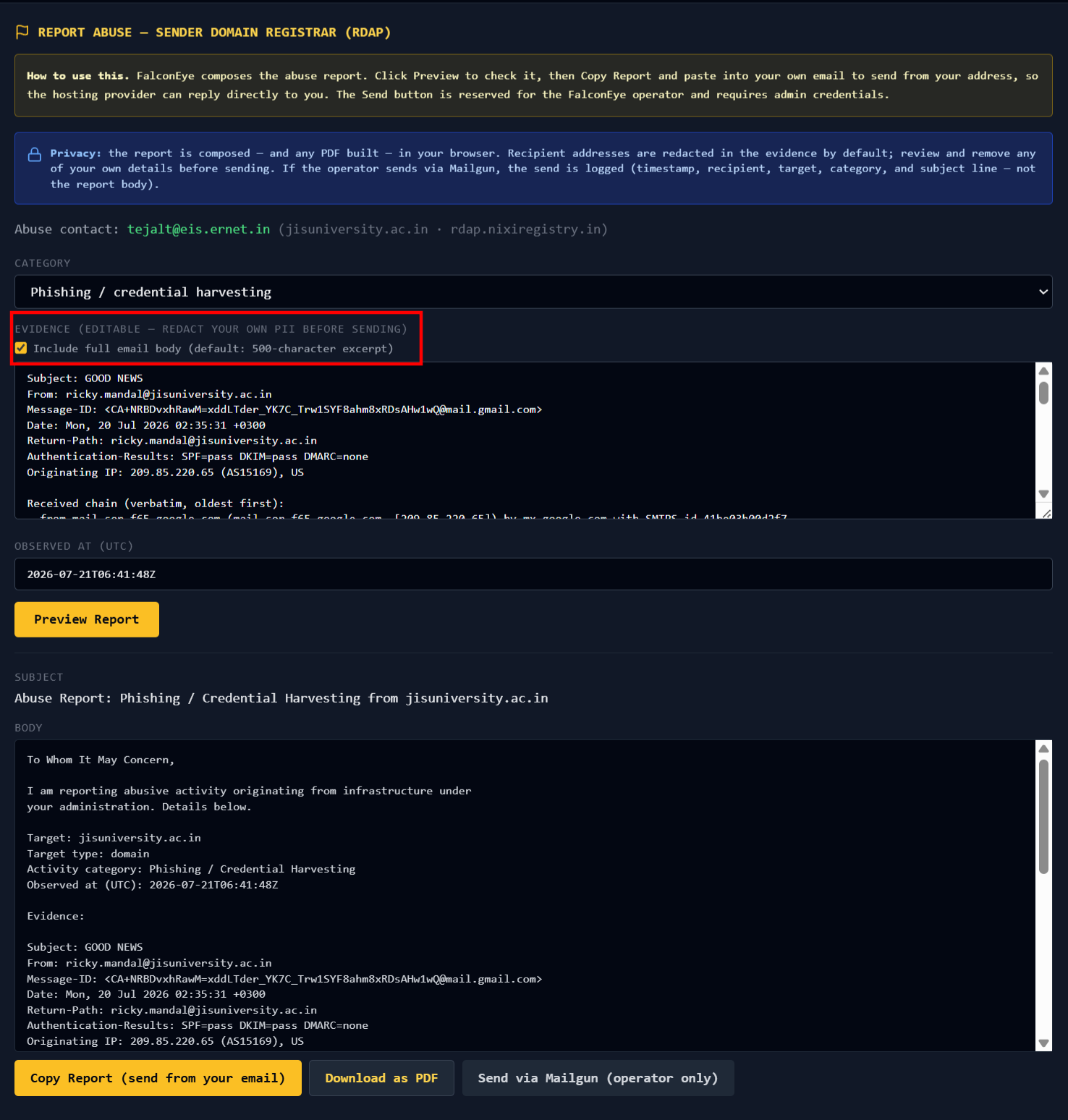
Every abuse report also downloads as a formatted PDF suitable for case files. Composed client-side, nothing written to disk, same privacy posture as the rest of the tab.
Username Enumeration: from a handle to a person
Every FalconEye tab before this one operated on infrastructure. Domains, IPs, wallets, URLs, QR codes, headers. All of it machinery. None of it operated on identity.
A scammer's handle is not machinery. It is a thread you can pull. That same handle might sit on a GitHub account with a real name in the commit history, or a decade-old forum profile that geolocates them, or a LinkedIn that ties the whole operation to a company. You just need to know where the handle appears before you can start pulling.
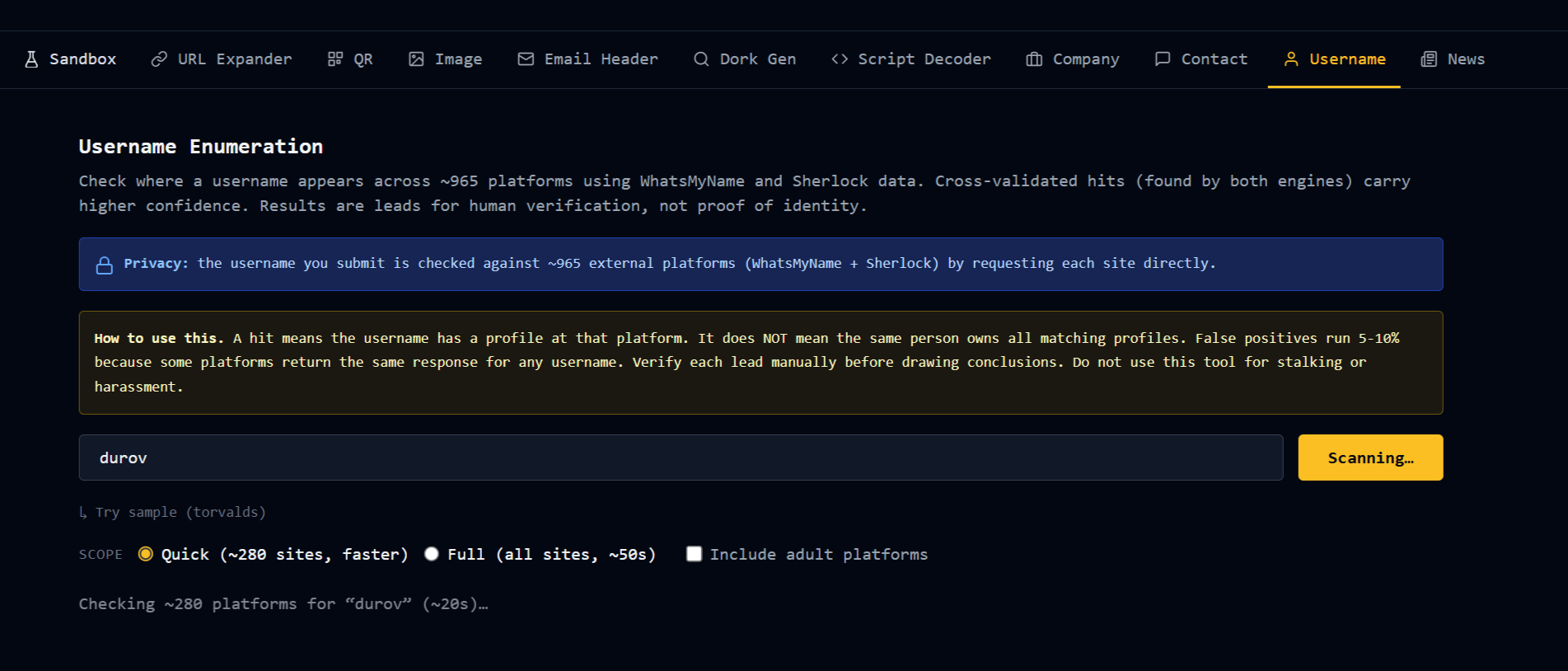
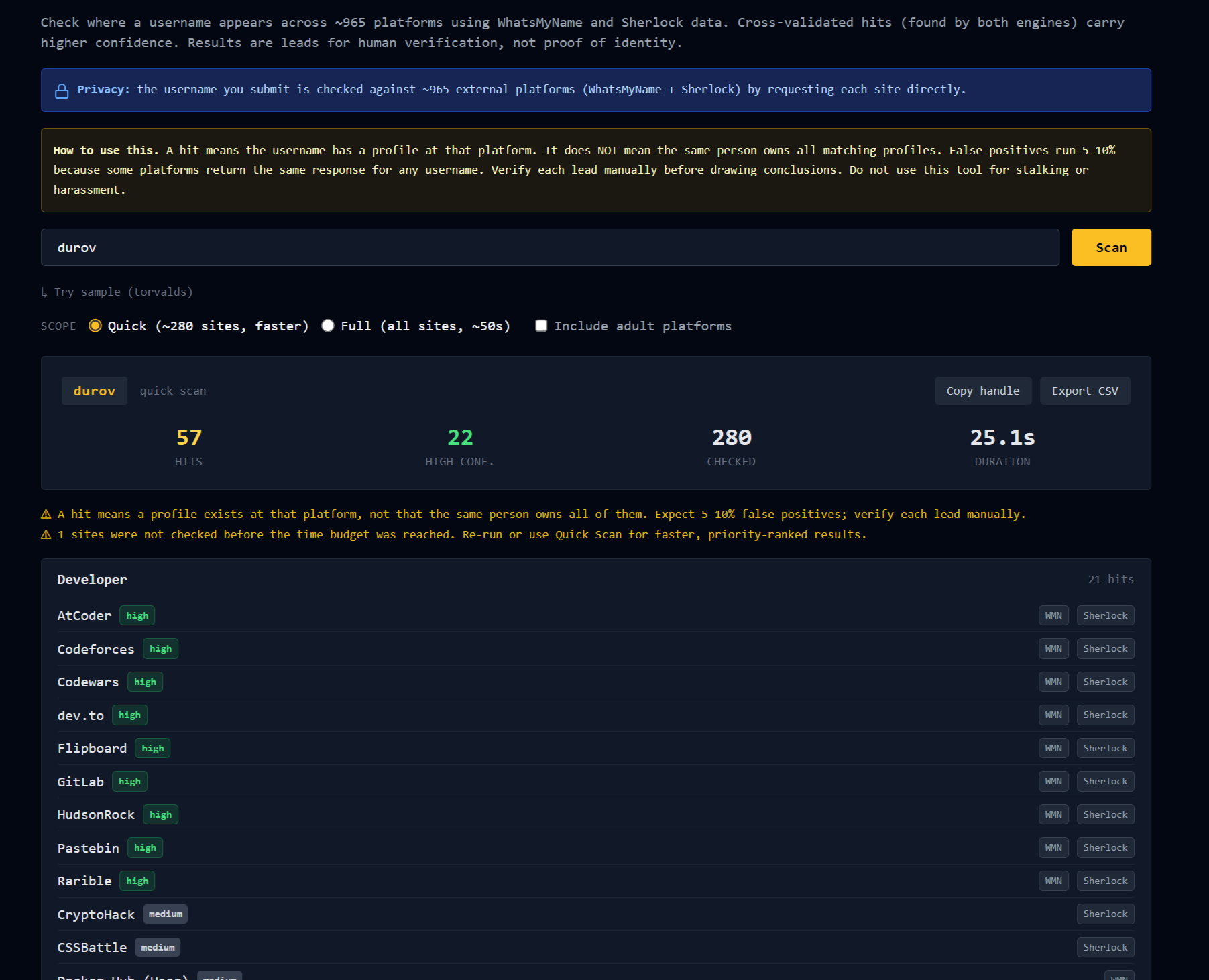
Paste a username. FalconEye checks it against roughly 965 platforms.
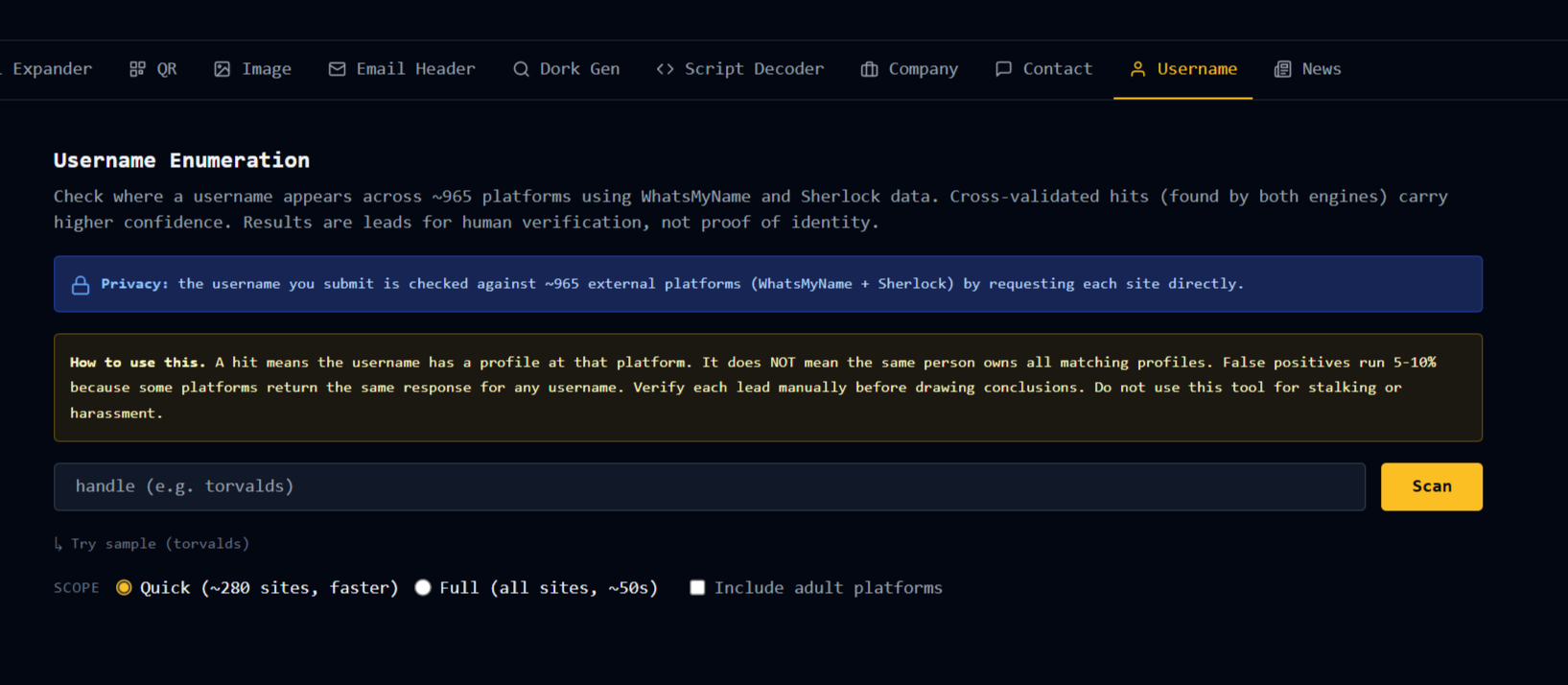
The data comes from two open-source projects, WhatsMyName and Sherlock, merged and deduplicated. This dual-engine setup is the part worth understanding, because it is where the confidence tier comes from. A platform that appears in both datasets and matches on both gives you a high-confidence hit. A platform in only one dataset gives you a medium-confidence hit. That distinction matters, because some platforms return the same response for any username you throw at them, which produces false positives. When two independent detection methods agree, the hit is far more likely to be real.
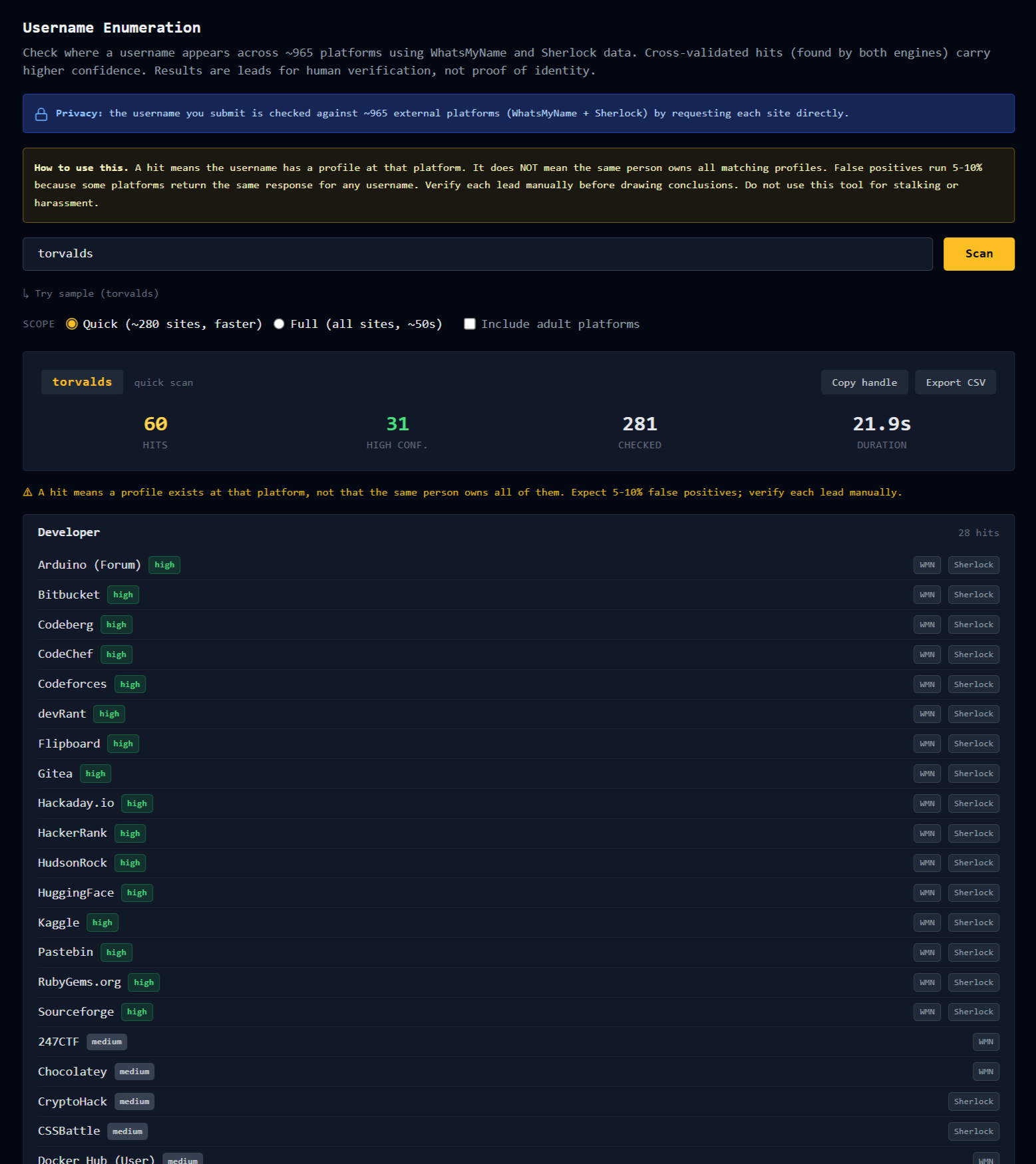
Quick Scan checks the top priority platforms in about twenty seconds. Full Scan checks all 965 and takes closer to a minute. Results are grouped by category, sorted by hit count, and each hit shows the profile URL, the confidence badge, and which engines flagged it.
Adult platforms are excluded by default, with an opt-in toggle for the casework that needs them. The full result set exports to CSV.
One thing this tab does not do, and will not: it does not tell you the hits belong to the same person. Handle collisions are common because people reuse usernames deliberately. Every hit is a lead for human verification, not proof of identity. The tab says this on its face, and I will say it here too. Do not use this to stalk or harass anyone.
Telegram Intelligence: from a Telegram handle to everything else
The old Telegram tab only accepted a public channel with a message preview. Paste a username, a bot, a user, or a channel without preview, and it returned "no public preview." That covered maybe a fifth of the Telegram identifiers I actually encountered.
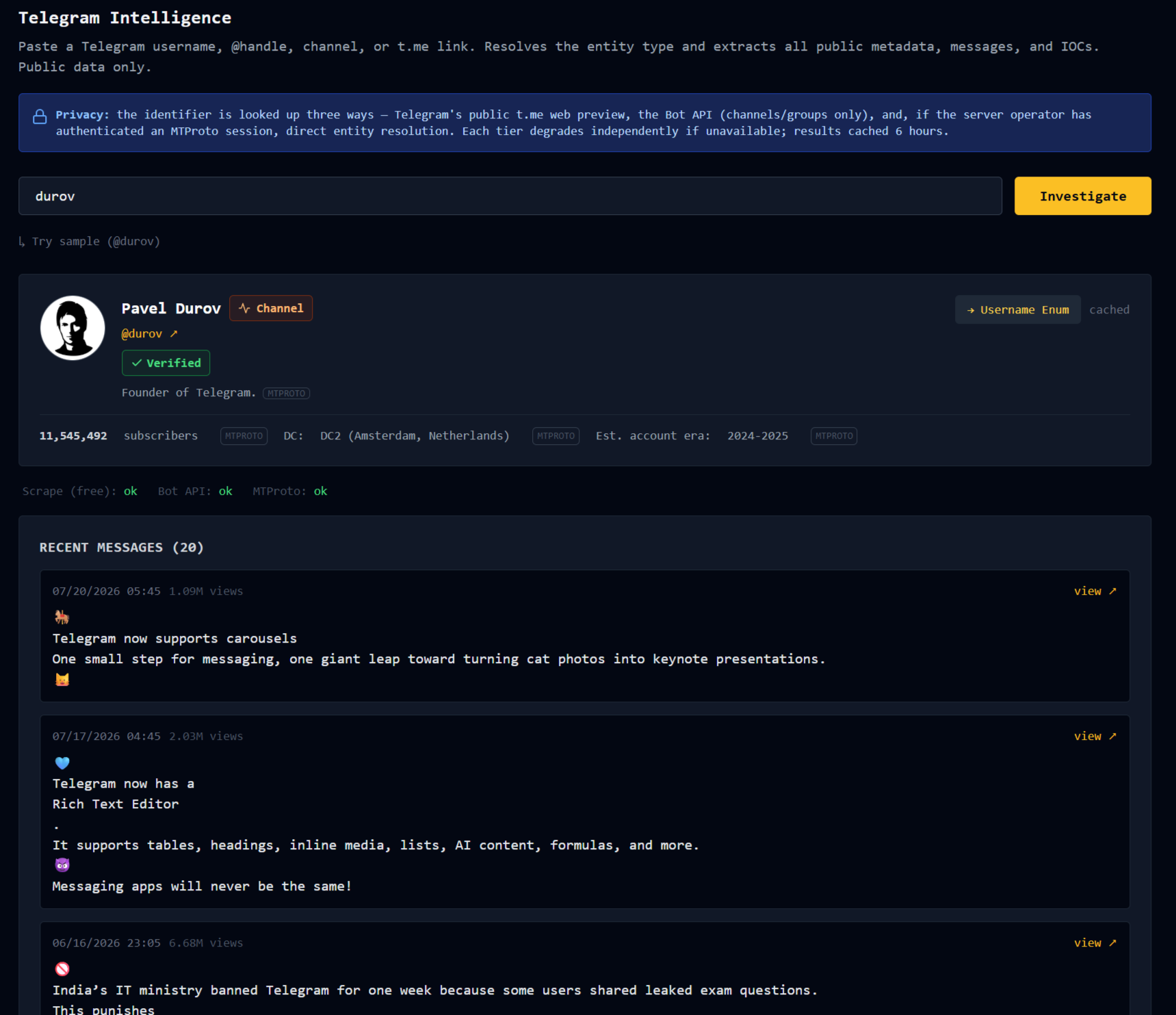
The new tab accepts any Telegram username, @handle, channel, or t.me link. It auto-detects the entity type. Then it pulls everything publicly findable, across three tiers.
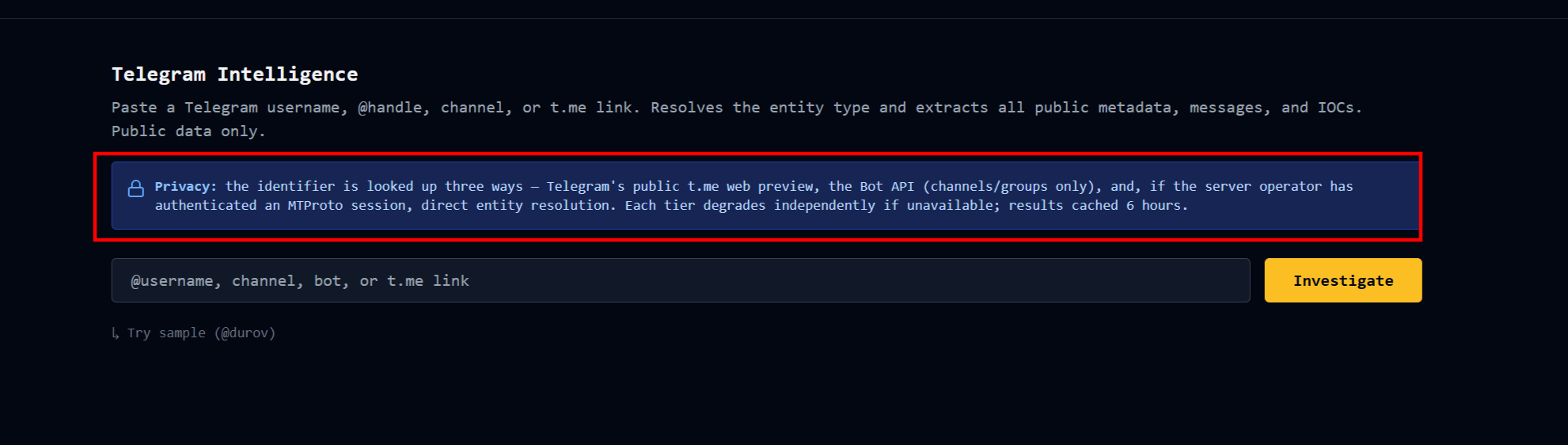
Tier one is public scraping. Free, no credentials, works on any public entity. It resolves the type (user, bot, channel, group), pulls the display name, bio, profile photo, verified and scam and fake flags, and for channels and groups the subscriber or member count. For channels with message preview, it also pulls recent messages.
Tier two uses the Telegram Bot API to enrich channel and group data beyond what scraping returns. Bots cannot resolve arbitrary users, so tier two adds nothing for user lookups. That is a Telegram platform limitation, not a bug.
Tier three uses Telethon over MTProto, the same protocol the official clients use. It requires a burner Telegram account and a one-time interactive session bootstrap on the server. Once authenticated, tier three resolves users the Bot API cannot, and adds account-era estimates and data center geolocation from the profile photo. The era estimate is deliberately coarse because Telegram's ID space is not linearly datable, and I would rather show "2024-2025" than fabricate false precision.
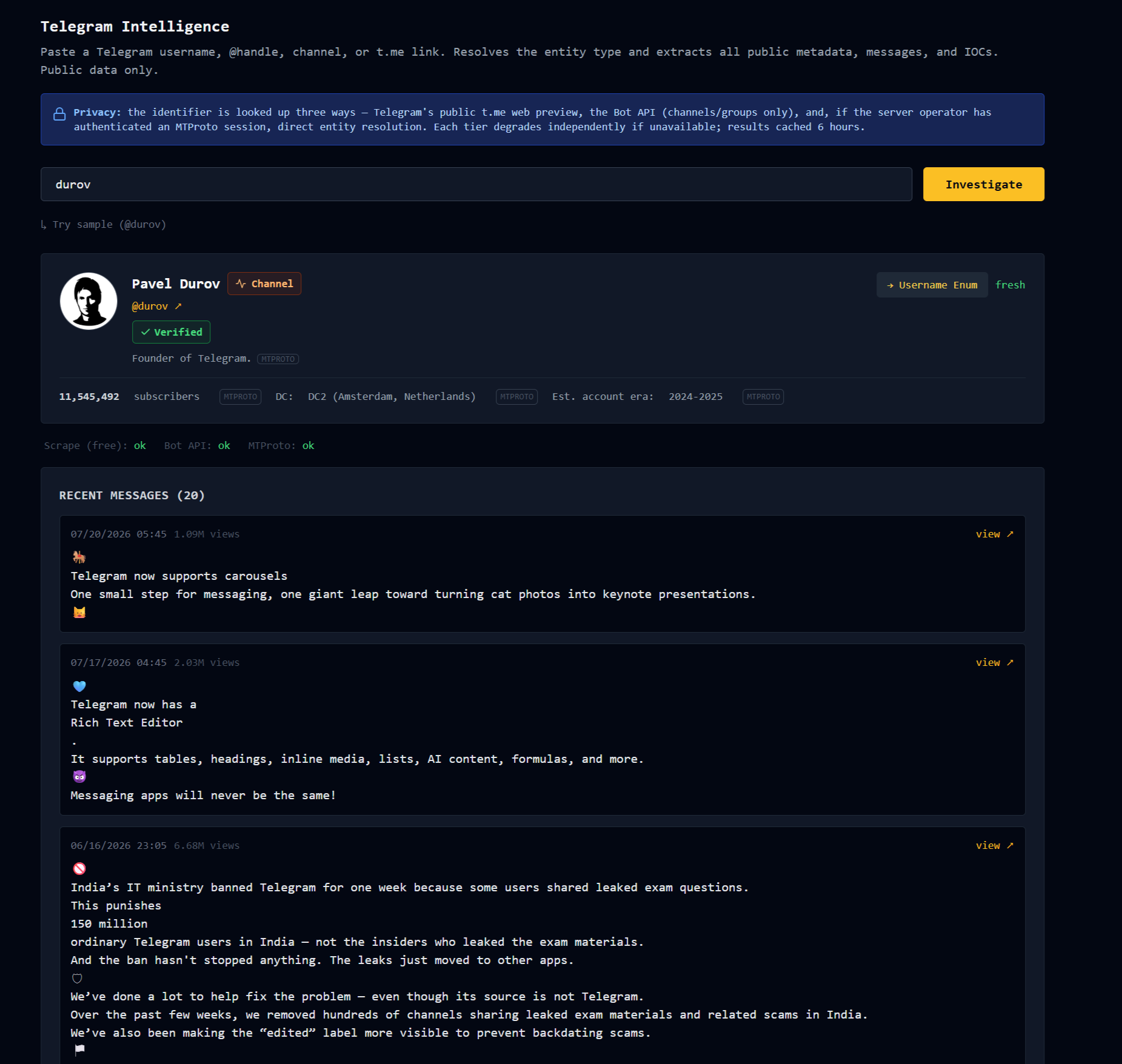
Each field on the card carries a small source tag telling you which tier answered. Scam and fake flags render loud red. Verified renders green. Those are the highest-value signals for anyone doing threat work, and the UI treats them that way.
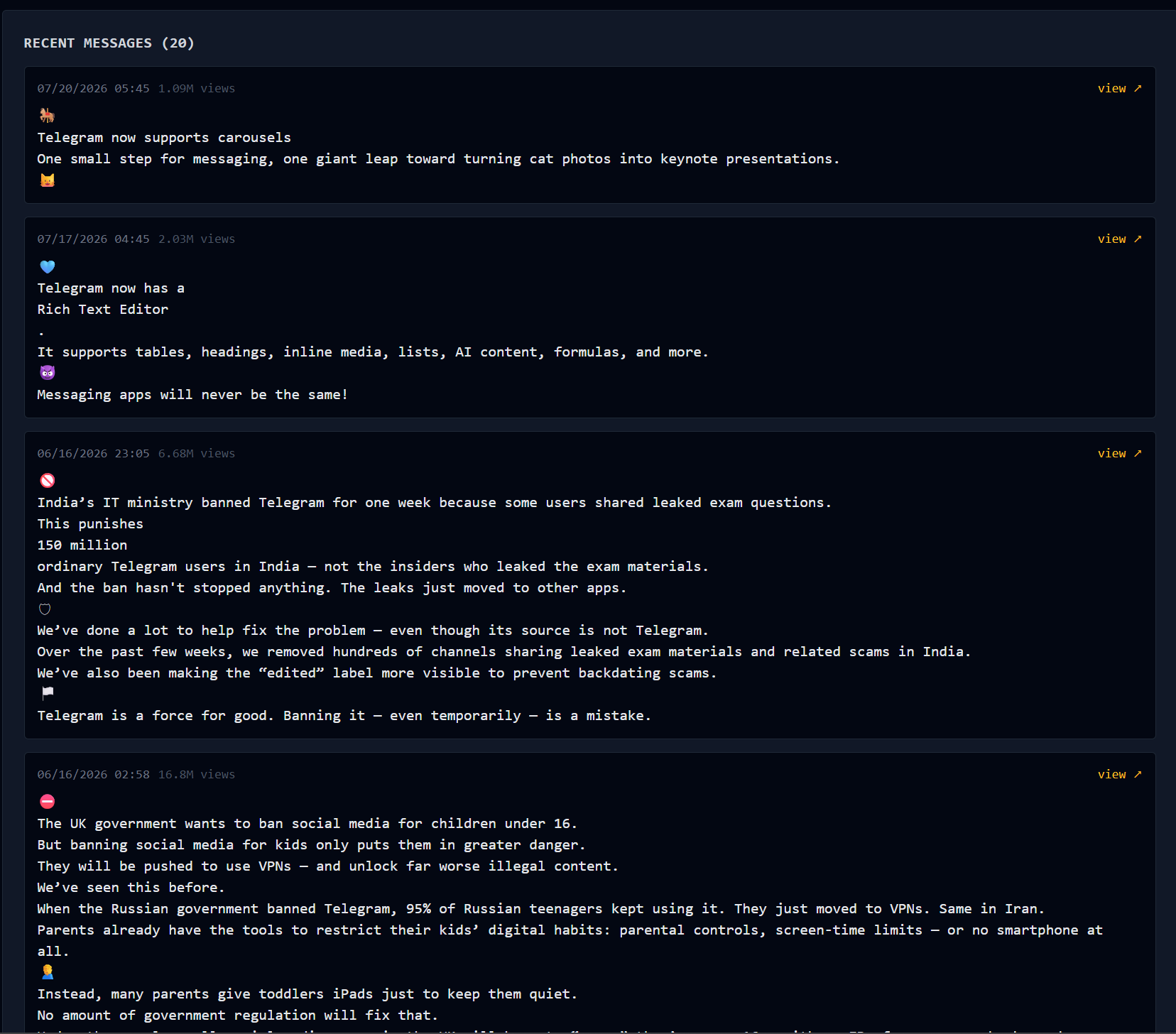
The tab also extracts IOCs from bio, description, and messages: URLs, other @handles, crypto addresses, phones, emails, and other t.me links. Each extracted item is a pivot.
The tabs are talking to each other
Here is the interesting part.
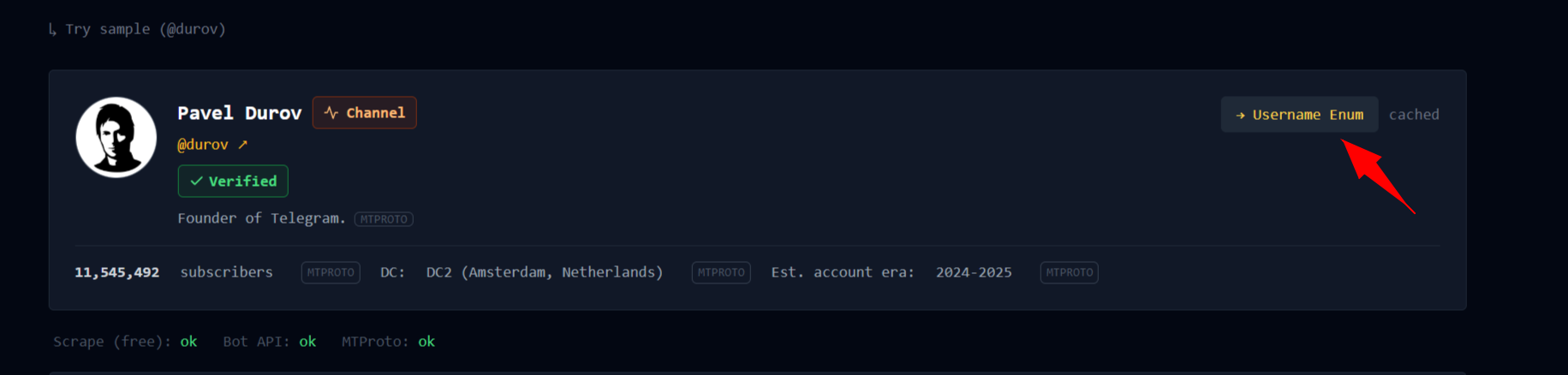
A Telegram handle in the Telegram tab has a Username Enum pivot button. Click it and the same handle drops into the Username Enumeration tab and runs against all 965 platforms. So a suspicious Telegram channel operator with handle xyz becomes: resolve them on Telegram, see the profile and their DC location, click the pivot, and get back where else that handle appears. GitHub, forums, LinkedIn, all of it.
The same shape applies elsewhere. Extracted URLs from Telegram messages pivot into URL Expander. Extracted crypto addresses pivot into the Crypto tab. Other @handles found in a channel's bio can pivot back into the Telegram tab to build an entity graph.
A BEC investigation now looks like this. Paste the phishing header into Email Header, get both abuse contacts, compose and copy reports for the sending IP hoster and the sender domain registrar. Then take the sender's Reply-To handle, drop it into the Username Enumeration tab, get back hits on Telegram and GitHub. Pivot the Telegram hit into Telegram Intelligence and read the channel's recent messages. Cross-reference the GitHub commit history for real-name attribution.
That entire flow used to mean six or seven tools open at once. Now it happens inside one browser tab with a lot of vertical scrolling.
Honest constraints
Nothing is persisted per user. Abuse report drafts live in your browser session. Raw email content and QR images are handled in memory. Username scans and Telegram lookups are cached briefly for cost reasons, then discarded.
The tier-three Telegram session sits on the server as an authenticated burner account. That is an operational trade-off for the depth it unlocks. Tier one and tier two need no such account and work immediately for anyone running FalconEye.
False positives on username enumeration run five to ten percent. That is why the confidence tier exists.
The Telegram account-era estimate is coarse. Don't quote it in a report as if it were a birth certificate.
A note on ethics
Both the Username tab and the Telegram tab surface leads. Neither delivers verdicts. Cross-platform handle collisions are common because people reuse usernames deliberately. A verified Telegram account is not evidence of who is behind it, only of what Telegram thinks. Every hit is a starting point for human verification, not an endpoint.
Do not use these tools to stalk or harass anyone.
Try them
Live tool: falconeye.osintph.info
 OSINT-PH
The abuse cards are on the IP Reputation and Email Header tabs. Username Enumeration and Telegram Intelligence are their own tabs in the nav.
Sample IPs for the abuse card demo: 8.8.8.8 (Google, ARIN) or 1.1.1.1 (Cloudflare, APNIC). Both resolve to real abuse contacts and are safe to look up.
Sample usernames for the Username tab: torvalds, bellingcat, defcon. All public, all producing clean hits, none carrying any reasonable expectation of privacy.
Sample Telegram identifiers: @durov (the founder's public channel, hits all three tiers), @BotFather (the platform bot, demonstrates bot detection), @telegram (the official announcement channel, useful for the recent-messages preview).
What is next
Phone number OSINT is probably the next tab, with a focus on PH scam-number infrastructure. If any of the three features described here breaks against real casework in an interesting way, open an issue on github.com/osintph/falconeye. Real edge cases are worth more than synthetic tests.
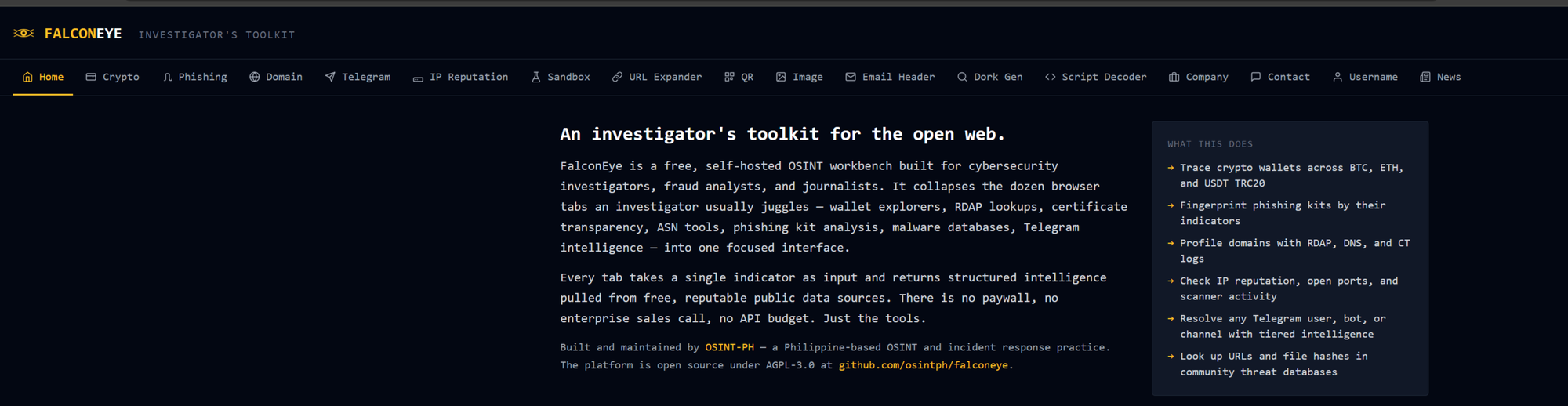
FalconEye is a free, self-hosted OSINT toolkit for practitioners. Seventeen tabs. No login. No API keys required to use it. AGPL-3.0. Blog series on individual tabs and real casework at blog.osintph.info.

 osintph
Reach out if you have questions or comments or what to collaborate
Session ID: 059db238ab37c3d92615c5cc24b694da29c598cc13e27886053722404118e14271