Building a Self-Hosted Dark Web Monitoring Portal Part 2 — The Darkweb Observatory
In Part 1, we built a basic self-hosted dark web monitor, a simple script scanning a handful of hardcoded onion links and publishing a…

In Part 1, we built a basic self-hosted dark web monitor, a simple script scanning a handful of hardcoded onion links and publishing a status page via Tor. I was surprised by the number of messages and feedback I got for this/ I promised a Part 2, and here it is. Originally, I planned to release this next month but since most was done already, all that was missing was the write up.|
Part 1:
What started as a 30-minute project has evolved into something considerably more capable. In this article I will walk you through everything I have added, why I have added it, and how to deploy the full version on a fresh machine in minutes. This can be served as an ONION site but with a few changes this can just as well serve as a clear net site as well.
And since this now is more than just a few lines of code that I can paste here in the article, I published this on GitHub and it comes with a simple quick deploy script:
What was Built
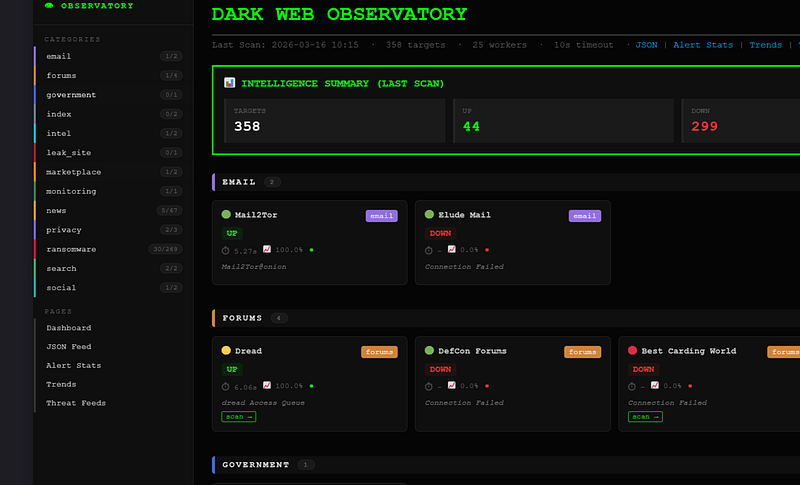
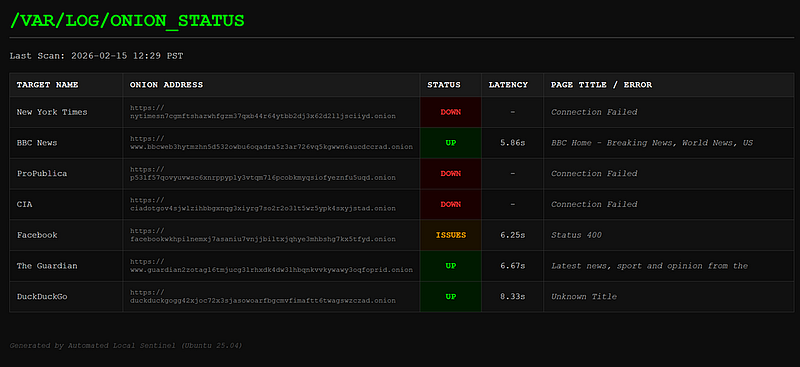
Before geting into more detail, here is what the dashboard looks like now versus Part 1.
Part 1:
Part 2:
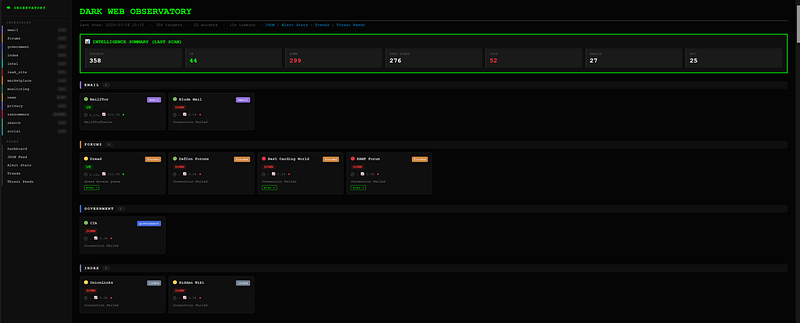
The differences are quite considerable:
- At this time, there are 358 targets across 13 categories, up from 7 hardcoded URLs, and those are pulled from maintained repositories, it will also be simple to modify the code to pull other repositories, or crawl for more sites.
- Card-based layout with sidebar navigation by category
- Per-target uptime history, sparklines, latency tracking
- Deep scan with IOC extraction (emails, Bitcoin addresses, linked onions)
- Live cybersecurity news feed
- On-demand deep scan tool
- IP reputation check
- Target manager UI for adding/removing targets without touching code
Phase 1: The Target Problem
The original version had targets hardcoded directly in the Python script. That is fine for 7 URLs. It is not fine for looking at hundreds, or for some more dynamic use cases.
I solved this in two ways.
The Target Manager
The first addition was manager.py — a Flask web application with login authentication that lets you add and remove targets through a browser interface, accessible only via localhost (SSH tunnel). I will work on improving this, i do know its not ideal.
Basically, from your Machine, connect to the server where the platform is running, which will set up the needed ssh tunneling.
ssh -L 5000:127.0.0.1:5000 osint_lab@YOUR_SERVER_IPKeep that terminal open, then open Firefox/Chrome and go to
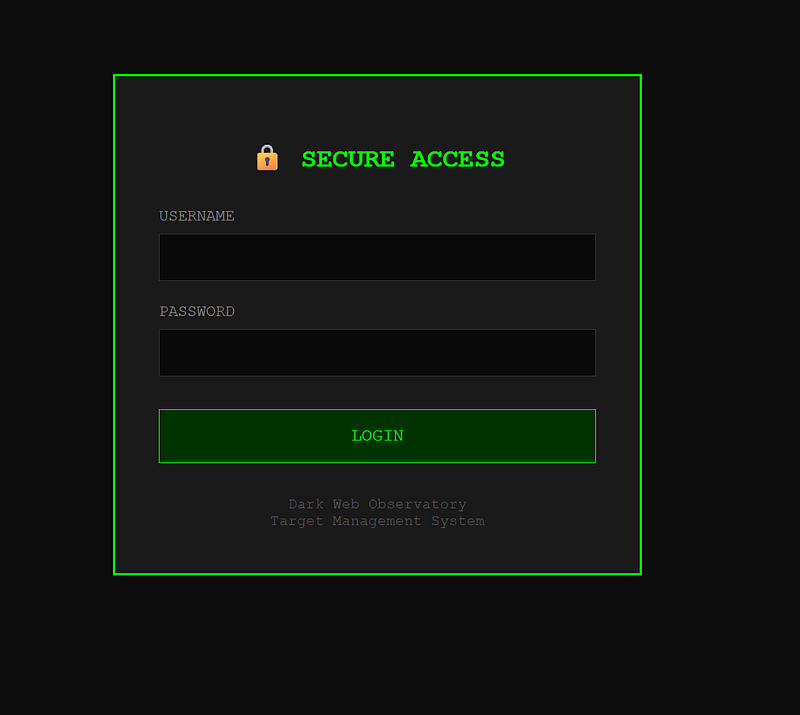
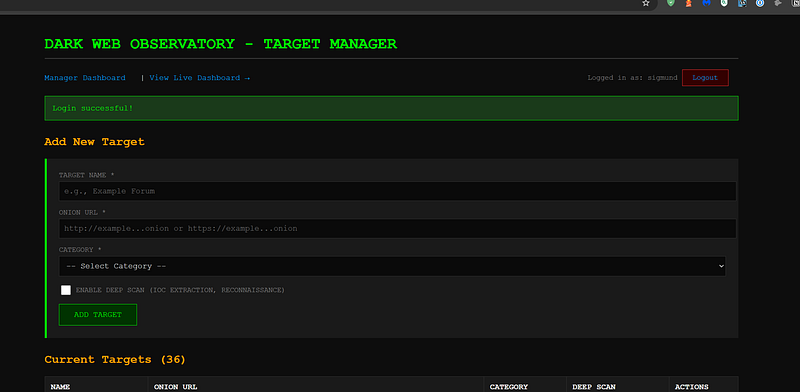
Targets are stored back into the scanner configuration. No more editing Python to add a new ransomware group.
Known issues: Might have problems getting the updated that came from used repositories, working on a fix for that.
Remote CTI Feeds
The bigger change was pulling target lists automatically from two well-maintained public repositories:
alecmuffett/real-world-onion-sites — A curated list of legitimate, substantial organisations that operate onion mirrors. News outlets, privacy tools, government agencies, social platforms. These are the sites you want to know are up.
fastfire/deepdarkCTI — A community-maintained threat intelligence collection tracking active ransomware groups and their infrastructure. Over 150 groups with their leak site onion addresses, filtered to ONLINE-status entries only.
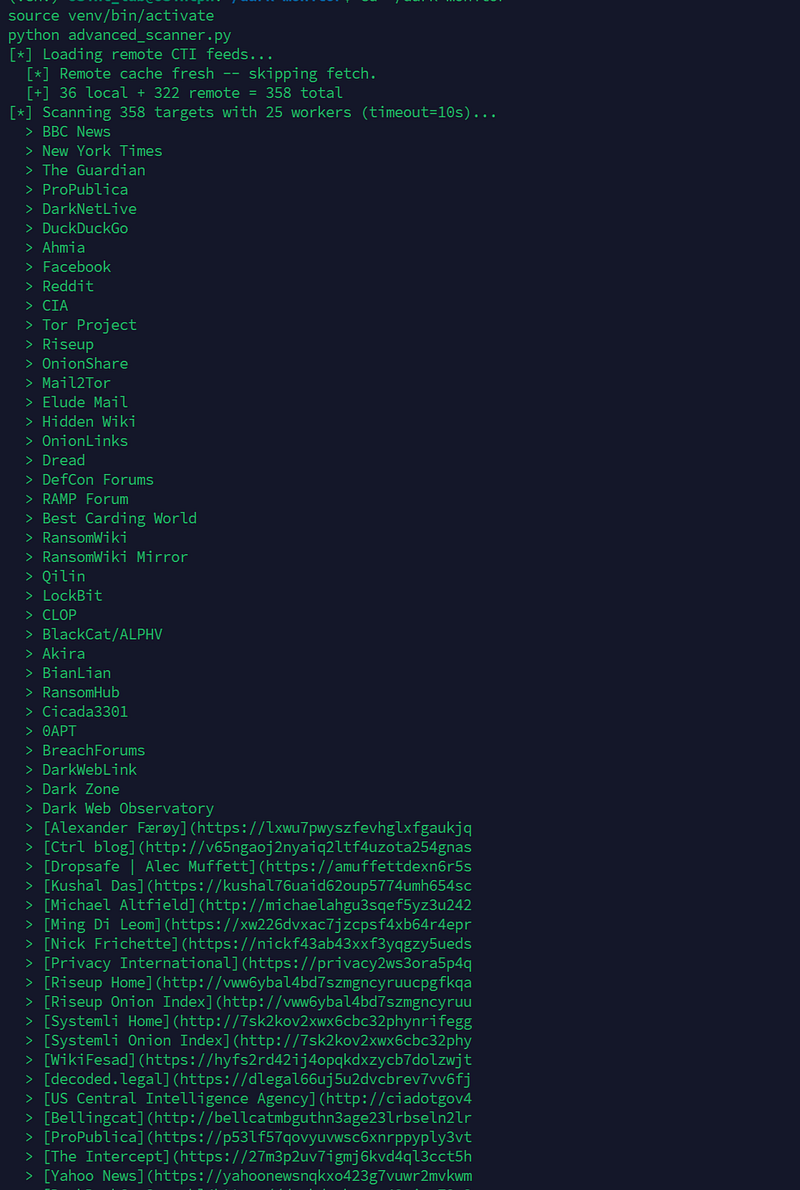
These feeds are cached locally for 24 hours and refreshed daily via cron. The parser deduplicates so that you do not usually end up with 15 duplicate links.
Phase 2: The Scanner Rewrite
The original scanner was single-threaded with a 60 second timeout. Scanning 358 targets that way would take hours.
Concurrency
I moved to ThreadPoolExecutor with 25 concurrent workers. Tor hidden service requests are entirely I/O-bound — the CPU sits idle while waiting for responses. 25 workers is safe and keeps total scan time under 5 minutes even for the full target list.
Timeout Tuning
The timeout dropped from 60 seconds to 10 seconds. This is the right call for onion monitoring. A hidden service that has not sent a single byte in 10 seconds is not coming back during that scan cycle. The old 60-second timeout meant a single dead site could block a worker thread for a full minute. I need to find a better way for this though as it does seem to mark sites as down that when manually checked, seem to respond eventually.
Deep Scan
Targets flagged with deep_scan: true get full IOC extraction on every scan:
- Email addresses
- Bitcoin and Ethereum wallet addresses
- Linked onion addresses discovered in page content
- Page content hash for change detection
- Server header fingerprinting
This is where the tool can move from uptime monitoring into actual threat intelligence. Watching a ransomware group’s leak site change hash, finding new victim emails, tracking wallet addresses — these are actionable signals. This is still under development, but, now that it is out there on GitHub I hope there will also be contributions from the community as I am limited in the time that I can spend on this, sadly.
Phase 3: The Dashboard Redesign
The original flat table works fine for 7 targets. When this grows to over 100, it becomes entirely unreadable.
Card Grid with Sidebar Navigation
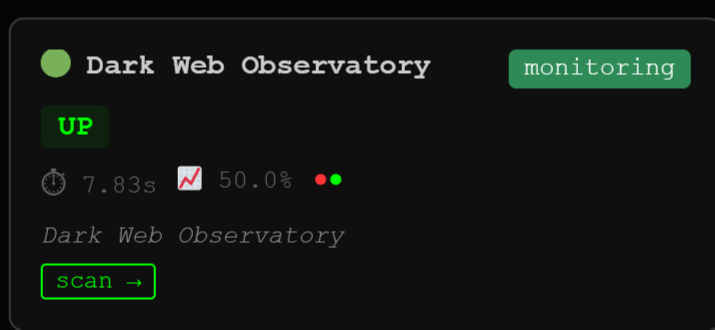
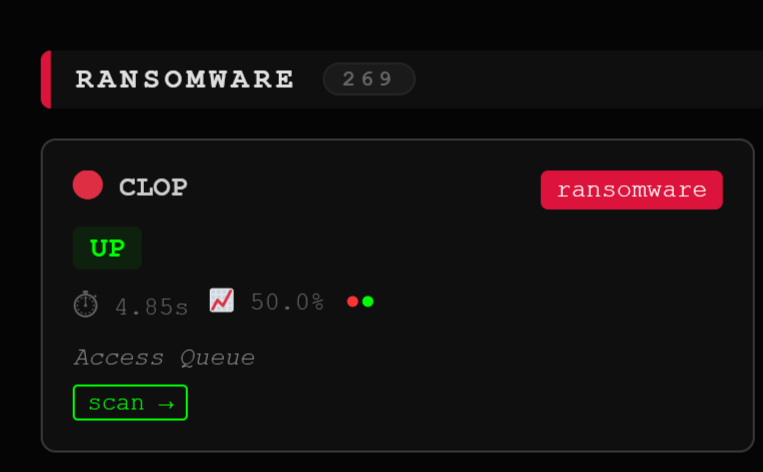
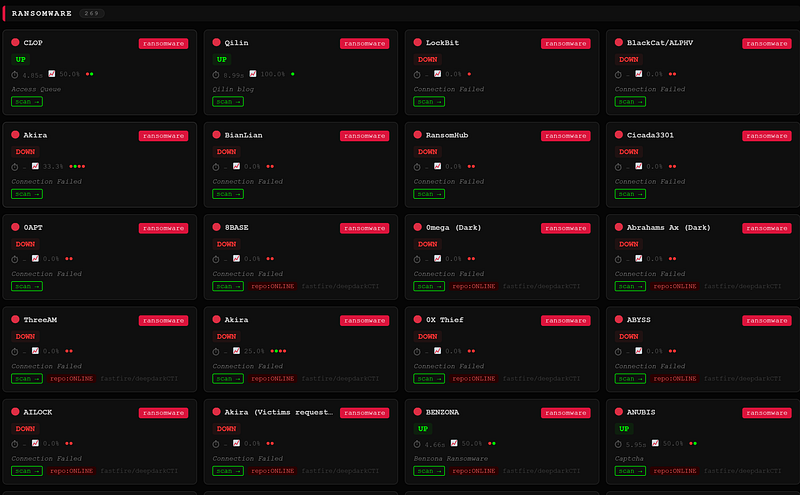
The new layout uses a fixed sidebar listing all categories with live up/total counts. Click any category and you jump directly to that section. The main content area renders each category as a responsive card grid.
Each card shows:
- Status with colour coding (UP / DOWN / other)
- Latency
- 24-hour uptime percentage
- 12-point sparkline of recent scan history
- Risk level indicator (🟢 low / 🟡 medium / 🔴 high)
- Page title or error message
- Link to deep scan report if enabled
- Source attribution for remotely-fetched targets
Categories
Targets are organised into 13 categories, each colour-coded in the sidebar:
news search social government privacy email index forums intel ransomware leak_site marketplace monitoring
The ransomware category alone currently has over 200 entries from the deepdarkCTI feed, covering every major active group.
Phase 4: Intelligence Features
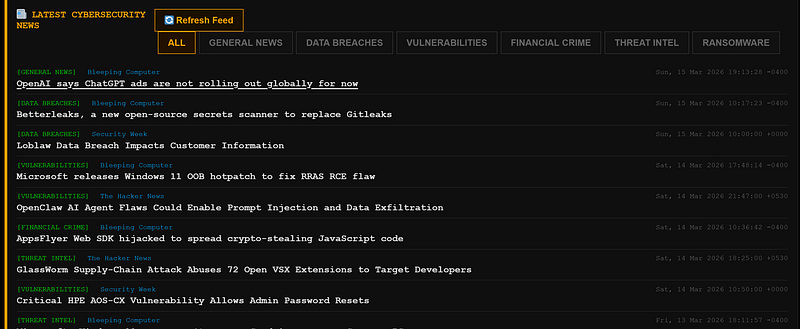
News Feed
The dashboard pulls live cybersecurity news from BleepingComputer, Krebs on Security, The Hacker News, Security Week, and Dark Reading. Articles are auto-categorised by keyword — ransomware, data breaches, vulnerabilities, threat intel, law enforcement, financial crime. This is simple basic news fetching, but can add some value as well:
Threat Feed Aggregator
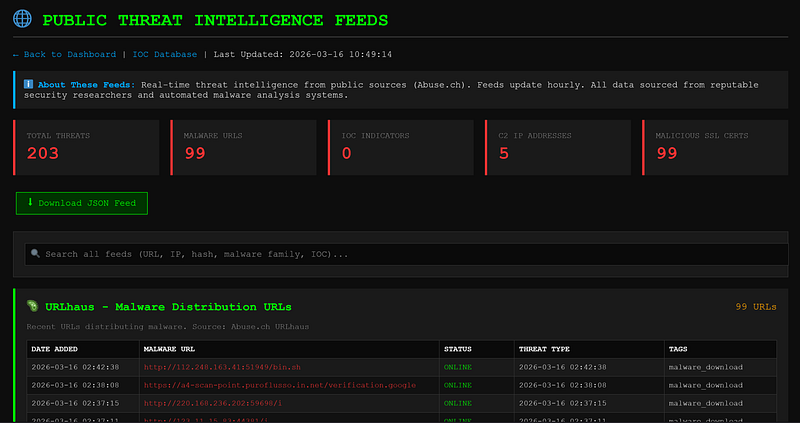
A separate module pulls from Abuse.ch’s public threat intelligence feeds:
- URLhaus — active malware distribution URLs
- ThreatFox — multi-source IOC feed
- Feodo Tracker — botnet C2 IP addresses
- SSL Blacklist — malicious SSL certificates
Alert Statistics and Historical Trends
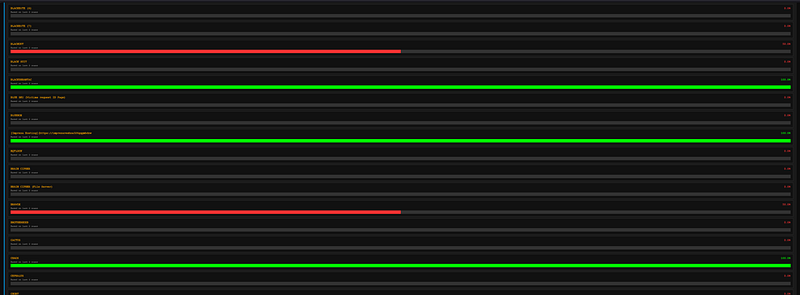
Every scan generates updated statistics pages tracking uptime over time and content change frequency per target.
Phase 5: One-Shot Deployment
This is something I added to make it more accesible and easy to deploy. The new version ships with deploy.sh — a single script that handles everything on a fresh Ubuntu 22.04 or 24.04 install:
- System packages (Tor, Nginx, Python, UFW)
- Firewall hardening — LAN SSH only, all inbound blocked
- Tor hidden service configuration
- Python virtual environment and dependencies
- First scan with remote CTI feed fetch
- Cron jobs for 3x daily scanning and daily feed refresh
git clone https://github.com/osintph/darkweb-observatory.git
cd darkweb-observatory
bash deploy.sh
At the end it prints your .onion address. Open Tor Browser, paste it, done.
A few minor changes can also deploy this for clear web use.
Cron Schedule
The scanner runs three times daily rather than every hour. Dark web infrastructure does not change minute-to-minute, and scanning 358 targets every hour is unnecessary load. The CTI feeds refresh once a day at 3am to pick up newly added ransomware groups.
# Scan 3x daily
0 6,14,22 * * *  python advanced_scanner.py
# Refresh remote CTI feeds daily
0 3 * * * python advanced_scanner.py --fetch-remote# News feed hourly
0 * * * * python news_feed_aggregator.py
OPSEC Notes
A few things worth stating explicitly:
The scanner only makes outbound connections through Tor. No inbound ports are required. The dashboard is only accessible via the hidden service address — it does not exist on the clearnet.
You can modify this easily for the dashboard to be accesible on the clearnet, I may do that in the next iteration.
Never run any component as root. The manager.py Flask UI binds to 127.0.0.1:5000 only and should be accessed via SSH tunnel, never exposed directly.
The config/targets.json, data/, and logs/ directories are gitignored. They may contain sensitive intelligence and should never be committed to a public repository.
What Is Next
A few things on the roadmap for Part 3:
- Tor circuit rotation between scans using stem
- Screenshot capture for visual change detection
The repository is public and accepting contributions. If you maintain a list of onion addresses relevant to threat intelligence that is not already covered by the two feed sources, open a pull request.
You can reach out to me via Session Messenger: 059db238ab37c3d92615c5cc24b694da29c598cc13e27886053722404118e14271
As usual: